He's had bad luck getting RGB to work with any XRGB he tries and prefers to use S-Video over RGB. I don't think there's anything wrong with his mini... Go fish!NWrain wrote:kamiboy wrote:My mini is really good at collecting dust.
Only reason why I don't sell it because every time I get rid of any piece of hardware there always comes a time in the future where I regret it.
What's wrong with your mini?
XRGB-mini Framemeister
-
RGB32E
- Posts: 1400
- Joined: Thu Nov 05, 2009 12:50 am
Re: XRGB-mini Framemeister (now available !)
-
kamiboy
- Posts: 2000
- Joined: Sat Sep 04, 2010 4:40 pm
- Location: Denmark
Re: XRGB-mini Framemeister (now available !)
S-video, composite or RGB. Next to my PVM CRT the mini always falls short.
And I prefer S-video for certain systems because I honestly cannot see a discernable difference and S-video offers less clutter/issues.
-
blizzz
- Posts: 1150
- Joined: Fri Sep 16, 2011 6:19 pm
- Location: Germany
- Contact:
Re: XRGB-mini Framemeister (now available !)
Your teaser video made me hyped!fagin wrote:This one is going to be an EPIC!
I hope you're also testing the quality on a 17m cinema screen
-
Elrinth
- Posts: 307
- Joined: Thu Feb 07, 2013 2:46 pm
Re: XRGB-mini Framemeister (now available !)
Is there any reason why my PAL SNES and Mega Drive don't work thru A/V on the XRGB mini?
Do I need a sync strike between or something?
If I change to 1080p50 then I get an image, but it's a pink/purple image. The mega drive just looks like grey crap.
do I need this for my megadrive 2?: http://www.retro-access.com/ourshop/pro ... cable.html
do I need this for my SNES? http://www.retro-access.com/ourshop/pro ... -SNES.html
Do I need a sync strike between or something?
If I change to 1080p50 then I get an image, but it's a pink/purple image. The mega drive just looks like grey crap.
do I need this for my megadrive 2?: http://www.retro-access.com/ourshop/pro ... cable.html
do I need this for my SNES? http://www.retro-access.com/ourshop/pro ... -SNES.html
-
Konsolkongen
- Posts: 2398
- Joined: Fri May 16, 2008 8:28 pm
- Location: Denmark
Re: XRGB-mini Framemeister (now available !)
Have you updated the firmware?
-
fonf
- Posts: 8
- Joined: Wed Jan 23, 2013 8:33 pm
Re: XRGB-mini Framemeister (now available !)
I tried to change the sync level but nothing happens. I always need to use a switch with another source powered on to have a pictureFudoh wrote:Both the dropouts described by Aatos and the impedance problem by fonf (picture only when run through a switch with another source), should be fixable by adjusting the RGB sync level in the Mini's menu.
-
NWrain
- Posts: 242
- Joined: Wed Oct 10, 2012 3:50 am
- Location: NTSC-US
Re: XRGB-mini Framemeister (now available !)
Elrinth wrote:Is there any reason why my PAL SNES and Mega Drive don't work thru A/V on the XRGB mini?
Do I need a sync strike between or something?
If I change to 1080p50 then I get an image, but it's a pink/purple image. The mega drive just looks like grey crap.
do I need this for my megadrive 2?: http://www.retro-access.com/ourshop/pro ... cable.html
do I need this for my SNES? http://www.retro-access.com/ourshop/pro ... -SNES.html
A pink or purple image can be a output color mismatch. The mini might be outputting 4:4:4 YPbPr when your display is expecting RGB, or possibly the reverse. Change the output color, reset the mini, and see if that helps.
I can't comment on PAL stuff.
-
chadti99
- Posts: 69
- Joined: Fri Feb 17, 2012 5:04 pm
Re: XRGB-mini Framemeister (now available !)
Does anyone know if I can connect a Sharp X68000 to an XRGB Mini using a correctly wired cable such as this one?
http://www.retrocables.es/product.php?id_product=110
I already have the euro scart lead for the mini.
http://www.retrocables.es/product.php?id_product=110
I already have the euro scart lead for the mini.
-
Ed Oscuro
- Posts: 18654
- Joined: Thu Dec 08, 2005 4:13 pm
- Location: uoıʇɐɹnƃıɟuoɔ ɯǝʇsʎs
Re: XRGB-mini Framemeister (now available !)
Not sure, but you can connect a X68000 directly to a VGA monitor with a 15-pin RGB to DE-15 (the usual VGA PC pinout) cable.
-
Elrinth
- Posts: 307
- Joined: Thu Feb 07, 2013 2:46 pm
Re: XRGB-mini Framemeister (now available !)
Resetting is of no help obviously. It works with all my japanese systems (Famicom, Pc-Engine, PC-FX) but not with either Mega Drive or SNES.NWrain wrote:Elrinth wrote:Is there any reason why my PAL SNES and Mega Drive don't work thru A/V on the XRGB mini?
Do I need a sync strike between or something?
If I change to 1080p50 then I get an image, but it's a pink/purple image. The mega drive just looks like grey crap.
do I need this for my megadrive 2?: http://www.retro-access.com/ourshop/pro ... cable.html
do I need this for my SNES? http://www.retro-access.com/ourshop/pro ... -SNES.html
A pink or purple image can be a output color mismatch. The mini might be outputting 4:4:4 YPbPr when your display is expecting RGB, or possibly the reverse. Change the output color, reset the mini, and see if that helps.
I can't comment on PAL stuff.
There are only two options for color mode: RGB or Auto. Neither make any difference.
I have 1.07A firmware.
Oh and I'm using A / V. So I'm not using the RGB at all. I don't have a single rgb cable sadly.
Last edited by Elrinth on Sun Feb 24, 2013 3:40 pm, edited 1 time in total.
-
Greg2600
- Posts: 118
- Joined: Fri Feb 22, 2013 12:43 am
- Location: New Jersey
- Contact:
Re: XRGB-mini Framemeister (now available !)
Doesn't the Mini only work natively with Japanese SCART? Aren't you supposed to have a EURO SCART to Japanese SCART adapter before it gets to the RGB IN?
-
chadti99
- Posts: 69
- Joined: Fri Feb 17, 2012 5:04 pm
Re: XRGB-mini Framemeister (now available !)
Crap, I'll probably still need a sync combiner to connect the X68k to the Mini. I can still use the Scart lead to connect to my Sync Blaster and connect its vga output to a sync combiner, I hope.
-
Fudoh
- Posts: 13044
- Joined: Mon Mar 06, 2006 3:29 am
- Location: Germany
- Contact:
Re: XRGB-mini Framemeister (now available !)
but on the other hand 15khz and 31khz would work through the same connector.Crap, I'll probably still need a sync combiner to connect the X68k to the Mini
-
chadti99
- Posts: 69
- Joined: Fri Feb 17, 2012 5:04 pm
Re: XRGB-mini Framemeister (now available !)
Good point Fudoh, so you think this is going to work if everything is wired properly and fed into a sync combiner? Obviously the 24khz mode won't work but I just want the 15khz and 31khz for gaming.Fudoh wrote:but on the other hand 15khz and 31khz would work through the same connector.Crap, I'll probably still need a sync combiner to connect the X68k to the Mini
So I'm thinking I'll use a vga adapter cable on the X68k and feed that into an ArcadeForge UMSA to convert the signal from vga to scart and plug this into my Mini with a Euro Scart lead/adapter for the Mini.
I'm not sure how that SCART cable I linked earlier will work unless it has some kind of sync combiner wired in, I've contacted the seller to find out.
-
Krakko
- Posts: 14
- Joined: Mon Feb 18, 2013 3:21 pm
Re: XRGB-mini Framemeister (now available !)
I got mine in today, playing around with it a bit right now. I'm loving it so far.
One thing though, I was under the impression that the mini would save different settings for different inputs and resolutions, but that doesn't seem to be the case. Am I misinformed, or is there some special setting I need to enable?
-
grumly54
- Posts: 31
- Joined: Wed Sep 12, 2012 2:56 pm
Re: XRGB-mini Framemeister (now available !)
Just a look of my XRGB-Mini with Saturn RGB :
http://img705.imageshack.us/img705/1011/xrgbmini.jpg
Compare to my SONY PVM 2730QM that I just set up :
http://img841.imageshack.us/img841/4107/2730qm.jpg

http://img705.imageshack.us/img705/1011/xrgbmini.jpg
Compare to my SONY PVM 2730QM that I just set up :
http://img841.imageshack.us/img841/4107/2730qm.jpg
-
fagin
- Posts: 1654
- Joined: Fri Mar 19, 2010 2:29 pm
- Location: UK
Re: XRGB-mini Framemeister (now available !)
Here we go (although I don't live down under!!! lol):


-
Krakko
- Posts: 14
- Joined: Mon Feb 18, 2013 3:21 pm
Re: XRGB-mini Framemeister (now available !)
I love these pics, really sells just how good the xrgb can look.grumly54 wrote:Just a look of my XRGB-Mini with Saturn RGB :
http://img705.imageshack.us/img705/1011/xrgbmini.jpg
Compare to my SONY PVM 2730QM that I just set up :
http://img841.imageshack.us/img841/4107/2730qm.jpg
-
fagin
- Posts: 1654
- Joined: Fri Mar 19, 2010 2:29 pm
- Location: UK
Re: XRGB-mini Framemeister (now available !)
Although I have only tested one console and got the settings just as I want....... I'm pretty damn impressed and I honestly thought I wouldn't be (with my plethora of CRT stuff here).
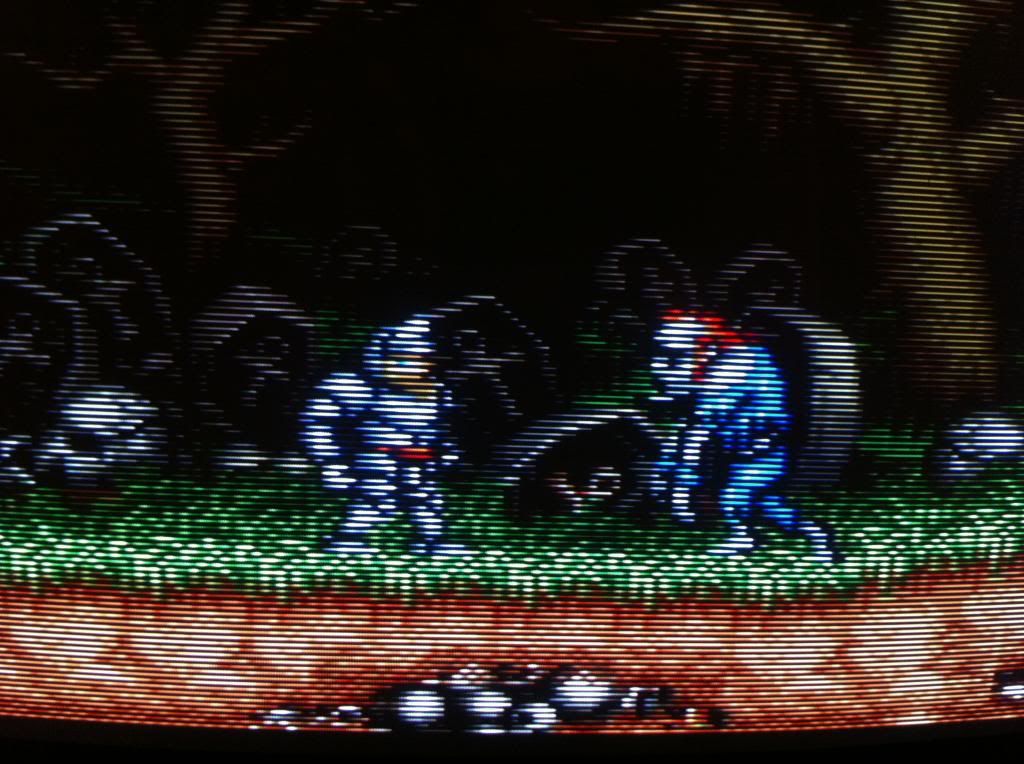
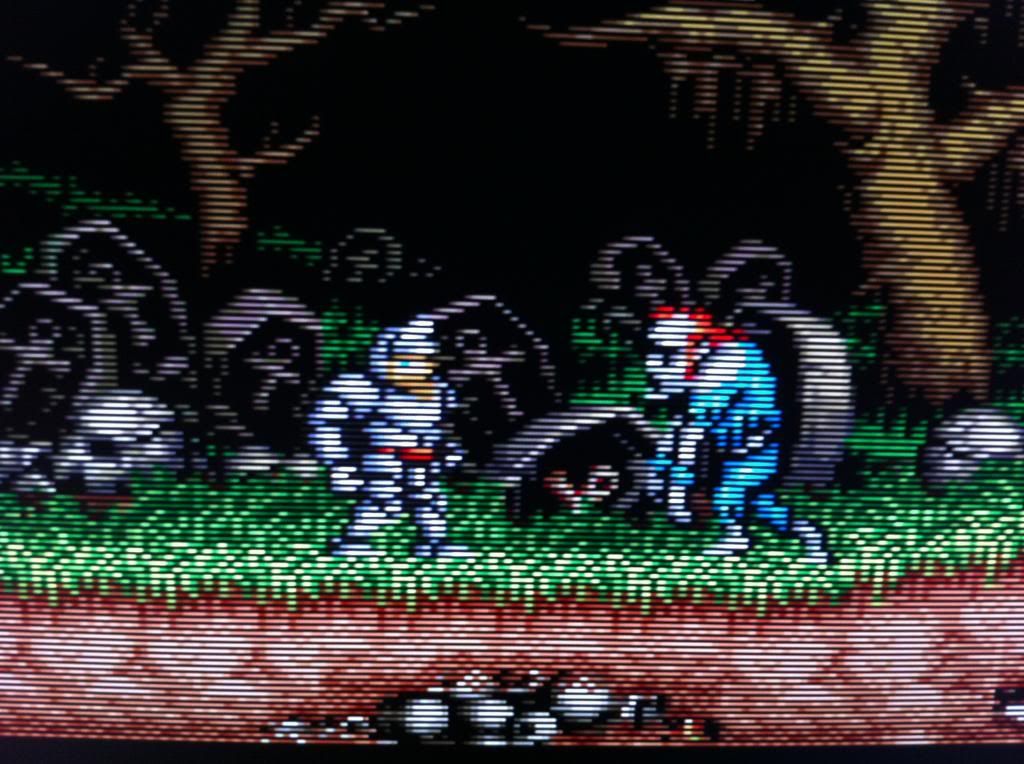
Quick comparison shot:
SNES on a BVM

SNES on the FM and LCD

I won't blow my load yet and tell you which one I actually prefer.
Quick comparison shot:
SNES on a BVM

SNES on the FM and LCD

I won't blow my load yet and tell you which one I actually prefer.
-
Ed Oscuro
- Posts: 18654
- Joined: Thu Dec 08, 2005 4:13 pm
- Location: uoıʇɐɹnƃıɟuoɔ ɯǝʇsʎs
Re: XRGB-mini Framemeister (now available !)
My first impression (looking without seeing the labels) favors the Framemeister in those pics.
-
Fudoh
- Posts: 13044
- Joined: Mon Mar 06, 2006 3:29 am
- Location: Germany
- Contact:
Re: XRGB-mini Framemeister (now available !)
you should try 480p from the Mini. For some systems I actually like it better than 720p, because it has that CRT-smoothness to it. Set scaling to 1x when using 480p. And the scanlines are currently SLIGHTLY broken with 480p output as they affect the overall saturation and gamma. You can downgrade the Mini to see how it should look like though.
And hey, the ultimate question isn't which one looks better, but if a possible advantage on the CRT's side still warrants the hundreds of pounds* in tube tech some of us host at home
(*speaking of weight, not cash)
And hey, the ultimate question isn't which one looks better, but if a possible advantage on the CRT's side still warrants the hundreds of pounds* in tube tech some of us host at home
-
Seraphic
- Posts: 492
- Joined: Fri Mar 19, 2010 1:46 pm
Re: XRGB-mini Framemeister (now available !)
Fudoh, on the RGB input of a Mini with a 31khz 480p source, if you set the Mini to output 480p (480p in 480p out) what kind of difference are we looking at for the picture compared to the original? I know you said the 480p on the Mini is "soft".
-
Fudoh
- Posts: 13044
- Joined: Mon Mar 06, 2006 3:29 am
- Location: Germany
- Contact:
Re: XRGB-mini Framemeister (now available !)
yes, a lot softer than, let's say, a straight YUV to HDMI converter (480p in, 480p out). Also with 480i/p in and 480p out scanlines currently don't work.
-
Seraphic
- Posts: 492
- Joined: Fri Mar 19, 2010 1:46 pm
Re: XRGB-mini Framemeister (now available !)
Is 480p in, 480p out issue (at least on the RGB input) something they can fix with firmware or sharpness settings?Fudoh wrote:yes, a lot softer than, let's say, a straight YUV to HDMI converter (480p in, 480p out).
-
Fudoh
- Posts: 13044
- Joined: Mon Mar 06, 2006 3:29 am
- Location: Germany
- Contact:
Re: XRGB-mini Framemeister (now available !)
I don't think so. I think it's the QDEO's fault and don't know if they could bypass the QDEO and directly route the FPGA's output to the Mini's output. Is 480p output from the Mini something we really need ?
Also I really like the Mini's 480p output. But then again I like my Faroudja linedoublers.
-
fagin
- Posts: 1654
- Joined: Fri Mar 19, 2010 2:29 pm
- Location: UK
Re: XRGB-mini Framemeister (now available !)
In answer to your first comment.... I find reducing the sharpness to 0 on the 720p output, just takes the edge off the sharpness above. Once 480p is fixed I might start using that, but the settings I have are very BVM like now. (I've since reduced the sharpness after those pics above).Fudoh wrote:you should try 480p from the Mini. For some systems I actually like it better than 720p, because it has that CRT-smoothness to it. Set scaling to 1x when using 480p. And the scanlines are currently SLIGHTLY broken with 480p output as they affect the overall saturation and gamma. You can downgrade the Mini to see how it should look like though.
And hey, the ultimate question isn't which one looks better, but if a possible advantage on the CRT's side still warrants the hundreds of pounds* in tube tech some of us host at home(*speaking of weight, not cash)
In answer to your second comment.... The problem is, is that it's very hard to put up the "final fight" when you can get a CRT for next to nothing and for retro stuff it does "just work". If you can physcially house a CRT, the force is too strong not to oblige.
In full answer to your second comment.... people like us NEVER think about anything quite as clean cut as that though do we.
-
Seraphic
- Posts: 492
- Joined: Fri Mar 19, 2010 1:46 pm
Re: XRGB-mini Framemeister (now available !)
Well, they do have a Pass-through firmware coming up (but might just be for HDMI).
Was thinking about using the Mini as a switch (per-say). All my sources into it, with one HDMI output.
Upscaling 240p, but keeping 480p as is, and using the pass-through firmware to keep 720p/1080p as is.
So I was interested in how 480p would look without upscaling as you said it is not as sharp as it could be.
But sounds like it won't look like the original source.
Was thinking about using the Mini as a switch (per-say). All my sources into it, with one HDMI output.
Upscaling 240p, but keeping 480p as is, and using the pass-through firmware to keep 720p/1080p as is.
So I was interested in how 480p would look without upscaling as you said it is not as sharp as it could be.
But sounds like it won't look like the original source.
-
pyrotek85
- Posts: 214
- Joined: Fri May 25, 2012 8:34 pm
Re: XRGB-mini Framemeister (now available !)
What made it appealing to me is that I could just set this and a console up on my desk where my PC sits and use the 1080p monitor I already have.Fudoh wrote:And hey, the ultimate question isn't which one looks better, but if a possible advantage on the CRT's side still warrants the hundreds of pounds* in tube tech some of us host at home(*speaking of weight, not cash)
-
Fudoh
- Posts: 13044
- Joined: Mon Mar 06, 2006 3:29 am
- Location: Germany
- Contact:
Re: XRGB-mini Framemeister (now available !)
@fagin
the sharpness function is way to aggressive on all resolutions. It's acceptable for 240p sources on 1080p output, but anywhere else I totally dislike it. Try adjusting the H_SCALER setting instead. You get maximum sharpness with 5, but the other settings allow a nice tweaking of the horizontal sharpness.I find reducing the sharpness to 0 on the 720p output, just takes the edge off the sharpness above.
-
Thamiel
- Posts: 180
- Joined: Wed Feb 15, 2012 2:21 am
Re: XRGB-mini Framemeister (now available !)
Ok that's it, I'm getting a mini. Gunna have to grab a new TV too, the 32" Panasonic LCD I'm using is rubbish. I'm thinking a UT30 or a ST50.fagin wrote:Although I have only tested one console and got the settings just as I want....... I'm pretty damn impressed and I honestly thought I wouldn't be (with my plethora of CRT stuff here).
Quick comparison shot:
SNES on a BVM
SNES on the FM and LCD
I won't blow my load yet and tell you which one I actually prefer.