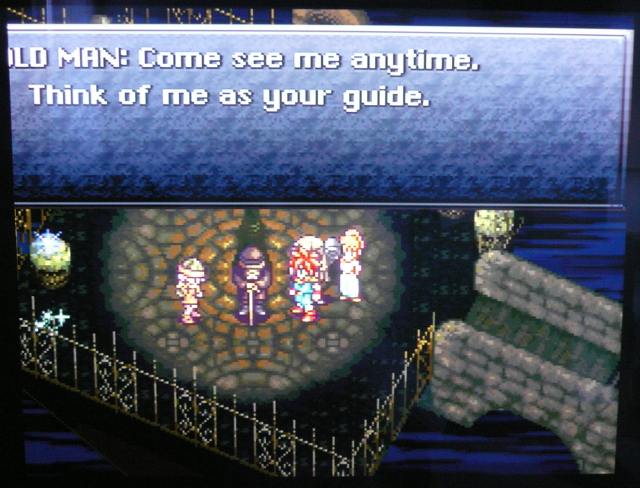
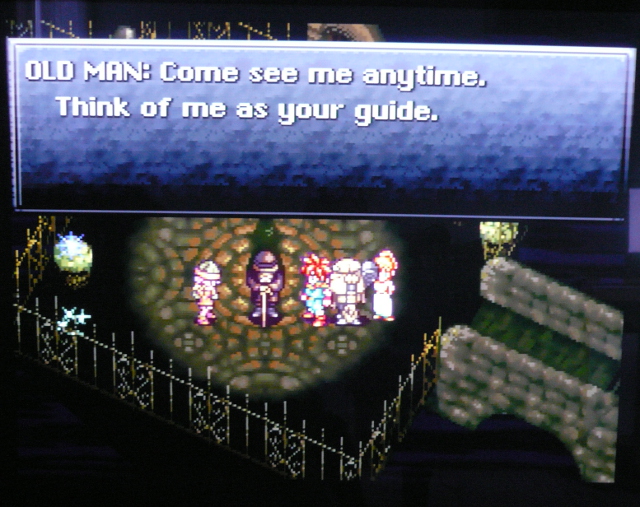
Ahh, the good old days!Artemio wrote:Maybe you can summarize it as "either way it is broken".
XRGB-mini Framemeister
-
Ed Oscuro
- Posts: 18654
- Joined: Thu Dec 08, 2005 4:13 pm
- Location: uoıʇɐɹnƃıɟuoɔ ɯǝʇsʎs
Re: XRGB-mini Framemeister (now available !)
-
Konsolkongen
- Posts: 2398
- Joined: Fri May 16, 2008 8:28 pm
- Location: Denmark
Re: XRGB-mini Framemeister (now available !)
Following your link I get an internal server error. If you are thinking of the games that completely swap black and white, I believe there are only a handful of those. At least that was the case when I read about it a few years ago. Perhaps a lot more have been discovered since then?Ed Oscuro wrote:Nice collection of RGB screens that don't show any problematic effects. It's one of those "nice when it works" things I suppose. Also, holy cow that is a terrible looking SMB screenshot, how did you manage that? Poor PALies, maybe?
The worst I have seen on mine is the title screen from Rescue Rangers where Chip and Dale appear purple in places, but perhaps that is on purpose and the developers choose purple because it appeared brown in composite.
It could also be the difference shown here in column 2 row 6:

EDIT: Now your link worked
-
marqs
- Posts: 1139
- Joined: Sat Dec 15, 2012 12:11 pm
- Location: Finland
Re: XRGB-mini Framemeister (now available !)
Is it just me, or does anybody else think that with default Mini settings the colors are a bit oversaturated and low&high luminance areas are clamped? I attached 2 pictures for comparision - the first one is from SNES directly connected to TV via RGB, and the second one is with Mini:


To me it looks like Mini is outputting full-range RGB instead of limited range which would be the usual with HDMI. My TV gives no option to select the range manually with HDMI - it is set according to the AVI infoframe received from the source ('limited' if unspecified, according to CEA specs). In DVI mode, the TV should show the selection but this doesn't seem to be the case
. (BTW, to get DVI mode to work with recent Panasonic plasmas, preset Mini to 720p/1080p - the default 1024x768 isn't supported at least with VT30).
I could fix this by brightness & RGB gain settings but would prefer a proper solution.


To me it looks like Mini is outputting full-range RGB instead of limited range which would be the usual with HDMI. My TV gives no option to select the range manually with HDMI - it is set according to the AVI infoframe received from the source ('limited' if unspecified, according to CEA specs). In DVI mode, the TV should show the selection but this doesn't seem to be the case
I could fix this by brightness & RGB gain settings but would prefer a proper solution.
-
Fudoh
- Posts: 13044
- Joined: Mon Mar 06, 2006 3:29 am
- Location: Germany
- Contact:
Re: XRGB-mini Framemeister (now available !)
yeah, your settings are wrong or you got a mismatch between the Mini's output the TV's luminance range settings.
there's hardly a "usual" for HDMI standard. You can try to manually set the Mini's output color space to RGB or auto. RGB forces full range RGB, but auto should switch the output to YCbCr with limited luminance range. Give it a try.
To me it looks like Mini is outputting full-range RGB instead of limited range which would be the usual with HDMI.
there's hardly a "usual" for HDMI standard. You can try to manually set the Mini's output color space to RGB or auto. RGB forces full range RGB, but auto should switch the output to YCbCr with limited luminance range. Give it a try.
-
marqs
- Posts: 1139
- Joined: Sat Dec 15, 2012 12:11 pm
- Location: Finland
Re: XRGB-mini Framemeister (now available !)
Yeah, this is not the first time I've seen this mismatch. I wish the sources would set the appropiate flag in the AVI Infoframe to inform the displays which are supposed to make the selection automatically. I wonder why the limited range RGB was ever included in the HDMI spec, it only has caused troubles and incompatibilities.Fudoh wrote:there's hardly a "usual" for HDMI standard.
Auto outputs YCbCr only with non-RGB sources with my setup, so it doesn't help muchFudoh wrote:RGB forces full range RGB, but auto should switch the output to YCbCr with limited luminance range. Give it a try.
-
Fudoh
- Posts: 13044
- Joined: Mon Mar 06, 2006 3:29 am
- Location: Germany
- Contact:
Re: XRGB-mini Framemeister (now available !)
But brightness 38 is definitely just a compensation for a luminance range mismatch.
-
papa_november
- Posts: 107
- Joined: Sun May 17, 2009 2:14 am
- Location: California
Re: XRGB-mini Framemeister (now available !)
I already had a VGA adaptor made up, so I used that. I plugged that into an Extron so I could get composite sync, and then plugged the Extron's output into the Framemeister via an ugly, awkward custom cable.Ed Oscuro wrote:What are you using to connect the XVI to the Framemeister? Does it take the regular X68000 plug or did you put together a X68000 to PC VGA plug?papa_november wrote:And here we go:papa_november wrote:I also need to get to taking some pictures of what it looks like.
http://i.imgur.com/L6HRb.jpg
-
Ed Oscuro
- Posts: 18654
- Joined: Thu Dec 08, 2005 4:13 pm
- Location: uoıʇɐɹnƃıɟuoɔ ɯǝʇsʎs
Re: XRGB-mini Framemeister (now available !)
Thanks for the palette screenshot - yes, I was referring to somebody's mention of a palette code duplication (for what purpose?) on the RGB PPU (you can see on the RGB setup that light blue is duplicated, right above the missing final palette choices). I also saw a screenshot, speaking of Capcom, of a jungle from a Mega Man game (3?) looking rather badly, with details missing; you can also see Russell Thompson's posts here. Overall, though, I should concede that it is an improvement much of the time - though the BVM shots in Fudoh's thread of a regular NES look very close to RGB (at least in stills). I will have to take another look at it to see if it's something I'd like to even think about. Most likely I won't.Konsolkongen wrote:I personally have no interest in any of the problematic games mentioned. As long as I can play Capcom's games in RGB I couldn't be happier
And now for something different: RP2C02 die shots.
-
Konsolkongen
- Posts: 2398
- Joined: Fri May 16, 2008 8:28 pm
- Location: Denmark
Re: XRGB-mini Framemeister (now available !)
I believe the Mega Man jungle stage you mention is from Mega Man 4. That looks perfect on my RGB NES, or at least so good that I haven't seen anything wrong with it. I'm sure you can find differences to the composhite palette.
-
Shining
- Posts: 197
- Joined: Mon Jan 16, 2012 6:14 pm
- Location: Sweden
Re: XRGB-mini Framemeister (now available !)
Actually, i think he refers to the Napalm Man stage in MM5. These screens is taken directly from the Nestopia emu, so they might not be 100% accurate to a hardware RGB mod. This is the worst case i have seen as of yet, but i still feel an RGB mod might be worth it:
RGB palette

Standard palette

RGB palette

Standard palette

-
Konsolkongen
- Posts: 2398
- Joined: Fri May 16, 2008 8:28 pm
- Location: Denmark
Re: XRGB-mini Framemeister (now available !)
Oh. I don't have MM5 yet so I haven't played it.
That looks pretty bad, yes
But if you hadn't shown me I don't think I ever would have known. I never played these games on emulators and I avoided the NES like the plague for years because of it's composite signal so this is a whole new world to me 
That looks pretty bad, yes
-
Shining
- Posts: 197
- Joined: Mon Jan 16, 2012 6:14 pm
- Location: Sweden
Re: XRGB-mini Framemeister (now available !)
I grew up with the NES so i will probably notice even the slightest change in color. But i'm willing to sacrifice that for glorius RGB sharpness. Hopefully i will just get used to the changes
Btw, do anyone know if there is a difference in image quality between a PS1(RGB) and a PS2(RGB or component) when playing PS1 games?
-
panzeroceania
- Posts: 196
- Joined: Mon Jul 19, 2010 8:52 am
Re: XRGB-mini Framemeister (now available !)
Which version of PS1, which version of PS2
-
Smashbro29
- Posts: 532
- Joined: Thu Dec 15, 2011 2:46 am
Re: XRGB-mini Framemeister (now available !)
I realize I posted here before but I seriously want to just get a complete rundown all in one shot and my last posts were so long ago and probably very lazily typed. ("The device" I refer to is the Framemeister)
So I'm seriously considering one of these things for the sake of 2 things. (Please note, I really only have interest in American and possibly Japanese systems)
Making all my stuff playable on my HDTV looking good with no lag
Recording/Streaming via my Avermedia Live Gamer HD
I know that most systems from the SNES to the N64/Saturn era are SCART/RGB compatible and I currently have a Sync Strike- cheapo scaler setup and it's... ok. Picture is a little dark or off sometimes depending on the system being used, although that might be my Madcatz SCART selector or some setting on the scaler or TV, it's pretty hard to tell what might be causing it and I'm hoping this device will smooth over all those issues. I currently have a N64, SNES Genesis model 2 and Saturn and I know just about every classic system barring the NES can produce RGB or have easy mods for RGB so I'm not too worried about those.
I have a powered component switch that has a Wii, slim PS2, PSP, and probably some other last gen system I'll get one day (it has 4 sets of inputs) and from what I've seen on the device there's no component in. So what do I get to max the potential on that?
What do I do about my Dreamcast? Right now it's hooked in through VGA, device doesn't have VGA, what's my next step?
NES costs way too much money to RGB-ify so right now I'm 100% stuck with RCA (I know, the unholy connection from hell) but the device seems to have RCA in, so it'd seem like while it wouldn't look as good as if I had a tree that grew money it'd look ok and not lag, right? (I don't think it'd matter but I have my NES going into a VCR and then coming out)
Basically, what do I need to buy to be ready for the framemeister and what don't I need anymore now that I'm making the jump from Sync Strike+Scaler to framemeister?
I know it's a long post, thanks in advance.
So I'm seriously considering one of these things for the sake of 2 things. (Please note, I really only have interest in American and possibly Japanese systems)
Making all my stuff playable on my HDTV looking good with no lag
Recording/Streaming via my Avermedia Live Gamer HD
I know that most systems from the SNES to the N64/Saturn era are SCART/RGB compatible and I currently have a Sync Strike- cheapo scaler setup and it's... ok. Picture is a little dark or off sometimes depending on the system being used, although that might be my Madcatz SCART selector or some setting on the scaler or TV, it's pretty hard to tell what might be causing it and I'm hoping this device will smooth over all those issues. I currently have a N64, SNES Genesis model 2 and Saturn and I know just about every classic system barring the NES can produce RGB or have easy mods for RGB so I'm not too worried about those.
I have a powered component switch that has a Wii, slim PS2, PSP, and probably some other last gen system I'll get one day (it has 4 sets of inputs) and from what I've seen on the device there's no component in. So what do I get to max the potential on that?
What do I do about my Dreamcast? Right now it's hooked in through VGA, device doesn't have VGA, what's my next step?
NES costs way too much money to RGB-ify so right now I'm 100% stuck with RCA (I know, the unholy connection from hell) but the device seems to have RCA in, so it'd seem like while it wouldn't look as good as if I had a tree that grew money it'd look ok and not lag, right? (I don't think it'd matter but I have my NES going into a VCR and then coming out)
Basically, what do I need to buy to be ready for the framemeister and what don't I need anymore now that I'm making the jump from Sync Strike+Scaler to framemeister?
I know it's a long post, thanks in advance.
-
Shining
- Posts: 197
- Joined: Mon Jan 16, 2012 6:14 pm
- Location: Sweden
Re: XRGB-mini Framemeister (now available !)
Oh, sorry. A comparison between the PSOne SCPH-101 and any of the PS2 Slims would be nice.panzeroceania wrote:Which version of PS1, which version of PS2
-
Konsolkongen
- Posts: 2398
- Joined: Fri May 16, 2008 8:28 pm
- Location: Denmark
Re: XRGB-mini Framemeister (now available !)
I don't think I tried RGB when I had a slim, but the component picture is exactly the same on all three models, fat, slim and slim w/build in PSU. Component is noticeably noisier than RGB though. Haven't compared the PS2 against a PS1.
I think you will experience stutter when playing NTSC PS1 games on a modified PAL PS2 though. At least that was the case last time I checked.
-
MMJuno
- Posts: 41
- Joined: Fri Nov 30, 2012 3:25 pm
Re: XRGB-mini Framemeister (now available !)
There's a Component -> D-Terminal adapter available if you want to use component. Currently, my Wii and PS2 run through a component switch box using this.Smashbro29 wrote:I have a powered component switch that has a Wii, slim PS2, PSP, and probably some other last gen system I'll get one day (it has 4 sets of inputs) and from what I've seen on the device there's no component in. So what do I get to max the potential on that?
-
marqs
- Posts: 1139
- Joined: Sat Dec 15, 2012 12:11 pm
- Location: Finland
Re: XRGB-mini Framemeister (now available !)
I made some testing today with PSX and PC and found a couple of interesting things & issues:
With LM1881 added to PSX RGB cable, the sync drops are now gone as expected. However, the in-game mode changes cause problems with Mini (e.g. Chrono Cross). After a change from 240p -> 480i, Mini still reports "241p" after resync and the picture is flickery. Restaring Mini fixes this and 480i is now properly detected. When going back to 241p, Mini doesn't resync at all unless restarted. The other issue I noticed with PSX is that Mini seems to switch to limited range RGB output with 241p mode. The 576i boot screen of a PAL PSX (and 288p PAL games) have the same black level as the other sources (FC, SNES, N64), but once a NTSC game has booted the black level jumps up. I tested these things with 2 different PSX models (5502 and 7502), both HDMI&DVI modes and 2 different displays - always the same results. 7502 seems to have a bit less picture noise than 5502 though. Really strange - and too bad the color settings can't be saved per mode
With PC connected to the RGB input, I tested a couple of modelines. 480p, 480i/240p & 576i/288p modes worked all nicely. I also found out that 1024x768@60p syncs and is detected as 720x740p with some vertical crop. Creating a custom 740/60p modeline would probably work nicely. 1280x720/60p didn't sync though - perhaps the dot clock is too high...
With LM1881 added to PSX RGB cable, the sync drops are now gone as expected. However, the in-game mode changes cause problems with Mini (e.g. Chrono Cross). After a change from 240p -> 480i, Mini still reports "241p" after resync and the picture is flickery. Restaring Mini fixes this and 480i is now properly detected. When going back to 241p, Mini doesn't resync at all unless restarted. The other issue I noticed with PSX is that Mini seems to switch to limited range RGB output with 241p mode. The 576i boot screen of a PAL PSX (and 288p PAL games) have the same black level as the other sources (FC, SNES, N64), but once a NTSC game has booted the black level jumps up. I tested these things with 2 different PSX models (5502 and 7502), both HDMI&DVI modes and 2 different displays - always the same results. 7502 seems to have a bit less picture noise than 5502 though. Really strange - and too bad the color settings can't be saved per mode
With PC connected to the RGB input, I tested a couple of modelines. 480p, 480i/240p & 576i/288p modes worked all nicely. I also found out that 1024x768@60p syncs and is detected as 720x740p with some vertical crop. Creating a custom 740/60p modeline would probably work nicely. 1280x720/60p didn't sync though - perhaps the dot clock is too high...
-
Smashbro29
- Posts: 532
- Joined: Thu Dec 15, 2011 2:46 am
Re: XRGB-mini Framemeister (now available !)
Fancy, is it lagless? Is there any kind of quality loss? Is it powered or unpowered?MMJuno wrote:There's a Component -> D-Terminal adapter available if you want to use component. Currently, my Wii and PS2 run through a component switch box using this.Smashbro29 wrote:I have a powered component switch that has a Wii, slim PS2, PSP, and probably some other last gen system I'll get one day (it has 4 sets of inputs) and from what I've seen on the device there's no component in. So what do I get to max the potential on that?
-
BuckoA51
- Posts: 3424
- Joined: Sat Oct 02, 2010 10:08 am
- Location: Ireland
- Contact:
Re: XRGB-mini Framemeister (now available !)
Component and D-Terminal are the same signal just with different connectors, so converting them is trivial.
OSSC Forums - http://www.videogameperfection.com/forums
Please check the Wiki before posting about Morph, OSSC, XRGB Mini or XRGB3 - http://junkerhq.net/xrgb/index.php/Main_Page
-
RGB32E
- Posts: 1400
- Joined: Thu Nov 05, 2009 12:50 am
Re: XRGB-mini Framemeister (now available !)
Built a THS7374 amp for my TG16 and it works great! This is a 4 channel version of the THS7314, so RGB and CSYNC can be amped/buffered all in one IC. It has a higher order LPF curve with a higher frequency cutoff compared to the THS7314 and the internal LPF can be disabled. I haven't tried the bypass setting yet (LPF off). I used CSYNC from the expansion connector on a Turbo Booster and fed it through the first channel. I'm toying with the idea of getting some PCBs made for this amp design so that it would be small enough to fit in duo systems. I used ferrite beads on the output after the 75 ohm resistors and 220uF caps, and will see if they make an improvement or not. I used 4.9Mohm resistors to +5VDC for the channels for RGB for AC bias input operation. I used AC coupled input operation for the CSYNC signal. I haven't found any issues with this circut when connected to a PVM-2030 or XRGB-mini (haven't tried on the XRGB-3 yet).
Edit - Here's a pic:

Edit - Here's a pic:

-
RGB32E
- Posts: 1400
- Joined: Thu Nov 05, 2009 12:50 am
Re: XRGB-mini Framemeister (now available !)
It really depends upon the game. The second stage of Castlevania looks bright magenta instead of red! Stage 3 is a different blue, and much brighter orange blocks. Still worth it though:Shining wrote:I grew up with the NES so i will probably notice even the slightest change in color. But i'm willing to sacrifice that for glorius RGB sharpness. Hopefully i will just get used to the changes![]()

Live color is set to low, and the color space is set to Wide on my TV, so colors are oversaturated.
-
Shining
- Posts: 197
- Joined: Mon Jan 16, 2012 6:14 pm
- Location: Sweden
Re: XRGB-mini Framemeister (now available !)
Oh my. That kind of reminds of CGA graphics. But it's so sharp! Do you get any jailbars at all? Moosmann is being an awesome dude and will do this mod for me (not for free of course). I'm sure/hope it will look just as good as yours.
-
Smashbro29
- Posts: 532
- Joined: Thu Dec 15, 2011 2:46 am
Re: XRGB-mini Framemeister (now available !)
So I can just get a cable that has component on one end and d terminal on the other and everything will be A-OK?BuckoA51 wrote:Component and D-Terminal are the same signal just with different connectors, so converting them is trivial.
-
RGB32E
- Posts: 1400
- Joined: Thu Nov 05, 2009 12:50 am
Re: XRGB-mini Framemeister (now available !)
Thanks. I modded it several years ago and use a pair of NJMs for the RGBS amp. I wonder if Moosman uses the same RGB buffer circuit he shared years ago. I had really poor results with that one (lots of noise and picture bleeding).Shining wrote:Oh my. That kind of reminds of CGA graphics. But it's so sharp! Do you get any jailbars at all? Moosmann is being an awesome dude and will do this mod for me (not for free of course). I'm sure/hope it will look just as good as yours.
-
Shining
- Posts: 197
- Joined: Mon Jan 16, 2012 6:14 pm
- Location: Sweden
Re: XRGB-mini Framemeister (now available !)
All i know is that he uses the THS7314 amp and that Fudoh among others really recommends the guy. He's been really helpful so far and his services will not ruin you. But now i have to ask him about this 
-
RGB32E
- Posts: 1400
- Joined: Thu Nov 05, 2009 12:50 am
Re: XRGB-mini Framemeister (now available !)
If he's using a THS7314 is should turn out really nice!
-
chadti99
- Posts: 69
- Joined: Fri Feb 17, 2012 5:04 pm
Re: XRGB-mini Framemeister (now available !)
Hey guys, I just picked a cheap SCART switch block off eBay to do some simple SCART switching with my Mini. Switching appears to work fine between my Sega Genesis, Super Nintendo, and NeoGeo AES as long as only one machine is powered on. Here is the problem though, once I add my RGB modded Duo-R to the switch it prevents me from using any other device on the switch regardless of what is powered on, only the Duo will sync up. Besides just being a cheap switch, what could be causing this?
-
MMJuno
- Posts: 41
- Joined: Fri Nov 30, 2012 3:25 pm
Re: XRGB-mini Framemeister (now available !)
Yep. I got this with the Mini itself from the same site.Smashbro29 wrote:So I can just get a cable that has component on one end and d terminal on the other and everything will be A-OK?BuckoA51 wrote:Component and D-Terminal are the same signal just with different connectors, so converting them is trivial.
-
Smashbro29
- Posts: 532
- Joined: Thu Dec 15, 2011 2:46 am
Re: XRGB-mini Framemeister (now available !)
Hmm... was hoping for one that'd be male to male and cheaper. I'm getting mine from someone I know IN Japan who can get it for me.MMJuno wrote:Yep. I got this with the Mini itself from the same site.Smashbro29 wrote:So I can just get a cable that has component on one end and d terminal on the other and everything will be A-OK?BuckoA51 wrote:Component and D-Terminal are the same signal just with different connectors, so converting them is trivial.
Doing my re-reading and discovered that Framemeister comes with a converter to get my SCART stuff going just fine.
Almost ready to make the jump here! Just a few more doubts.