Josh, how did you open the console end? Any instructions on the net to document this?Josh128 wrote:Pin 3 is definitely connected to the multi out in my original 1996 US NUS-001. I did the THS 7314 mod with 75ohm resistors and am using C Sync without a sync stripper. I simply opened up the console side of my Ebay purchased SNES NTSC RGB SCART cable and moved the wire soldered to pin 9 over to pin 3. Works fine. No other mods needed. Once I enabled C Sync out on my SNES 2, the same cable works perfectly on it as well.
N64RGB now available ..
-
leonk
- Posts: 1098
- Joined: Sun Mar 13, 2011 9:29 pm
- Location: Toronto, Canada
Re: N64RGB now available ..
-
lettuce

- Posts: 1336
- Joined: Wed Jun 22, 2011 7:10 pm
- Location: Bedfordshire, England.
Re: N64RGB now available ..
Noticed in the item description is says,
'correct pixel alignment (looks less blurry)'
So does this mean I'll get a sharper picture over the old THS7314 amp mod currently installed on my NTSC N64?
Also are PAL N64's capable of doing 60hz?
'correct pixel alignment (looks less blurry)'
So does this mean I'll get a sharper picture over the old THS7314 amp mod currently installed on my NTSC N64?
Also are PAL N64's capable of doing 60hz?
-
mickcris

- Posts: 435
- Joined: Tue Oct 08, 2013 12:43 am
- Location: Texas, USA
Re: N64RGB now available ..
the full description says this, so no:lettuce wrote:Noticed in the item description is says,
'correct pixel alignment (looks less blurry)'
So does this mean I'll get a sharper picture over the old THS7314 amp mod currently installed on my NTSC N64?
Also are PAL N64's capable of doing 60hz?
"The board is a revised, commercial version of my N64 RGB DAC project created in 2007. This version has several improvements over the old design. Lower power consumption, correct pixel alignment (looks less blurry), support for different cable types, and the components are all mounted onto a PCB this time."
He was talking about his earlier designed version of this circuit.
he also said this on the last page of this thread:
"To me it looks pretty much the same as the early model N64 + video amp."
-
lettuce
- Posts: 1336
- Joined: Wed Jun 22, 2011 7:10 pm
- Location: Bedfordshire, England.
Re: N64RGB now available ..
Ok thanks, no point in upgrading then really.mickcris wrote:the full description says this, so no:lettuce wrote:Noticed in the item description is says,
'correct pixel alignment (looks less blurry)'
So does this mean I'll get a sharper picture over the old THS7314 amp mod currently installed on my NTSC N64?
Also are PAL N64's capable of doing 60hz?
"The board is a revised, commercial version of my N64 RGB DAC project created in 2007. This version has several improvements over the old design. Lower power consumption, correct pixel alignment (looks less blurry), support for different cable types, and the components are all mounted onto a PCB this time."
He was talking about his earlier designed version of this circuit.
he also said this on the last page of this thread:
"To me it looks pretty much the same as the early model N64 + video amp."
Only benefit to this device then is if you don't have a compatible N64 to do the old amp mod, which is cheaper and only needs about 6 or so wires to be soldered.
-
leonk
- Posts: 1098
- Joined: Sun Mar 13, 2011 9:29 pm
- Location: Toronto, Canada
Re: N64RGB now available ..
Correct me if I'm wrong but basically the way this device works is it replaces the n64 native video DAC and gets input from the video generator directly? the old method is simply amplifying the N64 output from its native video DAC? (Newer consoles don't gave RGB output from video DAC) is this the main difference?
-
Monstermug

- Posts: 404
- Joined: Thu Mar 31, 2011 7:58 pm
- Location: London, UK
Re: N64RGB now available ..
I'm sold already. Thanks Tim.

-
zakruowrath

- Posts: 81
- Joined: Wed Dec 11, 2013 4:44 am
Re: N64RGB now available ..
I believe it takes the data lines off which ever DAC your Nintendo 64 has and interprets the data with the CPLD converting it to analogue RGB. This way since any console has the same data lines and not the same outputs on the DAC, it doesn't matter being it creates its own RGB from the RAW digital data lines. Hope that makes sense xDleonk wrote:Correct me if I'm wrong but basically the way this device works is it replaces the n64 native video DAC and gets input from the video generator directly? the old method is simply amplifying the N64 output from its native video DAC? (Newer consoles don't gave RGB output from video DAC) is this the main difference?
-
RGB32E

- Posts: 1400
- Joined: Thu Nov 05, 2009 12:50 am
Re: N64RGB now available ..
EDIT: Fixed issue!, kit works great (better than analog route IMHO).
I soldered the DSYNC and CLOCK lines to the larger solder pads and so they didn't double back on themselves and added two more ground connections on my temporary VGA style breakout lead. The picture is now superb! After initially attempting to install in a CPU-06 with a MAV video dac (0.65mm pitch pins) I decided to try one of my N64s with a 1.27mm pitch VDC. How someone could solder a ribbon cable to a 0.65mm chip is potentially beyond me! Anyways... some pictures. Hopefully it won't take me too long to capture some comparisons between the THS7314 analog RGB mod and this one.


ORIGINAL POST for reference:
I soldered the DSYNC and CLOCK lines to the larger solder pads and so they didn't double back on themselves and added two more ground connections on my temporary VGA style breakout lead. The picture is now superb! After initially attempting to install in a CPU-06 with a MAV video dac (0.65mm pitch pins) I decided to try one of my N64s with a 1.27mm pitch VDC. How someone could solder a ribbon cable to a 0.65mm chip is potentially beyond me!
Anyways... some pictures. Hopefully it won't take me too long to capture some comparisons between the THS7314 analog RGB mod and this one.ORIGINAL POST for reference:
Well shoot! Looks like something went wrong with my first install attempt on a NUS-CPU-02 system with a VDC-NUS. Time to troubleshoot...


-
Voultar

- Posts: 550
- Joined: Fri Jan 10, 2014 8:29 pm
- Location: USA
Re: N64RGB now available ..
RGB32E wrote:EDIT: Fixed issue!, kit works great (better than analog route IMHO).
Are those diagonal/crosshatch jailbars?
-
Ed Oscuro

- Posts: 18654
- Joined: Thu Dec 08, 2005 4:13 pm
- Location: uoıʇɐɹnƃıɟuoɔ ɯǝʇsʎs
Re: N64RGB now available ..
looks like a kind of moire pattern to me.
-
Voultar
- Posts: 550
- Joined: Fri Jan 10, 2014 8:29 pm
- Location: USA
Re: N64RGB now available ..
Could be, but the pattern is awfully consistent to be moire.Ed Oscuro wrote:looks like a kind of moire pattern to me.
-
Pasky

- Posts: 699
- Joined: Mon Oct 21, 2013 3:58 am
Re: N64RGB now available ..
That doesn't look like noise on the video lines.
-
Ed Oscuro
- Posts: 18654
- Joined: Thu Dec 08, 2005 4:13 pm
- Location: uoıʇɐɹnƃıɟuoɔ ɯǝʇsʎs
Re: N64RGB now available ..
Moire is just a name for interference patterns; they are actually very consistent. It looks to me like the set being used isn't a CRT, which can explain why it doesn't have a typical look.Voultar wrote:Could be, but the pattern is awfully consistent to be moire.Ed Oscuro wrote:looks like a kind of moire pattern to me.
-
RGB32E
- Posts: 1400
- Joined: Thu Nov 05, 2009 12:50 am
Re: N64RGB now available ..
Ed Oscuro wrote:Moire is just a name for interference patterns; they are actually very consistent. It looks to me like the set being used isn't a CRT, which can explain why it doesn't have a typical look.Voultar wrote:Could be, but the pattern is awfully consistent to be moire.Ed Oscuro wrote:looks like a kind of moire pattern to me.
The pictures were taken on my RGBLED-LCD HDTV via XRGB-mini. NO crosshatching!!! It's the moire-like effect from a fixed pixel display. 
I took some captures via XRGB-mini -> PEXHDCAP. I normally use 1080p with zoom 90, but the card doesn't accept 1080p60:

I did notice something odd though. It might be my routing of the DSYNC and/or CLOCK signals, but when directly connected to the capture card via RGB I noticed artifacts:

This didn't occur with the same connections with my THS7314 amped CPU-03:

I'm figuring this could be correctable somehow. However, the image on the N64RGB is sharper and slightly brighter than the THS7314 when connected through the XRGB-mini.


-
Ed Oscuro
- Posts: 18654
- Joined: Thu Dec 08, 2005 4:13 pm
- Location: uoıʇɐɹnƃıɟuoɔ ɯǝʇsʎs
Re: N64RGB now available ..
The MK64 screenshot for the N64RGB shows some vertical bands. That's what you mean, right?
Other than that, though, this is really impressive stuff! haha, Marina looks so pissed about all the weird pixel patterns going on in her hair and stuff (and what's with Theo's spiked jacket? Obviously just a scaling artifact, still...)
Other than that, though, this is really impressive stuff! haha, Marina looks so pissed about all the weird pixel patterns going on in her hair and stuff (and what's with Theo's spiked jacket? Obviously just a scaling artifact, still...)
-
Josh128

- Posts: 2363
- Joined: Thu Jan 16, 2014 9:01 am
Re: N64RGB now available ..
leonk wrote:Josh, how did you open the console end? Any instructions on the net to document this?Josh128 wrote:Pin 3 is definitely connected to the multi out in my original 1996 US NUS-001. I did the THS 7314 mod with 75ohm resistors and am using C Sync without a sync stripper. I simply opened up the console side of my Ebay purchased SNES NTSC RGB SCART cable and moved the wire soldered to pin 9 over to pin 3. Works fine. No other mods needed. Once I enabled C Sync out on my SNES 2, the same cable works perfectly on it as well.
Leon, it was extremely simple and easy. I got my cables from the girl in Florida (forget her store name on Ebay, Im not sure if its still open) thats been selling RGB stuff for years. The console side connector was made in such a way that it was either hinged on one side, or two halves glued together (dont remember exactly). I took an exacto knife or box cutter, scored the seam on the glued side, and simply pryed it open. She used color coded wires-- the yellow wire was on pin 9 on the console side (composite video on the N64, Sync on the SCART end). It was very easy to desolder it from pin 9 and move it to pin 3. It worked great, but I quickly realized it didnt work on my SNES mini, which doesnt have C-Sync connected to the multi-out. So, I re-opened the SNES mini and connected C-sync to pin 3 on the multi out.
Both consoles still work great with the setup to this day. BTW-- to close the console side of the SCART cable that I opened up, I simply closed it back together and used electrical tape to wrap it tight. Its basically invisible and was a lot less trouble than re-gluing, especially if I ever need to get in to make any changes in the future.
As for more info on this, check the link below, in the C-Sync section. It appears that the earliest N64 models have C-sync connected to pin 3 on the multi-out, but later models do not. I purchased my N64 on September 27, 1996-- two full days BEFORE the official US release date, due to a mistake by the employees at my local Toys R Us in Alexandria, LA (which has since closed,
 ). So without a doubt, I have the earliest US model revision produced. Im not sure at what point they removed the C-Sync connection though, so you may have to do more research. Really though, if you can get the console side multi-out connector open (which was actually very easy on my cable), just move the wire and see if it works. Let me know how it goes!
http://retrorgb.com/n64cablecsync.html
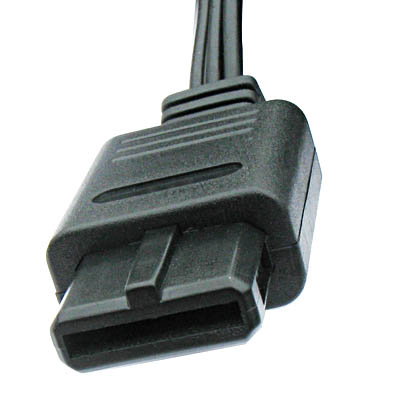
Last edited by Josh128 on Sun Dec 07, 2014 10:30 pm, edited 2 times in total.
-
Lawfer

- Posts: 2283
- Joined: Fri Dec 01, 2006 3:30 am
Re: N64RGB now available ..
Whats the model?RGB32E wrote:The pictures were taken on my RGBLED-LCD HDTV
-
Josh128
- Posts: 2363
- Joined: Thu Jan 16, 2014 9:01 am
Re: N64RGB now available ..
Just a quick update about early US N64 models and C-Sync. Since the cable I spoke about above is reserved for my SNES, I had to order another cable to get my N64 working through my Keene SCART Commander switch. I found a cheap one in the US and ordered it, with plans to convert it to C-sync if needed.
I got it in and tried it yesterday-- I hadnt noticed before with my original cable before I re-wired it, but apparently using composite video (pin 9) as sync indeed causes the dreaded crosshatch jailbars on the F4500 plasma. Its subtle, and you dont see it until the screen scrolls, but its there-- a very light, crosshatch pattern that slowly moves to the right.
So immediately I started cutting on the console side connector, with the intention of moving the wire off of pin 9 and over to pin 3. To my horror, when I popped the cable open I saw that pin 3 position in the cable did not have a pin in it. Neither did pin 7 position (Luma). So, I busted the connector apart further and attempted to remove the pin from position 9 and get it into position 3. After some hardship, and having to remove EVERY pin, I was finally able to get it into position 3. Soldered it up and closed the connector.
Like magic, the crosshatch pattern was gone, just as with my other SNES/N64 C-Sync cable.
Anyways, to make a long story short, I own an N64 from the very first batch of shipping US consoles from 1996, and it comes with C-Sync on pin 3. Others have stated that later N64s dont, and perhaps they really dont, but my advice to anyone with an N64 is to mod their RGB cable for C-Sync and try that first, or at the very least mod it for Sync on Luma (pin 7). All N64s have that.
For Pete's sake dont bust open your console and start cutting traces on the mainboard!!!
Its completely unnecessary, and will ruin its ability to output composite video. Just move the wire on the console side of your SCART cable to pin 3 or 7 and be done with it!
I got it in and tried it yesterday-- I hadnt noticed before with my original cable before I re-wired it, but apparently using composite video (pin 9) as sync indeed causes the dreaded crosshatch jailbars on the F4500 plasma. Its subtle, and you dont see it until the screen scrolls, but its there-- a very light, crosshatch pattern that slowly moves to the right.
So immediately I started cutting on the console side connector, with the intention of moving the wire off of pin 9 and over to pin 3. To my horror, when I popped the cable open I saw that pin 3 position in the cable did not have a pin in it. Neither did pin 7 position (Luma). So, I busted the connector apart further and attempted to remove the pin from position 9 and get it into position 3. After some hardship, and having to remove EVERY pin, I was finally able to get it into position 3. Soldered it up and closed the connector.
Like magic, the crosshatch pattern was gone, just as with my other SNES/N64 C-Sync cable.
Anyways, to make a long story short, I own an N64 from the very first batch of shipping US consoles from 1996, and it comes with C-Sync on pin 3. Others have stated that later N64s dont, and perhaps they really dont, but my advice to anyone with an N64 is to mod their RGB cable for C-Sync and try that first, or at the very least mod it for Sync on Luma (pin 7). All N64s have that.
For Pete's sake dont bust open your console and start cutting traces on the mainboard!!!
Its completely unnecessary, and will ruin its ability to output composite video. Just move the wire on the console side of your SCART cable to pin 3 or 7 and be done with it!
-
RGB32E
- Posts: 1400
- Joined: Thu Nov 05, 2009 12:50 am
Re: N64RGB now available ..
Josh128 wrote:For Pete's sake dont bust open your console and start cutting traces on the mainboard!!!
Its completely unnecessary, and will ruin its ability to output composite video. Just move the wire on the console side of your SCART cable to pin 3 or 7 and be done with it!

Just in case you couldn't tell already, this is a thread is regarding Tim's N64RGB kit. If one wishes to cut a trace to wire CSYNC (TTL or CS75) to the multi AV output it's completely a installer's prerogative to rewire some of the mult-av output pins if desired. Also, it's pretty simple to reverse a cut trace on the N64 multi-av output... even a cave man can do it!

If you had done YOUR research, you would have discovered that NTSC N64 revisions NUS-CPU-01, NUS-CPU-02, and NUS-CPU-03 are the only systems wired stock with CSYNC on pin 3.
Do you even have a N64RGB kit installed in your system?
-
Josh128
- Posts: 2363
- Joined: Thu Jan 16, 2014 9:01 am
Re: N64RGB now available ..
Well, get right out of town!! You mean to tell me the owner of the system is free to choose the way they get their sync from the console? THAT CHANGES EVERYTHING!!!
Its also really good to know only N64RGB owners are welcome to post on this thread-- Im very sorry to have offended your royal highness, and I also apologize for any other forum members who may have made the same fatal mistake as I.

Its also really good to know only N64RGB owners are welcome to post on this thread-- Im very sorry to have offended your royal highness, and I also apologize for any other forum members who may have made the same fatal mistake as I.
-
RGB32E
- Posts: 1400
- Joined: Thu Nov 05, 2009 12:50 am
Re: N64RGB now available ..

Your post had nothing to do with Tim's NESRGB. You just decided to make noise in this thread about your N64. In fact, it was another forum member who notified me about your OT post.
For Pete's sake! -
SGGG2

- Posts: 826
- Joined: Thu Dec 31, 2009 1:03 am
- Location: East Coast, US
Re: N64RGB now available ..
We don't like composite round these parts hereJosh128 wrote: For Pete's sake dont bust open your console and start cutting traces on the mainboard!!!
Its completely unnecessary, and will ruin its ability to output composite video. Just move the wire on the console side of your SCART cable to pin 3 or 7 and be done with it!

-
speedlolita
- Posts: 603
- Joined: Sat Aug 15, 2009 9:13 pm
- Location: Europe
Re: N64RGB now available ..
I tend to use composite video for sync on all my consoles, but I tapped luma for sync on my N64, as it is the revision that has composite sync removed (NUS-CPU-04). Plus, do you know how expensive official Cube cables are? I'd much rather cut a trace than open up the SCART or AV connectors. Just used some solder to bridge pins 7 and 9 on the AV port after that.
-
leonk
- Posts: 1098
- Joined: Sun Mar 13, 2011 9:29 pm
- Location: Toronto, Canada
Re: N64RGB now available ..
Just installed the N64RGB into an N64. I was unlucky to have an AVDC-NUS. Attaching those 13 wires is a PAIN! Even with Tim's updated ribbon cable for this particular video DAC, the spacing between the wires in the ribbon cable does not match the much closer pins on the DAC.
Very fine solder tip, 0.3mm solder and lots of flux is your friend here for sure!
On the N64RGB side I opted to solder to the bigger pads for better stability. Initially, I ran CS75 to V (after cutting the trace next to the closest VIA pad) and it worked great, EXCEPT, composite video no longer worked!
So I reconnected V to N64 stock composite video, and am not using any sync from the N64RGB. My 21" Sony PVM shows the same picture, and the N64 now works via composite on my small LCD TV again.
Anyone else noticed this?? Is CS75 supposed to be sync only with no video??
Very fine solder tip, 0.3mm solder and lots of flux is your friend here for sure!
On the N64RGB side I opted to solder to the bigger pads for better stability. Initially, I ran CS75 to V (after cutting the trace next to the closest VIA pad) and it worked great, EXCEPT, composite video no longer worked!
So I reconnected V to N64 stock composite video, and am not using any sync from the N64RGB. My 21" Sony PVM shows the same picture, and the N64 now works via composite on my small LCD TV again.
Anyone else noticed this?? Is CS75 supposed to be sync only with no video??
-
ApolloBoy

- Posts: 939
- Joined: Sat Jan 28, 2012 7:17 pm
Re: N64RGB now available ..
Yes, that's why it's "CS" (which stands for composite sync) and not "V".leonk wrote:Is CS75 supposed to be sync only with no video??
-
RocketBelt
- Posts: 196
- Joined: Thu Sep 18, 2014 8:46 pm
Re: N64RGB now available ..
Is anyone in the UK offering a fitting service?
-
Elrinth
- Posts: 307
- Joined: Thu Feb 07, 2013 2:46 pm
Re: N64RGB now available ..
Is there any point in doing this in a PAL N64 if I'd like to play games not released in this region, such as jap and us games? Ie is it hard to get the console to run games from those regions?
Or should I simply buy a japanese or american and regionmod that?
Or should I simply buy a japanese or american and regionmod that?
-
juci
- Posts: 38
- Joined: Tue Mar 03, 2015 11:46 am
Re: N64RGB now available ..
i bought a japanese n64 with an early model number for cheap.
ntsc is superior imo, if you get an early model you can rgb mod cheap and easy.
vdc-nus is what youre looking for
http://forums.modretro.com/viewtopic.php?f=33&t=1417
also pretty sure a n64 passport is the best/easiest way to play different region games.
ntsc is superior imo, if you get an early model you can rgb mod cheap and easy.
vdc-nus is what youre looking for
http://forums.modretro.com/viewtopic.php?f=33&t=1417
also pretty sure a n64 passport is the best/easiest way to play different region games.
-
speedlolita
- Posts: 603
- Joined: Sat Aug 15, 2009 9:13 pm
- Location: Europe
Re: N64RGB now available ..
It is way easier to get either a JP or US console if you want to play imports. They're basically the same too once you mod the cart slot. My US N64 plays both JP/US games just fine for example.Elrinth wrote:Is there any point in doing this in a PAL N64 if I'd like to play games not released in this region, such as jap and us games? Ie is it hard to get the console to run games from those regions?
Or should I simply buy a japanese or american and regionmod that?
-
SukkoPera
- Posts: 27
- Joined: Mon Mar 02, 2015 11:44 am
Re: N64RGB now available ..
I just did the N64RGB mod to my PAL N64. It is working fine, but I have a small issue: I am running it through my Cinemateq Picture Optimizer Plus and, if I force the input to NTSC (to get rid of the black borders, which is working fine with all my other consoles, including the NESRGB), the image is vertically offset and the lower part of the screen gets cut. The POP has a vertical position setting to compensate for this, but it only goes down to -10, which doesn't shift the image enough to get it all showing.
I am using a PAL GameCube cable from retrogamingcables, but I also tried a different one with no changes at all. I have also installed a switch to toggle the sync signal between csync from the N64RGB board and the original composite video: if I use the latter the video shifts up a little (not yet enough) but I get a lot of noise in the colors.
Did I do something wrong during the installation?
Picture: https://www.dropbox.com/s/bo8gkii32nxw7 ... 4.jpg?dl=0
I am using a PAL GameCube cable from retrogamingcables, but I also tried a different one with no changes at all. I have also installed a switch to toggle the sync signal between csync from the N64RGB board and the original composite video: if I use the latter the video shifts up a little (not yet enough) but I get a lot of noise in the colors.
Did I do something wrong during the installation?
Picture: https://www.dropbox.com/s/bo8gkii32nxw7 ... 4.jpg?dl=0

Last edited by SukkoPera on Fri Oct 09, 2015 8:05 am, edited 1 time in total.