I wish we could do that for all video processors.Thomago wrote:Sometimes I wish the Mini's users would - respectively could - take things into their hands and fix the firmware themselves.
XRGB-mini Framemeister
-
Xyga
- Posts: 7181
- Joined: Tue Nov 05, 2013 8:22 pm
- Location: block
Re: XRGB-mini Framemeister (now available !)
Strikers1945guy wrote:"Do we....eat chicken balls?!"
-
Fudoh
- Posts: 13044
- Joined: Mon Mar 06, 2006 3:29 am
- Location: Germany
- Contact:
Re: XRGB-mini Framemeister (now available !)
it's more complicated. Main issue is likely that some signals are passed into the Marvell for deinterlacing, while others are converted to 31khz via FPGA before the scaling step. The issue was (basically) already included in the bug report we submitted to Micomsoft. Not down to the handshake theory, but on a symptom level.What I believe is going on:
The whole RGB/YCbCr reasoning within the HDMI specs is very complicated, since one user's displays could react differently to the change of signals than another user's display. I really try to avoid YCbCr for HDMI whenever possible.
-
TheShadowRunner
- Posts: 278
- Joined: Sun Feb 24, 2013 7:41 pm
Re: XRGB-mini Framemeister (now available !)
I see, it's not a theory by the way, anyone with a minute can reproduce easily.Fudoh wrote:it's more complicated. Main issue is likely that some signals are passed into the Marvell for deinterlacing, while others are converted to 31khz via FPGA before the scaling step. The issue was (basically) already included in the bug report we submitted to Micomsoft. Not down to the handshake theory, but on a symptom level.What I believe is going on:
Even with a SFC or I suspect any console, as long as it's connected via RGB.
1. Switch on SFC and run Artemio's 240p suite or a rather dark game.
2. If using 240p suite: Test Patterns > Pluge
3. Check current luminosity
4. Re-force Mini HDMI handshake by either Switching off-on the Mini, or unplugging-replugging HDMI-out cable.
5. Profit (or not), the Mini is now outputting YCBCR, the Pluge screen if f*cked, luminosity too high.
This HDMI-handshake bug actually, with a certain irony, corrects the badly detected PS2's RGB limited color space / luminosity that was too low in the first place (16-235 assumed as 0-255) by bringing it back to it's intended value (16-235 assumed as 0-255 + compression from 0-255 back to 16-235/YCBCR specs).
A real conversion fiesta.
If the display isn't following specs, of course it's problematic..The whole RGB/YCbCr reasoning within the HDMI specs is very complicated, since one user's displays could react differently to the change of signals than another user's display. I really try to avoid YCbCr for HDMI whenever possible.
But assuming it does, which most display must do nowadays, it should accept all 3 color spaces: RGB limited (16-235) / RGB full (0-255)/ YCbCr (16-235).
YCbCr via HDMI is definitely best for bluray/dvd/video as it's how they're encoded to start with (no unecessary conversion to RGB).
As for RGB, since it can be limited or full, it can get quite complex yeah, case in point the Mini's RGB input which assumes RGB full at all times.
I don't know what the Mini does wrong _internally_ but there are clearly 2 bugs:
1. Forcing HDMI-handshake and suddenly the output becomes YCBRCR. It's consistent 100% of the time regardless of what system is connected to the Mini's RGB input or the system's resolution.
2. It expects RGB full from its RGB input in all circumstances, maybe this is by design I dunno, but it's clearly inadequate for PS2 and certainly other consoles which output RGB limited.
(Thankfully the SFC outputs RGB full so no issue with this one
-
Fudoh
- Posts: 13044
- Joined: Mon Mar 06, 2006 3:29 am
- Location: Germany
- Contact:
Re: XRGB-mini Framemeister (now available !)
don't do that. Numerous HDMI devices have been killed this way already.or unplugging-replugging HDMI-out cable.
if it's caused by the handshake it might be affected by the EDID you use. Did you try using a different EDID ? You can store EDIDs to be enforced on the Mini's Micro-SD card. Try an EDID for a display that does not support YCbCr or limited RGB range.This HDMI-handshake bug actually
RGB limited is still not this widely accepted.But assuming it does, which most display must do nowadays, it should accept all 3 color spaces: RGB limited (16-235) / RGB full (0-255)/ YCbCr (16-235).
for more than a year my Mini was running on my desktop display, a NEC LCD, that doesn't support YCbCr and I never had the Mini suddently output in this colorspace - hence my idea with the EDID above.Forcing HDMI-handshake and suddenly the output becomes YCBRCR. It's consistent 100% of the time regardless of what system is connected to the Mini's RGB input or the system's resolution.
yes, it does.I suspect PS1/PSone also output RGB full, I'll test soon
-
TheShadowRunner
- Posts: 278
- Joined: Sun Feb 24, 2013 7:41 pm
Re: XRGB-mini Framemeister (now available !)
Oh can this be done? Interesting.if it's caused by the handshake it might be affected by the EDID you use. Did you try using a different EDID ? You can store EDIDs to be enforced on the Mini's Micro-SD card. Try an EDID for a display that does not support YCbCr or limited RGB range.This HDMI-handshake bug actually
However the handshake bug "causes" nothing, it's another, separate issue that happens to solve, visually, in a twisted way, the "RGB full is always assumed on the RGB input" behavior.
For the issue with PS2's (limited) RGB output to be solved, the Mini should either:
- allow to output RGB limited and not perform any color space conversion.
or
- detect it's being fed RGB limited, properly expand it to RGB full and then output RGB full as it currently does.
So trying a custom EDID that doesn't support YCbCr or RGB limited would currently amount to nothing as the Mini already always outputs RGB full by default.
The PS3 has just been doing it for the past 8 years (it's the default setting) and I'm guessing 99% of the HDTVs out there support it. It's actually support for RGB full that came later (for HDTVs via HDMI anyway). But regardless, the Mini should definitely support RGB limited output, the fact it doesn't is quite surprising for such a device with this many extensive options.RGB limited is still not this widely accepted.But assuming it does, which most display must do nowadays, it should accept all 3 color spaces: RGB limited (16-235) / RGB full (0-255)/ YCbCr (16-235).
Yes I see, good idea, but it doesn't "suddenly" outputs YCbCr. In normal conditions it always outputs RGB.for more than a year my Mini was running on my desktop display, a NEC LCD, that doesn't support YCbCr and I never had the Mini suddently output in this colorspace - hence my idea with the EDID above.Forcing HDMI-handshake and suddenly the output becomes YCBRCR. It's consistent 100% of the time regardless of what system is connected to the Mini's RGB input or the system's resolution.
However if you do force a re-handshake or power off/on, which isn't normal usage behavior, it'll switch for some reason.
I wouldn't be surprised if it behaved this way regardless of display, as long as the HDMI output is used in HDMI mode and COLOUR_OUTPUT is set to AUTO. Did you try it? (Full Status, page 2)
That's good, so I guess all the other "native" 240p consoles as well, no headaches for those.yes, it does.I suspect PS1/PSone also output RGB full, I'll test soon
-
viletim
- Posts: 565
- Joined: Mon Aug 07, 2006 6:44 am
- Location: Sydney, Australia
- Contact:
Re: XRGB-mini Framemeister (now available !)
Limited/full range video is only relevant to digital video. When digital video is converted to analog it should have a limited range in the digital system because the analog signal (by its nature) has some error. So a little buffer space is kept above the level that is supposed to be white and below the level that is supposed to be black. Just in case there is some useful information there due to non-ideal analog to digital conversion (real world stuff). This is how its stored. Video stored like this (DVD, MPEG, etc) must be converted to full range at some point before its displayed.TheShadowRunner wrote: 2. It expects RGB full from its RGB input in all circumstances, maybe this is by design I dunno, but it's clearly inadequate for PS2 and certainly other consoles which output RGB limited.
(Thankfully the SFC outputs RGB full so no issue with this one 8). I suspect PS1/PSone also output RGB full, I'll test soon)
There is no such thing as a limited range analog signal. The concept is ridiculous! All analog RGB and component video is specified to be 0.7v peak to peak into 75 ohms. All the game consoles (at leas all that I've ever owned) really do comply with the standard. And it has been this way long before digital video even existed.
-
Fudoh
- Posts: 13044
- Joined: Mon Mar 06, 2006 3:29 am
- Location: Germany
- Contact:
Re: XRGB-mini Framemeister (now available !)
but there's the concept of those 7.5 IRE offsets used for certain NTSC signals in analogue video. This translates quite nicely to the 0-16 luminance area in digital domain.There is no such thing as a limited range analog signal. The concept is ridiculous!
-
viletim
- Posts: 565
- Joined: Mon Aug 07, 2006 6:44 am
- Location: Sydney, Australia
- Contact:
Re: XRGB-mini Framemeister (now available !)
That's true, North American NTSC did differentiate between blank and black. This was because the early TVs were so crap, they didn't have active blanking in the video amplifier. They relied on the blanking space in the video signal to unbias the picture tube grid so you didn't see the retrace lines. As TVs got better (transistors were invented) this became unnecessary. No other video standard includes this black -> blank gap. None of the video encoders found in game consoles feature it either.Fudoh wrote:but there's the concept of those 7.5 IRE offsets used for certain NTSC signals in analogue video. This translates quite nicely to the 0-16 luminance area in digital domain.There is no such thing as a limited range analog signal. The concept is ridiculous!
-
TheShadowRunner
- Posts: 278
- Joined: Sun Feb 24, 2013 7:41 pm
Re: XRGB-mini Framemeister (now available !)
I understand, thanks for the full explanation. I really only try to make sense of what I see with the Mini.viletim wrote:Limited/full range video is only relevant to digital video. When digital video is converted to analog it should have a limited range in the digital system because the analog signal (by its nature) has some error. So a little buffer space is kept above the level that is supposed to be white and below the level that is supposed to be black. Just in case there is some useful information there due to non-ideal analog to digital conversion (real world stuff). This is how its stored. Video stored like this (DVD, MPEG, etc) must be converted to full range at some point before its displayed.
There is no such thing as a limited range analog signal. The concept is ridiculous! All analog RGB and component video is specified to be 0.7v peak to peak into 75 ohms. All the game consoles (at leas all that I've ever owned) really do comply with the standard. And it has been this way long before digital video even existed.
But then.. just what is going on with the PS2 and its RGB output?
How come if you play a PS1 game on PS1 and the same game on PS2, the output is drastically different?
Certainly one of these 2 does NOT comply with the standard..?
I get now that the concept of RGB limited/full isn't suited for analog sources, but it sure damn feels like it's exactly the issue here..
-
Thomago
- Posts: 588
- Joined: Fri Oct 26, 2012 7:01 pm
- Location: Germany
Re: XRGB-mini Framemeister (now available !)
Is it? I compared my 9000x PS2s and my PSones (I have PAL as well as NTSC-U/C models) some time ago and I couldn't find any notable differences.TheShadowRunner wrote:How come if you play a PS1 game on PS1 and the same game on PS2, the output is drastically different?
-
TheShadowRunner
- Posts: 278
- Joined: Sun Feb 24, 2013 7:41 pm
Re: XRGB-mini Framemeister (now available !)
Directly connected to the Mini, without anything in between altering the signal..?Thomago wrote:Is it? I compared my 9000x PS2s and my PSones (I have PAL as well as NTSC-U/C models) some time ago and I couldn't find any notable differences.TheShadowRunner wrote:How come if you play a PS1 game on PS1 and the same game on PS2, the output is drastically different?
-
Xyga
- Posts: 7181
- Joined: Tue Nov 05, 2013 8:22 pm
- Location: block
Re: XRGB-mini Framemeister (now available !)
I vaguely remember reading something about PS2's output not exactly matching the PS1's for PS1 games, also IIRC there's a difference if you output in component or RGB mode.
I think there was also something about playing PS1 imports on a modchipped PS2 and the output frequency being slightly off, some people use an ELF patch to correct this.
Can't find the post(s) sorry.
I think there was also something about playing PS1 imports on a modchipped PS2 and the output frequency being slightly off, some people use an ELF patch to correct this.
Can't find the post(s) sorry.
Strikers1945guy wrote:"Do we....eat chicken balls?!"
-
Thomago
- Posts: 588
- Joined: Fri Oct 26, 2012 7:01 pm
- Location: Germany
Re: XRGB-mini Framemeister (now available !)
Can't remember exactly, but I definitevely had one of my passive Scart switches inbetween.TheShadowRunner wrote:Directly connected to the Mini, without anything in between altering the signal..?
-
kzarBR
- Posts: 2
- Joined: Mon Oct 13, 2014 3:10 pm
Re: XRGB-mini Framemeister (now available !)
Hi, i'm new at this forum and with the XRGB Mini Framemeister.
Could anybody help me? I'm getting the "NO_INPUT" message with the blue screen when I try to use the SNES, N64, PSone and Plastation 1 with the Composite Cable!
I know the best setup is the RGB/SCART cable, but i'm waiting for them.
Ps: The PS2 and Gamecube works OK with Composite Cable!
Any idea?
Thanks!
Could anybody help me? I'm getting the "NO_INPUT" message with the blue screen when I try to use the SNES, N64, PSone and Plastation 1 with the Composite Cable!
I know the best setup is the RGB/SCART cable, but i'm waiting for them.
Ps: The PS2 and Gamecube works OK with Composite Cable!
Any idea?
Thanks!
-
Thomago
- Posts: 588
- Joined: Fri Oct 26, 2012 7:01 pm
- Location: Germany
Re: XRGB-mini Framemeister (now available !)
@TheShadowRunner
So, I just did the test again; this time I used Metal Gear Solid's TEST screen for comparison.
With my complete setup (in detail: PSone NTSC / PS2 NTSC -> Scart switch 1 -> Sync Strike -> Extron VGA interface -> Scart switch 2 -> Mini) playing around with the Mini's brightness shows that the PSone is a miniscule bit brighter:
At BRIGHTNESS = 19 the PS2's "8"-bar nearly vanishes into the dark, while the PSone's "8"-bar is a tad more visible. It's like the difference between RGB values of (1|1|1) vs. RGB values of (2|2|2), if at all. At BRIGHTNESS = 18 both disappear.
With the PSone and the PS2 directly connected to the Mini ... it's exactly the same. I'm actually impressed that my processing chain has so little effect
So much about the lower end of the RGB range - don't know about the upper end, but judging from the overall differences in picute appearance I'd say there's no big difference there either.
So, I just did the test again; this time I used Metal Gear Solid's TEST screen for comparison.
With my complete setup (in detail: PSone NTSC / PS2 NTSC -> Scart switch 1 -> Sync Strike -> Extron VGA interface -> Scart switch 2 -> Mini) playing around with the Mini's brightness shows that the PSone is a miniscule bit brighter:
At BRIGHTNESS = 19 the PS2's "8"-bar nearly vanishes into the dark, while the PSone's "8"-bar is a tad more visible. It's like the difference between RGB values of (1|1|1) vs. RGB values of (2|2|2), if at all. At BRIGHTNESS = 18 both disappear.
With the PSone and the PS2 directly connected to the Mini ... it's exactly the same. I'm actually impressed that my processing chain has so little effect
So much about the lower end of the RGB range - don't know about the upper end, but judging from the overall differences in picute appearance I'd say there's no big difference there either.
-
TheShadowRunner
- Posts: 278
- Joined: Sun Feb 24, 2013 7:41 pm
Re: XRGB-mini Framemeister (now available !)
@Thomago :Thomago wrote:@TheShadowRunner
So, I just did the test again; this time I used Metal Gear Solid's TEST screen for comparison.
With my complete setup (in detail: PSone NTSC / PS2 NTSC -> Scart switch 1 -> Sync Strike -> Extron VGA interface -> Scart switch 2 -> Mini) playing around with the Mini's brightness shows that the PSone is a miniscule bit brighter:
At BRIGHTNESS = 19 the PS2's "8"-bar nearly vanishes into the dark, while the PSone's "8"-bar is a tad more visible. It's like the difference between RGB values of (1|1|1) vs. RGB values of (2|2|2), if at all. At BRIGHTNESS = 18 both disappear.
With the PSone and the PS2 directly connected to the Mini ... it's exactly the same. I'm actually impressed that my processing chain has so little effect![]()
So much about the lower end of the RGB range - don't know about the upper end, but judging from the overall differences in picute appearance I'd say there's no big difference there either.
Thanks for testing.
Surprising results indeed. I've yet the test the PS1 (SCPH-1000) on my setup (still waiting on a replacement power board), but I expect a big difference between PS1 and PS2 if the PS1 RGB output is similar to that of a SFC..
For your "directly connected to the Mini" tests, did you use the default Mini settings for everything (same A/D LEVEL, BRIGHTNESS, COLOR_OUTPUT and everything), as well as the same RGB cable for both PS1 and PS2 tests?
I just don't get what's going on anymore, I need to test PS1 output and see the result for myself before any more brainstorming ^^;
@viletim :
Do you have yourself a PS2 connected (directly) to Framemeister via RGB?
If so, do you get proper luminosity with this source without any tweaking?
And/or could you possibly compare it with the RGB output from a PS1?
Here it just seems the luminance range output by the PS2 in RGB mode is similar to the luminance range output while in Component mode.
Could it mean the PS2 RGB output is just out of specs?
Again while I get limited/full doesn't apply for analog sources, there's clearly something similar going on here..
Btw, your SCART diagram for PS1/PS2 is wrong for audio (M/out Pin 2 goes to Scart Pin 6 and M/out Pin 4 to Scart Pin 2).
@all :
Can you at least reproduce this behavior on your setups?
1. Switch on any console connected via RGB to the Mini.
2. Check at SPECIAL > FULL_STATUS > "Page 2" that is says: COLOR: RGB
3. Now simply put the Mini on standby and power it back on.
4. Re-check at SPECIAL > FULL_STATUS > "Page 2", does it now say COLOR: YCBCR and the image looks brighter?
Thanks.
-
Thomago
- Posts: 588
- Joined: Fri Oct 26, 2012 7:01 pm
- Location: Germany
Re: XRGB-mini Framemeister (now available !)
@TheShadowRunner: I used the same RGB cable and the same settings (all default apart from the A/D-LEVEL - that one was set to 147).
-
TheShadowRunner
- Posts: 278
- Joined: Sun Feb 24, 2013 7:41 pm
Re: XRGB-mini Framemeister (now available !)
Roger that, the mystery deepens.. xDThomago wrote:@TheShadowRunner: I used the same RGB cable and the same settings (all default apart from the A/D-LEVEL - that one was set to 147).
Edit: Just compared 2 PS2s, NTSC-J versus NTSC-U, there is no difference in black level / IRE so at least this is not a region thing.
-
austin532
- Posts: 844
- Joined: Wed Mar 12, 2014 12:44 am
- Location: Arizona, US
Re: XRGB-mini Framemeister (now available !)
Were they the same models as well? I wonder if that makes a difference. Here are some pics with Mini at default settings using a PS2 model 50001TheShadowRunner wrote:Roger that, the mystery deepens.. xDThomago wrote:@TheShadowRunner: I used the same RGB cable and the same settings (all default apart from the A/D-LEVEL - that one was set to 147).
Edit: Just compared 2 PS2s, NTSC-J versus NTSC-U, there is no difference in black level / IRE so at least this is not a region thing.
Strider 2 with Mini outputting in RGB

Strider 2 with Mini outputting in YCBCR after turning off and then back on

Metal Gear Solid with Mini outputting in RGB

Metal Gear Solid with Mini outputting in YCBCR after turning off and then back on

Hardly any difference with Strider 2. However with MGS there is a slight difference with the 8 bar. In RGB it is nearly invisible but with YCbCr you can still barely see it.
Framemeister 240p scanline settings: http://shmups.system11.org/viewtopic.ph ... start=9600
-
TheShadowRunner
- Posts: 278
- Joined: Sun Feb 24, 2013 7:41 pm
Re: XRGB-mini Framemeister (now available !)
Thank you very much for the testing and pictures austin, my PS2s are 1x 50000 (jpn) and 1x 50001 (usa) same as yours.austin532 wrote:Were they the same models as well? I wonder if that makes a difference. Here are some pics with Mini at default settings using a PS2 model 50001
Superb, I can compare with mine directly, and my trouble is here, with everything defaut I just do not have the gray bar at all, completely burnt-out black.Strider 2 with Mini outputting in RGB
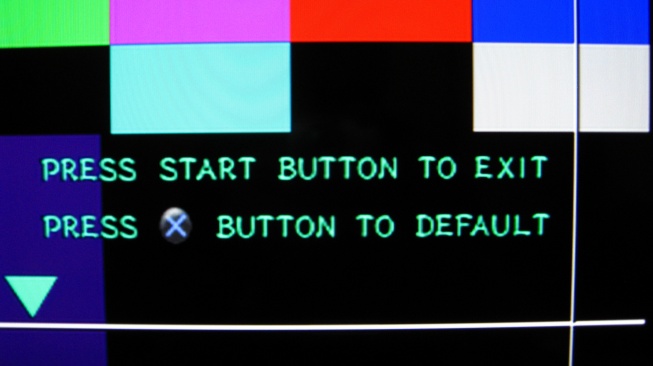
I've tried with both the official Sony EURO AV cable for PS1 (SCPH-1052) and PS2 (SCPH-10142), exact same results.
What cable are you using?
I now wonder if the official EURO AV cables might have some components inside that alter the RGB signal versus a JPN RGB21 cable..
Hehe nice, this confirms the re-handshake / YCBCR bug.Strider 2 with Mini outputting in YCBCR after turning off and then back on
Metal Gear Solid with Mini outputting in RGB
Metal Gear Solid with Mini outputting in YCBCR
Hardly any difference with Strider 2. However with MGS there is a slight difference with the 8 bar. In RGB it is nearly invisible but with YCbCr you can still barely see it.
Regarding the slight difference in luminosity between RGB and YCBCR, I believe it's normal and within specs, nothing to worry about.
Now there is still a bug though, the Mini should always output RGB [after a re-handshake or not].
Edit: are you using FW 1.11 on the Mini?
-
austin532
- Posts: 844
- Joined: Wed Mar 12, 2014 12:44 am
- Location: Arizona, US
Re: XRGB-mini Framemeister (now available !)
Stupid question but by any chance is your display set to limited RGB? It looks like it as the blacks are super dark and the white is more of a dirty white rather than pure white. When I set my TV to limited or "Low" as it's called, the grey pluge disappears and the blacks are super dark like yours.
I am using Scart Sync on Luma cables from retro_console_accessories.
http://www.ebay.com/itm/US-seller-Sony- ... 2595086c14
Yes, I am using firmware 1.11.
I am using Scart Sync on Luma cables from retro_console_accessories.
http://www.ebay.com/itm/US-seller-Sony- ... 2595086c14
Yes, I am using firmware 1.11.
Framemeister 240p scanline settings: http://shmups.system11.org/viewtopic.ph ... start=9600
-
Galgomite
- Posts: 199
- Joined: Fri May 17, 2013 6:32 pm
- Location: Pennsylvania, USA
Re: XRGB-mini Framemeister (now available !)
Hello and welcome.kzarBR wrote:Hi, i'm new at this forum and with the XRGB Mini Framemeister.
Could anybody help me? I'm getting the "NO_INPUT" message with the blue screen when I try to use the SNES, N64, PSone and Plastation 1 with the Composite Cable!
I know the best setup is the RGB/SCART cable, but i'm waiting for them.
Ps: The PS2 and Gamecube works OK with Composite Cable!
Any idea?
Thanks!
From what you're describing, 480i games work but 240p games do not, and you're trying all your machines through composite. Have you tried any 240p PS1 games on your PS2 through the mini? (Most PS1 games are 240p.) Also, are these NTSC game consoles?
-
TheShadowRunner
- Posts: 278
- Joined: Sun Feb 24, 2013 7:41 pm
Re: XRGB-mini Framemeister (now available !)
Well well, I'm back and confused lol.austin532 wrote:Stupid question but by any chance is your display set to limited RGB? It looks like it as the blacks are super dark and the white is more of a dirty white rather than pure white. When I set my TV to limited or "Low" as it's called, the grey pluge disappears and the blacks are super dark like yours.
So it seems my high end 40Z5500 hdtv from 2009 just does not support RGB full.
There is no "RGB Dynamic Range" setting or any other setting that might allow me to toggle between HDMI full or limited. Therefore it must only be compatible with RGB limited.
If the above is right, it explains my issue with PS2: Mini is outputting RGB full, my TV only accepts RGB limited hence the crushed blacks and why I only see the proper PS2 luminosity with YCBCR.
However, the SFC through RGB is displayed perfectly, with the pluge and everything alright with Artemio's 240p suite so wtf is really going on, MYSTERY.
If the Mini always outputs RGB full, I should have the luminosity wrong with SFC too, but it's definitely correct.
Got you, I have modded the official cable to use sync on luma too. First I thought that was the source of my issue with PS2, but in fact sync on CVBS gives the same result.I am using Scart Sync on Luma cables from retro_console_accessories.
http://www.ebay.com/itm/US-seller-Sony- ... 2595086c14
Yes, I am using firmware 1.11.
I really wonder how PS1 will work on my setup.. OK like SFC? f*ucked like PS2? I'll be sure to report.
-
kzarBR
- Posts: 2
- Joined: Mon Oct 13, 2014 3:10 pm
Re: XRGB-mini Framemeister (now available !)
Hi! Thanks for the answer!Galgomite wrote:Hello and welcome.kzarBR wrote:Hi, i'm new at this forum and with the XRGB Mini Framemeister.
Could anybody help me? I'm getting the "NO_INPUT" message with the blue screen when I try to use the SNES, N64, PSone and Plastation 1 with the Composite Cable!
I know the best setup is the RGB/SCART cable, but i'm waiting for them.
Ps: The PS2 and Gamecube works OK with Composite Cable!
Any idea?
Thanks!
From what you're describing, 480i games work but 240p games do not, and you're trying all your machines through composite. Have you tried any 240p PS1 games on your PS2 through the mini? (Most PS1 games are 240p.) Also, are these NTSC game consoles?
Ps1 or Psone with composite even show the start screen. I'll try the 240p PS1 game on PS2 as soon as I make the "Popstarter" work here.
All the consoles are NTSC! I have one NES, but i didn't try it yet!
May be the composite cable?
I'll by a S-video cable for SNES and N64 in order to test.
-
Thomago
- Posts: 588
- Joined: Fri Oct 26, 2012 7:01 pm
- Location: Germany
Re: XRGB-mini Framemeister (now available !)
A little test: If I increase BRIGHTNESS from the default 25 I see an immediate effect with all of my RGB sources (PSone, PS2, NGC, SNES 1-CHIP and the said set-top box) - what was pure black at 25 is a (very) dark grey at 26.TheShadowRunner wrote:Therefore it must only be compatible with RGB limited.
So if your TV indeed crushes the blacks of RGB full signals, you shouldn't see any grey well above BRIGHTNESS = 26.
-
TheShadowRunner
- Posts: 278
- Joined: Sun Feb 24, 2013 7:41 pm
Re: XRGB-mini Framemeister (now available !)
So I received the PS1 power block replacement, installed it, and finally tried PS1.
It looks exactly the same as PS2, ie, burnt blacks on my HDTV.
So for sure PS1 and PS2 have an identical, or at least extremely similar RGB output (as you guys saw on your setups).
To test if it was my HDTV f*cking things up with PS1 and PS2, I hooked the Mini to a Fujitsu PC display (in similar HDMI mode).
And as expected PS1/PS2 look OK on it as it's obviously RGB full compatible.
So clearly the Mini is outputting RGB full, my HDTV is only compatible with RGB limited, in other words I'm screwed
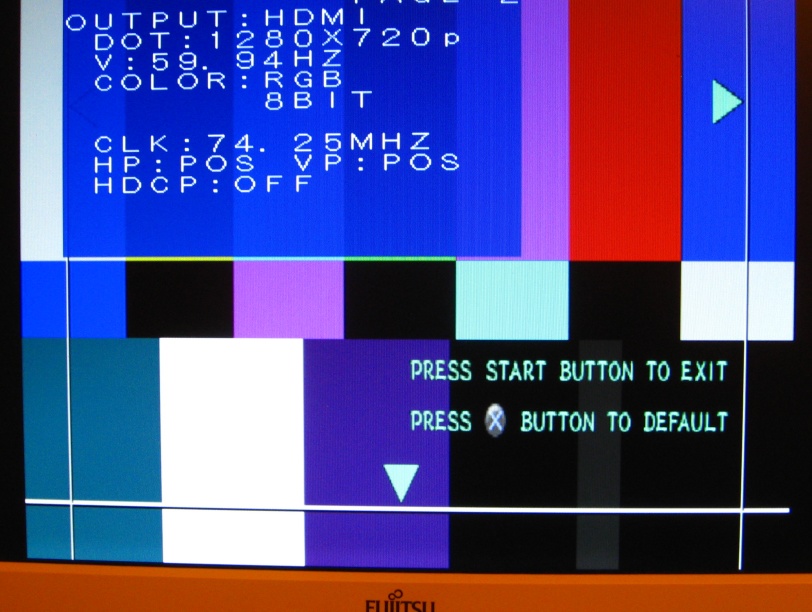
PS2 connected to Fujitsu via HDMI (Color output: RGB)
with default Brightness to 25


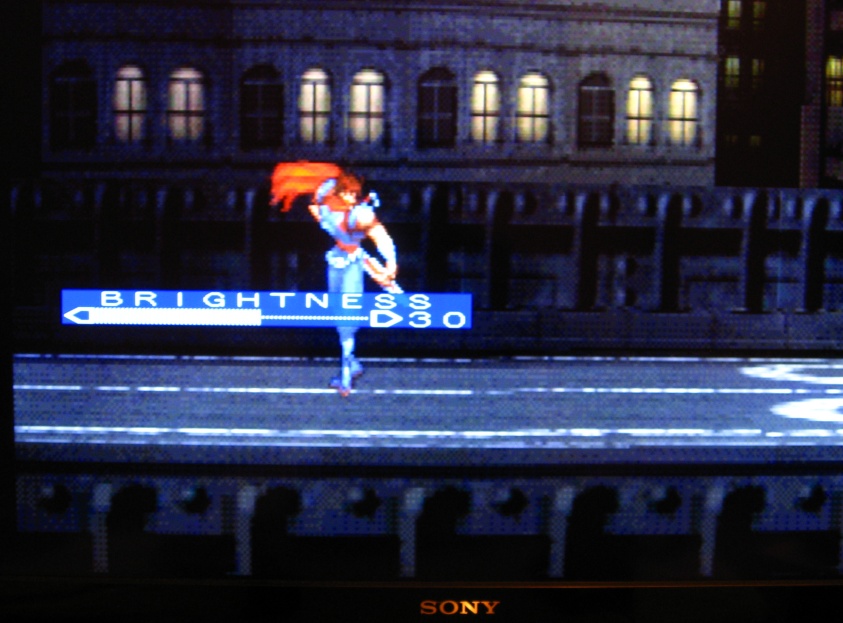
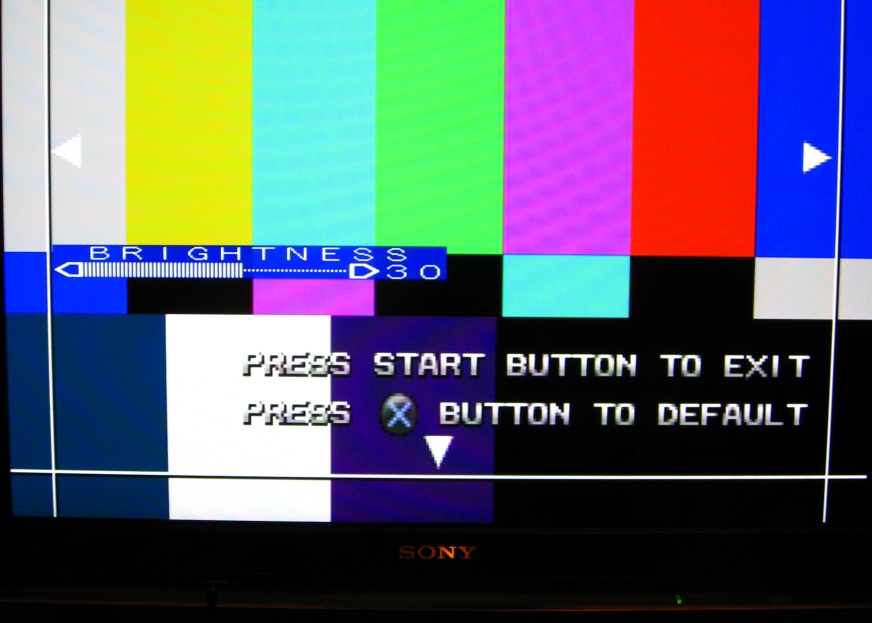
PS2 connected to HDTV (color output: RGB)
with Brightness cranked to 30 (thanks for the suggestion Thomago)
Notice the left side of the image is black-burnt.


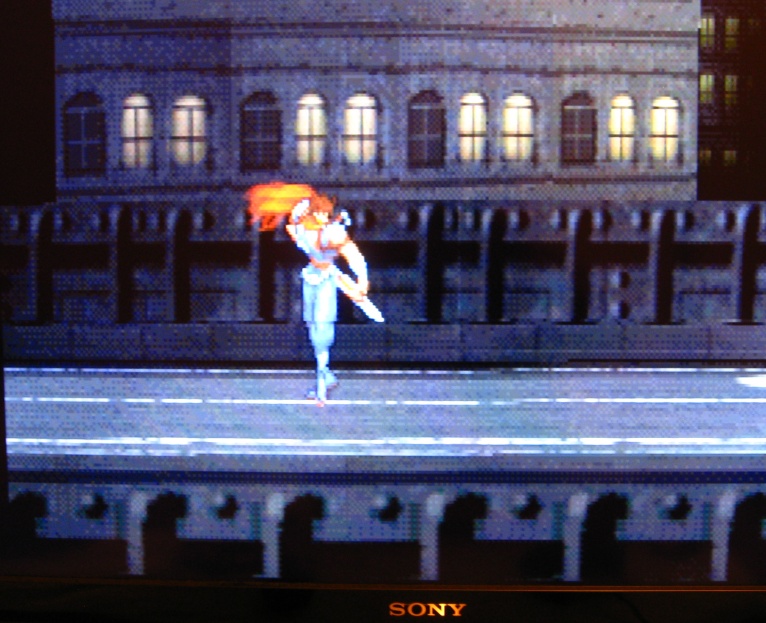
Now pics of the PS2 connected to HDTV (color output: YCBCR by doing the handshake bug)


Since my HDTV is YCBCR compatible, the output/luminosity is OK.
(but without triggering the Handshake bug, the Mini always outputs RGB full by default so using YCBCR is hardly a solution, not to mention the fact the Mini goes back to outputting RGB full whenever there's a resolution (240p <> 480i) switch).
------------------------------------------------------------------------
Now for comparison sake, I took pics of the SFC as well, and I can't comprehend why the results are OK on the same HDTV.
SFC connected to HDTV (Color ouput: RGB)
Default Brightness 25, using Artemio's 240p suite.
It looks just fine!

So assuming the Mini always outputs RGB full when it's outputting RGB, I don't understand why the SFC looks alright.
I also can't comprehend why the Mini outputs RGB full when the connected display is only compatible with RGB limited.
RGB limited compatibility via HDMI on HDTVs is far more common than RGB full compatibility.
So unless there is a way to force RGB limited ouptut on the Mini, or to consistently output YCBCR (without having to trigger the handshake bug), I'm definitely screwed for PS1/PS2 on this HDTV.
Edit: I also tried all 4x HDMI inputs on this HDTV hoping one of them would be at least compatible with RGB full, no go.
It looks exactly the same as PS2, ie, burnt blacks on my HDTV.
So for sure PS1 and PS2 have an identical, or at least extremely similar RGB output (as you guys saw on your setups).
To test if it was my HDTV f*cking things up with PS1 and PS2, I hooked the Mini to a Fujitsu PC display (in similar HDMI mode).
And as expected PS1/PS2 look OK on it as it's obviously RGB full compatible.
So clearly the Mini is outputting RGB full, my HDTV is only compatible with RGB limited, in other words I'm screwed
PS2 connected to Fujitsu via HDMI (Color output: RGB)
with default Brightness to 25


PS2 connected to HDTV (color output: RGB)
with Brightness cranked to 30 (thanks for the suggestion Thomago)
Notice the left side of the image is black-burnt.


Now pics of the PS2 connected to HDTV (color output: YCBCR by doing the handshake bug)


Since my HDTV is YCBCR compatible, the output/luminosity is OK.
(but without triggering the Handshake bug, the Mini always outputs RGB full by default so using YCBCR is hardly a solution, not to mention the fact the Mini goes back to outputting RGB full whenever there's a resolution (240p <> 480i) switch).
------------------------------------------------------------------------
Now for comparison sake, I took pics of the SFC as well, and I can't comprehend why the results are OK on the same HDTV.
SFC connected to HDTV (Color ouput: RGB)
Default Brightness 25, using Artemio's 240p suite.
It looks just fine!

So assuming the Mini always outputs RGB full when it's outputting RGB, I don't understand why the SFC looks alright.
I also can't comprehend why the Mini outputs RGB full when the connected display is only compatible with RGB limited.
RGB limited compatibility via HDMI on HDTVs is far more common than RGB full compatibility.
So unless there is a way to force RGB limited ouptut on the Mini, or to consistently output YCBCR (without having to trigger the handshake bug), I'm definitely screwed for PS1/PS2 on this HDTV.
Edit: I also tried all 4x HDMI inputs on this HDTV hoping one of them would be at least compatible with RGB full, no go.
-
Fudoh
- Posts: 13044
- Joined: Mon Mar 06, 2006 3:29 am
- Location: Germany
- Contact:
Re: XRGB-mini Framemeister (now available !)
I don't think so, since full range is basically a DVI RGB signal from a PC.RGB limited compatibility via HDMI on HDTVs is far more common than RGB full compatibility.
why can't you just force RGB output, disregard the range mismatch and adjust your TV to match the "wrong" luminance range ?So unless there is a way to force RGB limited ouptut on the Mini
you could use a HDMI to VGA converter. This should solve your issue with the HDMI ports expecting limited range luma.Edit: I also tried all 4x HDMI inputs on this HDTV hoping one of them would be at least compatible with RGB full, no go.
Still wondering about that SNES test run though. I can't say that I noticed any major difference for PS2/SFC running with the same Mini settings.
-
TheShadowRunner
- Posts: 278
- Joined: Sun Feb 24, 2013 7:41 pm
Re: XRGB-mini Framemeister (now available !)
Actually I'm sure about it, because HDMI inputs on HDTVs were primarily meant to be used for video connection/viewing (DVD, then Bluray player etc, "TV Level").Fudoh wrote:I don't think so, since full range is basically a DVI RGB signal from a PC.
It's also not random that RGB limited is output by default on most consoles, if not all (dunno about PS4) with digital outputs.
So yes, I'm quite surprised the Mini doesn't apply the same principle. Output "safe" RGB limited by default and IF the user wants, have the ability to output RGB full, on demand.
Unless it was primarily designed to connect to PC displays rather than HDTVs.
In any case, not having the option to chose the output we want/need is a real bummer (damn this "AUTO" setting :X)
And is most surprising when the Mini has otherwise all these bazillion options for everything.
Because what is lost is lost, even if I crank Brightness so luminosity appears ok, all values between 0-16 are still lost, my HDTV treating any value between "0-16" from the Mini's RGB full output as "0" (pure black).why can't you just force RGB output, disregard the range mismatch and adjust your TV to match the "wrong" luminance range ?
Not only that, it is also a problem on the other end of the spectrum (235-255), what is already bright then appears way too bright and kills all details.
The only proper way to solve the issue would be to have the Mini output RGB limited.
Another solution would be to have the Mini output YCBCR, less good than RGB limited in terms of color reproduction (for console sources), but at least levels would be OK.
I've never seen the Mini output YCBCR on its own btw, it only happens by triggering the handshake bug and as you know the COLOR_OUTPUT feature doesn't even allow to force it.
I'm sure most peeps in my case (using an HDTV with HDMI inputs expecting RGB limited), just see the PS1/PS2 as too dark and just crank up the Brightness/ A/D_LEVEL to make up for it, having in fact no clue as to how the image is butchered by the whole process.
Ignorance is bliss as they say :/
Yes, that would work but VGA /analog is quite noisy at high resolutions, we're far from the perfect Digital output allowed by the Mini, kinda defeats the purpose. Thanks for your ideas and support to find a solution to this issue though, much appreciated as usual ^^you could use a HDMI to VGA converter. This should solve your issue with the HDMI ports expecting limited range luma.
Yes I'm baffled by this one as well... it looks fine, with correct levels and everything saying so in the 240p suite (and to me visually, it looks just right).Still wondering about that SNES test run though. I can't say that I noticed any major difference for PS2/SFC running with the same Mini settings.
What is left for me to try is older Mini firmwares, maybe on the early ones the HDMI output is RGB limited (no holding my breath tho lol).
(the host for my pics is currently down, should be back up soonish)
-
CkRtech
- Posts: 668
- Joined: Mon Aug 27, 2012 9:30 pm
- Location: Seattle, WA
Re: XRGB-mini Framemeister (now available !)
My oddball multi-computer/multi-monitor setup at my desk includes running a VGA cable to a 27" monitor @ 1920x1200, and it looks pretty good. That was, of course, after I replaced your typical lamp cord-grade VGA cable that is included with monitors with a super duper shielded one.TheShadowRunner wrote:Yes, that would work but VGA /analog is quite noisy at high resolutions, we're far from the perfect Digital output allowed by the Mini, kinda defeats the purpose. Thanks for your ideas and support to find a solution to this issue though, much appreciated as usual ^^Fudoh wrote:you could use a HDMI to VGA converter. This should solve your issue with the HDMI ports expecting limited range luma.
It may still be a solution for you.
-
TheShadowRunner
- Posts: 278
- Joined: Sun Feb 24, 2013 7:41 pm
Re: XRGB-mini Framemeister (now available !)
Thanks for your input, honestly this isn't an acceptable solution for a 35k yen scaler such as the Mini to just go back to VGA.CkRtech wrote:My oddball multi-computer/multi-monitor setup at my desk includes running a VGA cable to a 27" monitor @ 1920x1200, and it looks pretty good. That was, of course, after I replaced your typical lamp cord-grade VGA cable that is included with monitors with a super duper shielded one.
It may still be a solution for you.
It should definitely propose RGB limited output, even if it's outputting RGB full by default and the option is hidden in 12 sub-menus somewhere.
Another solution is to get a new HDTV, but the timing is really bad with 4k becoming affordable in the not too distant future and all.
I'm going to translate the issue, hoping not too much is lost in translation ^^; and just submit it to Micomsoft.
The Mini is clearly capable of compressing 0-255 to 16-235 as it already does it for YCBCR.
Basically, if an HDTV has no feature to toggle RGB full/limited for its HDMI inputs, it's only RGB limited compatible. So I'm pretty sure far more users are concerned by this issue than one might think.