
I`ve seen some very nice projects with Raspberry Pi lately. So I took the Raspberry Pi and began to play with.
First I tried Chameleon, RetroPie and the Adafruit Arcade Controls Tutorial. After playing around I thougth myself that this platform is might be a good idea for my universal cabs in my gameroom. So I did some search and found this
http://arrifana.org/blog/2012/12/connec ... e-monitor/
Finally I want to make an addon PCB for the Raspberry Pi that supports game controllers and the use in arcade cabs / bartops.
I want a thin addon PCB addon with break-outs for interfaces like Power, Audio, Video and common Gamecontroller. Additonally the addon should offer modding potential.
So this is what I did
- Game Controller Interface for Commodore Amiga, C64 and Atari style 9 pin Joystick
- Game Controller Interface for Neogeo style 15 pin Joystick
- Jamma Interface for use in Bartops or Arcade Cabs.
- Thin Client is realized by using gpio for game controller interfaces. Screw Terminals are on-board for connecting external Keyboard Encoder
- Audio : Chinch input for line level and pinheader plus screw terminal output for amps and speaker.
- Video must be converted from HDMI to your wanted setup. General purpose screw terminals are offered to map RGBS to JAMMA interface
- Power : 5V interface with simple plug (not this USB tiny plug) with on and off switch
- Power 12V and 5V interface for using this project with external 12V amplifier or in Arcade Setups.
Enough theory, here are the pics
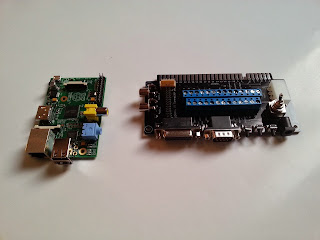
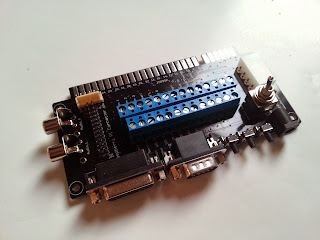

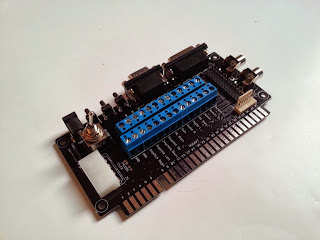


Some examples for the use of connectors
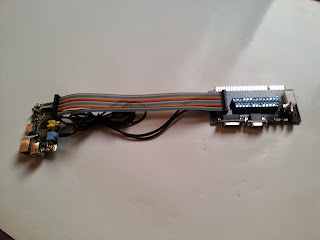
AUDIO, GPIO
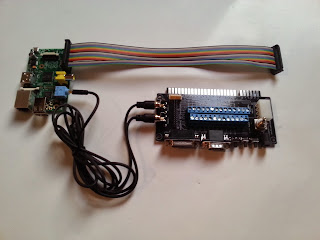
C64 Joystick, GPIO
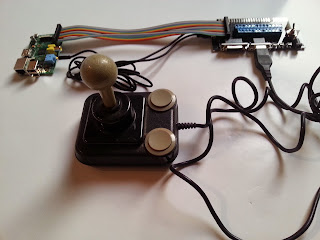
Connect your Rapsberry Pi to your TV and just start playing with the C64 Joystick your favourite console emulator. GPIO are used for the Gamecontroller Inputs.
C64 Joystick, GPIO, Audio plus Mono Amp
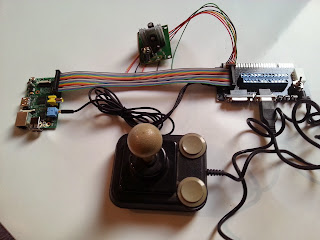
C64 Joystick, GPIO, Audio plus Stereo Amp

The Audio interface comes with pinout
- 12V
- GND
- Audio Line Level Left
- Speaker-
- Audio Line Level Right
- Speaker+
C64 Joystick, GPIO, Audio plus Stereo Amp; 12V and 5V PSU
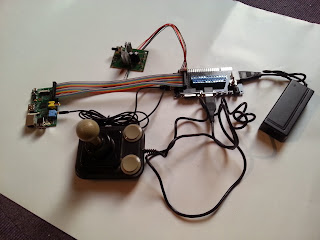
A short word about the video out. Raspberry offers HDMI and composite out. It would have been so nice to see VGA or something more sophisticated analogue signal. Anyway the Raspberry foundation decided not to support VGA. So video adapters are needed to convert HDMI to a VGA signal with Scanlines or even RGBS for CRTs.
Here is a video using the PiJamma in an Arcade Stick (http://www.youtube.com/watch?v=THXa2wELsas)
What do you think about this project?