3DORetrogem having trouble accessing 1440p.
-
Rock Man

- Posts: 550
- Joined: Sat Mar 06, 2010 10:52 pm
- Location: Southtown
3DORetrogem having trouble accessing 1440p.
When the 3DORetroGem is connected directly in 2K resolution, I only see a blank screen. Tried on 3 different displays, same behavior! What am I missing?
Last edited by Rock Man on Sun May 03, 2026 3:26 pm, edited 3 times in total.
Wubba, wubba. I'm in the pink today, boy!
-
Konsolkongen

- Posts: 2398
- Joined: Fri May 16, 2008 8:28 pm
- Location: Denmark
Re: 3DORetrogem having trouble accessing 1440p.
RetroTink does not support a 1440p input. Do the screens you have tried support 1440p, many TVs do not.
-
Rock Man
- Posts: 550
- Joined: Sat Mar 06, 2010 10:52 pm
- Location: Southtown
Re: 3DORetrogem having trouble accessing 1440p.
Sorry, I meant to add I get a blank screen when I try it raw. I'm already aware the Tink wasn't designed to bring out 4k from it's HDMI input, only 1080p.Konsolkongen wrote: ↑Sun May 03, 2026 8:04 am RetroTink does not support a 1440p input. Do the screens you have tried support 1440p, many TVs do not.
I connected the RetroGem 3DO to the TV directly, yeah. My screen supports 1440p resolution, and I play in 2K on my Series X regularly.
1440 is the only resolution that gives me a blank screen when the 3DO Gem is connected directly. I tried it on three different displays that also use 1440p, and I got the same result; they're all LG models.
Screenshots from my display:


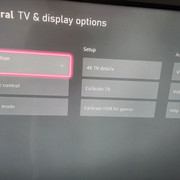
Wubba, wubba. I'm in the pink today, boy!
-
orange808

- Posts: 3906
- Joined: Sat Aug 20, 2016 5:43 am
Re: 3DORetrogem having trouble accessing 1440p.
Given where you are in troubleshooting, I would try an EDID emulator next.
Another option would be an external 4k video processor with more robust input bandwidth capabilities than the inexpensive community gaming scalers. That may not be feasible, due to budget. People here often misunderstand our community game scalers as "expensive"; they are not.
Another option would be an external 4k video processor with more robust input bandwidth capabilities than the inexpensive community gaming scalers. That may not be feasible, due to budget. People here often misunderstand our community game scalers as "expensive"; they are not.
We apologise for the inconvenience
-
Rock Man
- Posts: 550
- Joined: Sat Mar 06, 2010 10:52 pm
- Location: Southtown
Re: 3DORetrogem having trouble accessing 1440p.
Are you talking about the option from output resolution that reads "From EDID !" doesn't that apply automatically or do i need to do something extra?orange808 wrote: ↑Sun May 03, 2026 3:31 pm Given where you are in troubleshooting, I would try an EDID emulator next.
Another option would be an external 4k video processor with more robust input bandwidth capabilities than the inexpensive community gaming scalers. That may not be feasible, due to budget. People here often misunderstand our community game scalers as "expensive"; they are not.
Forgot to mention I am using the Shiny version of the Gem. I didn't know that scalers like the Tink 4K are considered inexpensive by video enthusiasts!

 Had to save a pretty penny to get mine.
Wubba, wubba. I'm in the pink today, boy!
-
bobrocks95

- Posts: 3664
- Joined: Mon Apr 30, 2012 2:27 am
- Location: Kentucky
Re: 3DORetrogem having trouble accessing 1440p.
My LG B9 at the very least does not support 1440p from a PS2 Retro GEM either. But I haven't tried 1440p from another source before. It sounds like 1080p works fine?Rock Man wrote: ↑Sun May 03, 2026 2:16 pmSorry, I meant to add I get a blank screen when I try it raw. I'm already aware the Tink wasn't designed to bring out 4k from it's HDMI input, only 1080p.Konsolkongen wrote: ↑Sun May 03, 2026 8:04 am RetroTink does not support a 1440p input. Do the screens you have tried support 1440p, many TVs do not.
I connected the RetroGem 3DO to the TV directly, yeah. My screen supports 1440p resolution, and I play in 2K on my Series X regularly.
1440 is the only resolution that gives me a blank screen when the 3DO Gem is connected directly. I tried it on three different displays that also use 1440p, and I got the same result; they're all LG models.
Screenshots from my display:
Ideally since you have a Tink 4K, you should connect the 3DO to it and use one of the Direct Video modes on the GEM, which I said in the other thread.
PS1 Disc-Based Game ID BIOS patch for MemCard Pro and SD2PSX automatic VMC switching.
-
Rock Man
- Posts: 550
- Joined: Sat Mar 06, 2010 10:52 pm
- Location: Southtown
Re: 3DORetrogem having trouble accessing 1440p.
Works perfectly in 1080pbobrocks95 wrote: ↑Mon May 04, 2026 1:05 amMy LG B9 at the very least does not support 1440p from a PS2 Retro GEM either. But I haven't tried 1440p from another source before. It sounds like 1080p works fine?Rock Man wrote: ↑Sun May 03, 2026 2:16 pmSorry, I meant to add I get a blank screen when I try it raw. I'm already aware the Tink wasn't designed to bring out 4k from it's HDMI input, only 1080p.Konsolkongen wrote: ↑Sun May 03, 2026 8:04 am RetroTink does not support a 1440p input. Do the screens you have tried support 1440p, many TVs do not.
I connected the RetroGem 3DO to the TV directly, yeah. My screen supports 1440p resolution, and I play in 2K on my Series X regularly.
1440 is the only resolution that gives me a blank screen when the 3DO Gem is connected directly. I tried it on three different displays that also use 1440p, and I got the same result; they're all LG models.
Screenshots from my display:
Ideally since you have a Tink 4K, you should connect the 3DO to it and use one of the Direct Video modes on the GEM, which I said in the other thread.
I've used Tink 4 on the Gem, it's compelling. I guess I wanted to get the 1440p working since it's part of the package that I bought. I didn't realize compatibility would be a thing, I thought it would just work like the Tink 4, Series X, PS4, Verizon, etc. In fact, this is the first device I tried that couldn't work on my dsiplay at that resolution, hence why I'm so surprised. Given that it's part of a feature set I want all of the features advertised. Not a dealbreaker if it doesn't work, just a little disappointing. Especially since I'm impressed by the mod overall! With any luck compatibility improvements to 1440p can be put in an update later.
Wubba, wubba. I'm in the pink today, boy!
-
PC Engine Fan X!
- Posts: 9845
- Joined: Wed Jan 26, 2005 10:32 pm
Re: 3DORetrogem having trouble accessing 1440p.
On the Retrotink Pro 5X setup, there's a certain firmware that allows 1440p mode to be enabled/implemented (fw v3.0). It does work if you hook up the RT5X to a 4K gaming monitor or 4K TV setup. Of course, your mileage may vary depending on the A/V gear you have on hand.
PC Engine Fan X! ^_~
PC Engine Fan X! ^_~
-
bobrocks95
- Posts: 3664
- Joined: Mon Apr 30, 2012 2:27 am
- Location: Kentucky
Re: 3DORetrogem having trouble accessing 1440p.
I'm forgetting off-hand if there's anything strange or out of spec about the 1440p mode- I'd also prefer to see it working, but I think in my case at least, my LG technically only accepts a custom 1440p 120Hz modeline.
If you have other 1440p devices working on that display, I'd ask in the Pixel-FX Discord if you're not opposed to joining. They're very responsive over there.
If you have other 1440p devices working on that display, I'd ask in the Pixel-FX Discord if you're not opposed to joining. They're very responsive over there.
PS1 Disc-Based Game ID BIOS patch for MemCard Pro and SD2PSX automatic VMC switching.
-
Rock Man
- Posts: 550
- Joined: Sat Mar 06, 2010 10:52 pm
- Location: Southtown
Re: 3DORetrogem having trouble accessing 1440p.
Roger! I came to them before about a different topic but I'm going to ask them about this one.bobrocks95 wrote: ↑Mon May 04, 2026 6:12 pm I'm forgetting off-hand if there's anything strange or out of spec about the 1440p mode- I'd also prefer to see it working, but I think in my case at least, my LG technically only accepts a custom 1440p 120Hz modeline.
If you have other 1440p devices working on that display, I'd ask in the Pixel-FX Discord if you're not opposed to joining. They're very responsive over there.
What's a modeline?
Glad to see you're enjoying the device I sold you.PC Engine Fan X! wrote: ↑Mon May 04, 2026 2:46 pm On the Retrotink Pro 5X setup, there's a certain firmware that allows 1440p mode to be enabled/implemented (fw v3.0). It does work if you hook up the RT5X to a 4K gaming monitor or 4K TV setup. Of course, your mileage may vary depending on the A/V gear you have on hand.
PC Engine Fan X! ^_~
 May it serve you in all of your future endeavors.
Wubba, wubba. I'm in the pink today, boy!
-
bobrocks95
- Posts: 3664
- Joined: Mon Apr 30, 2012 2:27 am
- Location: Kentucky
Re: 3DORetrogem having trouble accessing 1440p.
Sorry, mixing my terms together. I just mean a custom resolution. As in I think 1440p 120Hz works but 1440p 60Hz doesn't on my LG.Rock Man wrote: ↑Mon May 04, 2026 9:56 pmRoger! I came to them before about a different topic but I'm going to ask them about this one.bobrocks95 wrote: ↑Mon May 04, 2026 6:12 pm I'm forgetting off-hand if there's anything strange or out of spec about the 1440p mode- I'd also prefer to see it working, but I think in my case at least, my LG technically only accepts a custom 1440p 120Hz modeline.
If you have other 1440p devices working on that display, I'd ask in the Pixel-FX Discord if you're not opposed to joining. They're very responsive over there.
What's a modeline?
PS1 Disc-Based Game ID BIOS patch for MemCard Pro and SD2PSX automatic VMC switching.
-
Rock Man
- Posts: 550
- Joined: Sat Mar 06, 2010 10:52 pm
- Location: Southtown
Re: 3DORetrogem having trouble accessing 1440p.
Every wind is against a leaky ship.bobrocks95 wrote: ↑Tue May 05, 2026 1:40 amSorry, mixing my terms together. I just mean a custom resolution. As in I think 1440p 120Hz works but 1440p 60Hz doesn't on my LG.Rock Man wrote: ↑Mon May 04, 2026 9:56 pmRoger! I came to them before about a different topic but I'm going to ask them about this one.bobrocks95 wrote: ↑Mon May 04, 2026 6:12 pm I'm forgetting off-hand if there's anything strange or out of spec about the 1440p mode- I'd also prefer to see it working, but I think in my case at least, my LG technically only accepts a custom 1440p 120Hz modeline.
If you have other 1440p devices working on that display, I'd ask in the Pixel-FX Discord if you're not opposed to joining. They're very responsive over there.
What's a modeline?
In other words you have found good fortune!
Wubba, wubba. I'm in the pink today, boy!