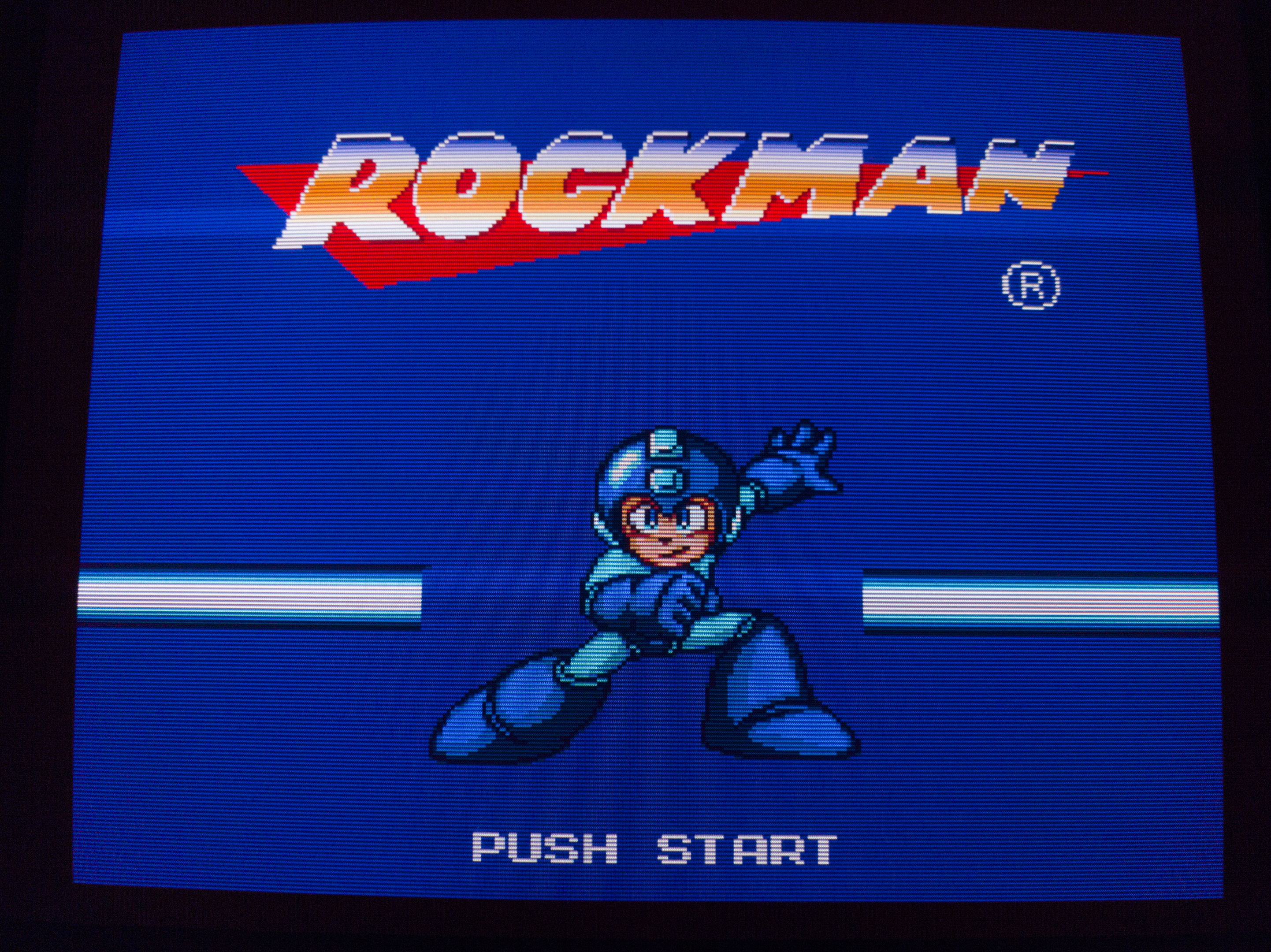
I know emulation isn't the best solution but let's face it, some of these games are going to get tougher and tougher to retrieve and although I've sunk thousands of $$$ into trying to keep the games I love in the purist state, I do dabble into emulation now and again. Behold a new product that I purchased from www.retrotink.com called the RetroTink-C:
https://www.youtube.com/watch?v=mfAuDyB0p_g
It is very easy to set up and you will see the results are quite good using a frame buffer of 1920 x 240. Input delay is minimal. Now Mike Chi is working on different units than can pass S-VHS, Composite, and one that does RGB over BNC connectors. For those who have the Raspberry Pi boards, I think this is a very straightforward and excellent product.
RetroTink: High Quality 240p from Raspberry PI
-
Bahn Yuki

- Posts: 237
- Joined: Thu Oct 15, 2015 11:33 pm
- Location: Salem OR
- Contact:
RetroTink: High Quality 240p from Raspberry PI
LG 83C1(OLED),LG 42C2(OLED),TCL 75R635(MiniLED),Apple Studio Monitor 21(PCCRT),SONY 34XBR960(HDCRT)
SONY 32XBR250,Samsung UBJ590(LED),Panasonic P50VT20(Plasma),JVC NZ8
SONY 32XBR250,Samsung UBJ590(LED),Panasonic P50VT20(Plasma),JVC NZ8
-
Einzelherz

- Posts: 1279
- Joined: Wed Apr 09, 2014 2:09 am
Re: RetroTink: High Quality 240p from Raspberry PI
I think this is pretty great, actually. A raspberry pi for mame is something I've wanted for a while but with their removal of analog signals it looked like it would never happen.
-
werk91

- Posts: 395
- Joined: Sun Jun 17, 2012 12:22 am
- Location: UK
Re: RetroTink: High Quality 240p from Raspberry PI
That's quite cool considering its size. I presume it's running some sort of special Linux OS so which emulators can it run?
-
Uzumaki
- Posts: 31
- Joined: Thu Aug 28, 2014 12:26 pm
Re: RetroTink: High Quality 240p from Raspberry PI
Sup Bahn, found your channel a couple weeks ago and am a fan of your setups! I'm dying to see a 65" OLED + OSSC in person one day lol
Thanks for sharing the retrotink stuff, it's a compelling alternative.
There's a post on the libretro forums about testing RetroArch lag vs. real hardware. He claims only about 1 PAL frame on the snes. I'm sure mileage varies and this wasn't a RasPi but interesting nonetheless.
https://forums.libretro.com/t/an-input- ... n/4407/424
Sent from my Pixel using Tapatalk
Thanks for sharing the retrotink stuff, it's a compelling alternative.
There's a post on the libretro forums about testing RetroArch lag vs. real hardware. He claims only about 1 PAL frame on the snes. I'm sure mileage varies and this wasn't a RasPi but interesting nonetheless.
https://forums.libretro.com/t/an-input- ... n/4407/424
Sent from my Pixel using Tapatalk
-
noonan2678

- Posts: 137
- Joined: Sat Feb 23, 2013 7:15 pm
- Location: Boston, MA, USA
Re: RetroTink: High Quality 240p from Raspberry PI
I have a Pi 3b and many of the great beat-em-ups are super slow on it. I've used a pi2scart and pi2jamma and they are finicky with the signal config. It is a great solution on a budget, but I do plan to build a GroovyMame setup at some point soon.
-
Dochartaigh
- Posts: 1575
- Joined: Thu Mar 02, 2017 6:53 pm
Re: RetroTink: High Quality 240p from Raspberry PI
Which analog signals? They've quasi-recently added 240p support (always had 480i), although both are through composite which is less than ideal... (don't know if that was what you're talking about or notEinzelherz wrote:I think this is pretty great, actually. A raspberry pi for mame is something I've wanted for a while but with their removal of analog signals it looked like it would never happen.

Which exact games are you playing which are slow? Which version of MAME? Which Emulator? I don't have real arcade hardware to compare them to (and it's been YEARS since I played on a real arcade cab) but every week we play games like Street Fighter 2, Marvel vs. Capcom, Final Fight, Alien vs predator, Cadillacs and Dinosaurs, D&D TOD, TMNT, etc. et.c etc. and they seem to run great (nothing 3d of course).noonan2678 wrote:I have a Pi 3b and many of the great beat-em-ups are super slow on it. I've used a pi2scart and pi2jamma and they are finicky with the signal config. It is a great solution on a budget, but I do plan to build a GroovyMame setup at some point soon.
To the OP, the RetroTink does seem great. I have the Pi2SCART which uses pretty much the same exact pixel size cheat (there's a couple other board and cable options too), and I love it!
My only complaint is how even with the 1600px tweak, if I don't want any bit of the screen to be cut off (and don't want pixel tearing) I STILL have to adjust the H/V Size/Centering/Phase/etc. on my multiple monitors every time I want to use the Pi, then change it back (again, on every single monitor, many through the tedious hidden service menus) so my 6x video game consoles don't have part of the screen cut off. Such a pain, and a fault of the limited Pi 3 pixel clock (not these RGBs/Component outputting add-on boards). I've honestly just been dealing with the top and bottom of my MAME games being cut off (mostly on the 240px ones - 224px seems to be pretty close to my consoles) instead of dealing with service menus every time (much lesser of the two evils).
-
lettuce

- Posts: 1336
- Joined: Wed Jun 22, 2011 7:10 pm
- Location: Bedfordshire, England.
Re: RetroTink: High Quality 240p from Raspberry PI
Damn the RetroTink is super expensive then?!??, may i ask why you went with that over something like the Pi2SCART adapter (http://retrorgb.com/rpi240p.html) its super cheap compared to the RetroTink?
-
Dochartaigh
- Posts: 1575
- Joined: Thu Mar 02, 2017 6:53 pm
Re: RetroTink: High Quality 240p from Raspberry PI
$47 shipped for the Pi2SCART to the states. For the Pi2SCART I still need a SCART to BNC breakout cable* which is $40 shipped from WookieWin on eBay, or like $20ish + $6? shipping from that store in the United Kingdom = $113 *needs to be a special male SCART type too - or I need an adapter if I'm using a SCART to BNC cable I already havelettuce wrote:Damn the RetroTink is super expensive then?!??, may i ask why you went with that over something like the Pi2SCART adapter (http://retrorgb.com/rpi240p.html) its super cheap compared to the RetroTink?
For the RetroTink RGBs ($65 + $10? shipping) I can get by with a $10 BNC to BNC cable from Monoprice ($7 shipping?) - both of these to get the signal to my Sony PVM/BVM's = $92
...pretty close in price (hopefully I did the rough math correctly
Granted, if you already have the cables it can swing either way.-
Bahn Yuki
- Posts: 237
- Joined: Thu Oct 15, 2015 11:33 pm
- Location: Salem OR
- Contact:
Re: RetroTink: High Quality 240p from Raspberry PI
I went with the Retrotink due to higher quality DACs. Mike Chi's site can yell you more about it(8bit vs 6bit). Also as portable solution, SCART isn't common here in the US. Most CRTs made post 2000 have component input. For instance my JVC only has component, s-video and composite.lettuce wrote:Damn the RetroTink is super expensive then?!??, may i ask why you went with that over something like the Pi2SCART adapter (http://retrorgb.com/rpi240p.html) its super cheap compared to the RetroTink?
Sent from my SAMSUNG-SM-G870A using Tapatalk
LG 83C1(OLED),LG 42C2(OLED),TCL 75R635(MiniLED),Apple Studio Monitor 21(PCCRT),SONY 34XBR960(HDCRT)
SONY 32XBR250,Samsung UBJ590(LED),Panasonic P50VT20(Plasma),JVC NZ8
SONY 32XBR250,Samsung UBJ590(LED),Panasonic P50VT20(Plasma),JVC NZ8
-
Guspaz

- Posts: 3242
- Joined: Tue Oct 06, 2015 7:37 pm
- Location: Montréal, Canada
Re: RetroTink: High Quality 240p from Raspberry PI
It achieves 8-bits per channel by consuming every single GPIO pin, leaving nothing for controller inputs or soft power switches, so there are sacrifices.
-
Bahn Yuki
- Posts: 237
- Joined: Thu Oct 15, 2015 11:33 pm
- Location: Salem OR
- Contact:
Re: RetroTink: High Quality 240p from Raspberry PI
Yes guspaz. I had a usb hub laying around and have found that to be Good solution. Also my usb soundcard was found very easily by Lakka 2.0 giving much better audio quality at higher volumes.
The rpi3 analog audio out is utterly subpar. The usb soundcard was $5 and well worth it
Sent from my SAMSUNG-SM-G870A using Tapatalk
The rpi3 analog audio out is utterly subpar. The usb soundcard was $5 and well worth it
Sent from my SAMSUNG-SM-G870A using Tapatalk
LG 83C1(OLED),LG 42C2(OLED),TCL 75R635(MiniLED),Apple Studio Monitor 21(PCCRT),SONY 34XBR960(HDCRT)
SONY 32XBR250,Samsung UBJ590(LED),Panasonic P50VT20(Plasma),JVC NZ8
SONY 32XBR250,Samsung UBJ590(LED),Panasonic P50VT20(Plasma),JVC NZ8
-
BONKERS
- Posts: 425
- Joined: Thu Dec 11, 2014 10:41 am
Re: RetroTink: High Quality 240p from Raspberry PI
expensive?? This thing is a steal at the price considering it's low volume and probably not very profitable.lettuce wrote:Damn the RetroTink is super expensive then?!??, may i ask why you went with that over something like the Pi2SCART adapter (http://retrorgb.com/rpi240p.html) its super cheap compared to the RetroTink?
For what it does too, worth every penny IMO.
-
BONKERS
- Posts: 425
- Joined: Thu Dec 11, 2014 10:41 am
Re: RetroTink: High Quality 240p from Raspberry PI
I don't have a Raspberry Pi, but I did eventually try the ultra wide 120hz resolution that Mike posted about on one of my 31khz VGA CRTs on Windows 7 with Retroarch.
The results were interesting, but it looked a bit too off to me. I need to test it all again and compare it to Component with the same game on my Consumer CRT. But I feel like 240p on a VGA CRT is too sharp? (I guess this is what PVM/BVMs would look like?)
Also in motion at 120hz at 1/2 sync (So effective 60hz). Vertical motion almost makes the scanlines seem like they disappear to the naked eye. But not in a video. It's weird. Horizontal scrolling doesn't have the problem. It looks fine still, but interesting. I prefer the look of 480p line doubled with inserted scanlines though.
https://abload.de/img/240pultrawide120hzvga4osa5.jpg
https://abload.de/img/480pwithinsertedscanl4vsu8.jpg
Video of 120hz VGA CRT 240p with scrolling.
http://www.mediafire.com/file/wyv43wcm9 ... ga_crt.mp4
The results were interesting, but it looked a bit too off to me. I need to test it all again and compare it to Component with the same game on my Consumer CRT. But I feel like 240p on a VGA CRT is too sharp? (I guess this is what PVM/BVMs would look like?)
Also in motion at 120hz at 1/2 sync (So effective 60hz). Vertical motion almost makes the scanlines seem like they disappear to the naked eye. But not in a video. It's weird. Horizontal scrolling doesn't have the problem. It looks fine still, but interesting. I prefer the look of 480p line doubled with inserted scanlines though.
https://abload.de/img/240pultrawide120hzvga4osa5.jpg

https://abload.de/img/480pwithinsertedscanl4vsu8.jpg
Video of 120hz VGA CRT 240p with scrolling.
http://www.mediafire.com/file/wyv43wcm9 ... ga_crt.mp4
-
Fudoh

- Posts: 13044
- Joined: Mon Mar 06, 2006 3:29 am
- Location: Germany
- Contact:
Re: RetroTink: High Quality 240p from Raspberry PI
yes, it looks like this on a high-TVL BVM.But I feel like 240p on a VGA CRT is too sharp? (I guess this is what PVM/BVMs would look like?)
same thing happens on any CRT. Has something to do with your eyes' focus. On a vertical monitor setup (like in the arcade) the games are scrolling along the scanlines' orientation, so it doesn't happen there.Vertical motion almost makes the scanlines seem like they disappear to the naked eye.
-
Steamflogger Boss

- Posts: 3110
- Joined: Sun Jul 09, 2017 3:29 pm
- Location: Eating the Rich
Re: RetroTink: High Quality 240p from Raspberry PI
Both of the pictures looked pretty good to me. Video seemed alright. And yeah monitors are pretty much going to be sharper which isn't for everyone.
What monitor are you using?
What monitor are you using?
-
Hoagtech

- Posts: 1025
- Joined: Mon Apr 27, 2015 3:53 am
- Location: Bellingham, WA
Re: RetroTink: High Quality 240p from Raspberry PI
Have you gotten a chance to test the 240p over composite feature?Bahn Yuki wrote:I know emulation isn't the best solution but let's face it, some of these games are going to get tougher and tougher to retrieve and although I've sunk thousands of $$$ into trying to keep the games I love in the purist state, I do dabble into emulation now and again. Behold a new product that I purchased from http://www.retrotink.com called the RetroTink-C:
https://www.youtube.com/watch?v=mfAuDyB0p_g
It is very easy to set up and you will see the results are quite good using a frame buffer of 1920 x 240. Input delay is minimal. Now Mike Chi is working on different units than can pass S-VHS, Composite, and one that does RGB over BNC connectors. For those who have the Raspberry Pi boards, I think this is a very straightforward and excellent product.
I have mine coming in the mail with the headphone to rca breakout cable.
I am very curious about the composite only and it's a new feature that just came out in the latest firmware and I would love to hear someone knowledgeable break it down for me.
Copyright 1987
-
Dochartaigh
- Posts: 1575
- Joined: Thu Mar 02, 2017 6:53 pm
Re: RetroTink: High Quality 240p from Raspberry PI
That 240p tweak over component has been around for maybe 4ish months now, and I just got a chance to try it myself in the last couple weeks. It's OK. On my 5-9" PVM monitors it looks GREAT (which is good because of the 8 or 9 smaller ones I have, only 2ish have RGB). But even on my 13-14" monitors I don't care for it; some artifacts remain, and what stinks is from what I can tell you can't use the 1600px tweaks when using the "sdtv_mode=16" in the config file. Can't even individually center each console you emulate with the 240p over composite...so you're kinda stuck with a crappy overall method when compared to the 1600px tweak on the Pi2Scart and RetroTink boards (and I think even the Gert VGA 666 which uses similar hdmi_timing settings). If you have nothing else to use you'll have fun with it though (I'm just kinda spoiled by the RGB output methods on my Pi's now).Hoagtech wrote:Have you gotten a chance to test the 240p over composite feature?
I have mine coming in the mail with the headphone to rca breakout cable.
I am very curious about the composite only and it's a new feature that just came out in the latest firmware and I would love to hear someone knowledgeable break it down for me.
-
Hoagtech
- Posts: 1025
- Joined: Mon Apr 27, 2015 3:53 am
- Location: Bellingham, WA
Re: RetroTink: High Quality 240p from Raspberry PI
Dochartaigh wrote:That 240p tweak over component has been around for maybe 4ish months now, and I just got a chance to try it myself in the last couple weeks. It's OK. On my 5-9" PVM monitors it looks GREAT (which is good because of the 8 or 9 smaller ones I have, only 2ish have RGB). But even on my 13-14" monitors I don't care for it; some artifacts remain, and what stinks is from what I can tell you can't use the 1600px tweaks when using the "sdtv_mode=16" in the config file. Can't even individually center each console you emulate with the 240p over composite...so you're kinda stuck with a crappy overall method when compared to the 1600px tweak on the Pi2Scart and RetroTink boards (and I think even the Gert VGA 666 which uses similar hdmi_timing settings). If you have nothing else to use you'll have fun with it though (I'm just kinda spoiled by the RGB output methods on my Pi's now).Hoagtech wrote:Have you gotten a chance to test the 240p over composite feature?
I have mine coming in the mail with the headphone to rca breakout cable.
I am very curious about the composite only and it's a new feature that just came out in the latest firmware and I would love to hear someone knowledgeable break it down for me.
I hate to pester but I would love to see a pic of composite 240p on a Sony PVM. Are the Scanlines similar to Scart>RGbs? on your 2ish ones?
Copyright 1987
-
Dochartaigh
- Posts: 1575
- Joined: Thu Mar 02, 2017 6:53 pm
Re: RetroTink: High Quality 240p from Raspberry PI
I'll have to see what I can do - only fair comparison would be the Pi 3 over composite vs. Pi 3 over an RGBs hat (which I currently have dismantled now). Otherwise it would be like a SNES game on the Pi vs. a real SNES console over RGB which I don't know how 1:1 comparison that would be.Hoagtech wrote: I hate to pester but I would love to see a pic of composite 240p on a Sony PVM. Are the Scanlines similar to Scart>RGbs? on your 2ish ones?
-
Hoagtech
- Posts: 1025
- Joined: Mon Apr 27, 2015 3:53 am
- Location: Bellingham, WA
Re: RetroTink: High Quality 240p from Raspberry PI
The SNES RGB vs 240p composite Pi would be the winner.Dochartaigh wrote:I'll have to see what I can do - only fair comparison would be the Pi 3 over composite vs. Pi 3 over an RGBs hat (which I currently have dismantled now). Otherwise it would be like a SNES game on the Pi vs. a real SNES console over RGB which I don't know how 1:1 comparison that would be.Hoagtech wrote: I hate to pester but I would love to see a pic of composite 240p on a Sony PVM. Are the Scanlines similar to Scart>RGbs? on your 2ish ones?
Copyright 1987
-
strygo
- Posts: 506
- Joined: Sun Mar 05, 2017 5:47 am
- Location: Snohomish, WA
Re: RetroTink: High Quality 240p from Raspberry PI
I recently ordered a RetroTink Ultimate. I paired it with a VGA+3.5mm to SCART cable I picked up from Retro Access. So far, in my limited testing, it works great. Visually, it looks perfect on both my consumer CRT and Sony PVM.
I had originally been eyeing the Pi2SCART adapter, but after I saw Mike's Youtube video demonstrating the higher quality of his approach, I opted to go with his instead. I haven't compared them head-to-head, but I definitely recommend this if you're going the Raspberry Pi route.
My only gripe is that I had remove the case that came with my Raspberry Pi. I might be able to cut the case down, but before I do, is anyone aware of any cases that might work with the RetroTink?
I had originally been eyeing the Pi2SCART adapter, but after I saw Mike's Youtube video demonstrating the higher quality of his approach, I opted to go with his instead. I haven't compared them head-to-head, but I definitely recommend this if you're going the Raspberry Pi route.
My only gripe is that I had remove the case that came with my Raspberry Pi. I might be able to cut the case down, but before I do, is anyone aware of any cases that might work with the RetroTink?
-
strygo
- Posts: 506
- Joined: Sun Mar 05, 2017 5:47 am
- Location: Snohomish, WA
Re: RetroTink: High Quality 240p from Raspberry PI
Mike Chi recommended the Raspberry Pi Snug Case (https://www.thingiverse.com/thing:1637227). I've ordered one, so I should know soon how it holds up.
-
karmeck
- Posts: 114
- Joined: Thu Oct 05, 2017 7:52 pm
Re: RetroTink: High Quality 240p from Raspberry PI
Joining the RetroTINK family with a few issues, I just can't get an image. Though I'm using recalbox but it should still work. Anyone here have a configuration file to share?
Also if I keep my RetroTINK-ULTIMATE on my pi no games will boot until I unplug it. Is there a way to disable the gpio pins? As the RetroTINK-ULTIMATE is a pain to remove.
Also if I keep my RetroTINK-ULTIMATE on my pi no games will boot until I unplug it. Is there a way to disable the gpio pins? As the RetroTINK-ULTIMATE is a pain to remove.
Strygo, what os are you using?strygo wrote:
-
strygo
- Posts: 506
- Joined: Sun Mar 05, 2017 5:47 am
- Location: Snohomish, WA
Re: RetroTink: High Quality 240p from Raspberry PI
I'm using his pre-made Lakka image. I was able to update it over wifi to the latest version.
-
karmeck
- Posts: 114
- Joined: Thu Oct 05, 2017 7:52 pm
Re: RetroTink: High Quality 240p from Raspberry PI
Could you please post or pm me the config file for using vga. The file in the boot partition.strygo wrote:I'm using his pre-made Lakka image. I was able to update it over wifi to the latest version.
Currently I'm using the configuration file found here but it gives me no image.
http://eightvirtues.com/?page_id=418
-
karmeck
- Posts: 114
- Joined: Thu Oct 05, 2017 7:52 pm
Re: RetroTink: High Quality 240p from Raspberry PI
here is a working config file for recalbox:
though I had to use an other hdmi timing as the one the config came with was out of sync on my monitor.
Spoiler
hdmi_timings=450 1 50 30 90 270 1 1 1 30 0 0 0 50 0 9600000 1
display_rotate=0
audio_pwm_mode=2
disable_audio_dither=1
disable_overscan=1
hdmi_drive=2
config_hdmi_boost=0
hdmi_force_hotplug=1
boot_delay=3
disable_splash=1
# Overclock
gpu_mem_256=128
gpu_mem_512=256
gpu_mem_1024=512
avoid_safe_mode=1
dtoverlay=pi3-disable-bt-overlay
dtparam=audio=on
#dtoverlay=pwm-2chan,pin=18,func=2,pin2=19,func2=2
dtoverlay=dpi24
enable_dpi_lcd=1
display_default_lcd=1
dpi_output_format=519
dpi_group=2
dpi_mode=87
kernel=zImage
overscan_scale=0
display_rotate=0
audio_pwm_mode=2
disable_audio_dither=1
disable_overscan=1
hdmi_drive=2
config_hdmi_boost=0
hdmi_force_hotplug=1
boot_delay=3
disable_splash=1
# Overclock
gpu_mem_256=128
gpu_mem_512=256
gpu_mem_1024=512
avoid_safe_mode=1
dtoverlay=pi3-disable-bt-overlay
dtparam=audio=on
#dtoverlay=pwm-2chan,pin=18,func=2,pin2=19,func2=2
dtoverlay=dpi24
enable_dpi_lcd=1
display_default_lcd=1
dpi_output_format=519
dpi_group=2
dpi_mode=87
kernel=zImage
overscan_scale=0
-
Bahn Yuki
- Posts: 237
- Joined: Thu Oct 15, 2015 11:33 pm
- Location: Salem OR
- Contact:
Re: RetroTink: High Quality 240p from Raspberry PI
that pre-made Lakka image is really obsolete. Better off using Retropie 4.3 and using his HDMI timings there.
LG 83C1(OLED),LG 42C2(OLED),TCL 75R635(MiniLED),Apple Studio Monitor 21(PCCRT),SONY 34XBR960(HDCRT)
SONY 32XBR250,Samsung UBJ590(LED),Panasonic P50VT20(Plasma),JVC NZ8
SONY 32XBR250,Samsung UBJ590(LED),Panasonic P50VT20(Plasma),JVC NZ8
-
Pikkon

- Posts: 129
- Joined: Tue May 26, 2015 6:25 am
- Location: Florida
Re: RetroTink: High Quality 240p from Raspberry PI
I'm just rocking a cheap hdmi to vga,then I made a vga scart cable and I get awesome quality and no integer scaling artifacts.
This is the guide I followed.
A direct link doesn't work for some reason but just search on google for
Connect your recalbox to a CRT with HDMI (EN)
And I was having audio issues but this fixed her right up.
https://forums.libretro.com/t/perfect-a ... tion/12072
This is the guide I followed.
A direct link doesn't work for some reason but just search on google for
Connect your recalbox to a CRT with HDMI (EN)
And I was having audio issues but this fixed her right up.
https://forums.libretro.com/t/perfect-a ... tion/12072
-
Dochartaigh
- Posts: 1575
- Joined: Thu Mar 02, 2017 6:53 pm
Re: RetroTink: High Quality 240p from Raspberry PI
Has anybody else like me pretty much given up on the RP3? I've tried all the major distributions (RetroPie, Lakka, etc.) from tons of websites, RetroTINK distros, Pi2SCART, etc. Every single one can't do a simple thing like resize the size of the image on screen - no matter what timings are used (and I'm discounting overscan here since that introduces horrible artifacts). ---or if they can, every time I ask on their forum or Facebook how to do that I'm totally ignored lol.
I simply refuse to have to adjust the H/V Size (centering CAN be done through the software rather easily) of my monitors through the service menu (some through manually opening the case and adjusting pots) of my multiple monitors before AND after using the RP3. I would have to do this because I have my monitors setup to play nice with consoles like NES, SNES, Genesis, PS1/PS2, etc. (I calibrate my monitors using the 240p test suite grid on NES, SNES, and Genesis which happens to work good for PS as well - not perfect for all with the slightly different resolutions but totally playable). The RP3 is ALWAYS about 10% (maybe more) larger than the image from those actual consoles, so everything around the edges (like important meters and life bars and such) are always cut off and a lots of times not visible at all.
This has plagued me for literally years now (ok, like a year and wondering if anybody has the same problem (which has to be pretty common). Thankfully the ability to shift the image on a per-rom or per-core basics - through things like the Select+X RetroPie/RetroArch menu helps a bunch, but still a pain, definitely not seamless, and still bricks some games where you really need to see (for instance) the very top and the very bottom of the screen...I'm hoping I've been missing something this entire time, but I simply think it's because of the limited pixel clock on the RP3 so it's a hardware problem which simply can't be overcome.
I simply refuse to have to adjust the H/V Size (centering CAN be done through the software rather easily) of my monitors through the service menu (some through manually opening the case and adjusting pots) of my multiple monitors before AND after using the RP3. I would have to do this because I have my monitors setup to play nice with consoles like NES, SNES, Genesis, PS1/PS2, etc. (I calibrate my monitors using the 240p test suite grid on NES, SNES, and Genesis which happens to work good for PS as well - not perfect for all with the slightly different resolutions but totally playable). The RP3 is ALWAYS about 10% (maybe more) larger than the image from those actual consoles, so everything around the edges (like important meters and life bars and such) are always cut off and a lots of times not visible at all.
This has plagued me for literally years now (ok, like a year
and wondering if anybody has the same problem (which has to be pretty common). Thankfully the ability to shift the image on a per-rom or per-core basics - through things like the Select+X RetroPie/RetroArch menu helps a bunch, but still a pain, definitely not seamless, and still bricks some games where you really need to see (for instance) the very top and the very bottom of the screen...I'm hoping I've been missing something this entire time, but I simply think it's because of the limited pixel clock on the RP3 so it's a hardware problem which simply can't be overcome.-
Fudoh
- Posts: 13044
- Joined: Mon Mar 06, 2006 3:29 am
- Location: Germany
- Contact:
Re: RetroTink: High Quality 240p from Raspberry PI
I'm not sure what functions you're looking for. Resizing the active image on a set output carrier signal (e.g. a 224-line game on a 240p signal) is rather limited. You can't expect to scale the 224 lines to the 240p output as this would look horribly. Other than that complete AR/size/position controls are available within Retroarch and as long as you don't use a write protected image like recalbox saving your settings on a per-core basis is easy.Every single one can't do a simple thing like resize the size of the image on screen - no matter what timings are used (and I'm discounting overscan here since that introduces horrible artifacts).
Thankfully the ability to shift the image on a per-rom or per-core basics - through things like the Select+X RetroPie/RetroArch menu helps a bunch, but still a pain, definitely not seamless, and still bricks some games where you really need to see (for instance) the very top and the very bottom of the screen...I'm hoping I've been missing something this entire time, but I simply think it's because of the limited pixel clock on the RP3 so it's a hardware problem which simply can't be overcome.
So, maybe I misread your critic or you mean something else when you write "simple thing like resize the size of the image on screen"...