XRGB-mini + Wii U VC/480p Wii games?

The place for all discussion on gaming hardware
Post Reply
hypermuffin
Posts: 10
Joined: Mon Dec 08, 2014 11:09 pm

XRGB-mini + Wii U VC/480p Wii games?

Post by hypermuffin »

Hi guys,
I recently bought a framemeister and I was hoping to hook up my Wii U to play Virtual Console and Wii games with scanlines on my HDTV. It seems I can't generate the scanline effect with the Wii U (I can with my Dreamcast and Gamecube which I have connected to the xrgb-mini). Do you guys have specific settings that make this possible?

Thanks in advance :D
User avatar
Josh128
Posts: 2351
Joined: Thu Jan 16, 2014 9:01 am

Re: XRGB-mini + Wii U VC/480p Wii games?

Post by Josh128 »

You can apply scanlines to 480p games or just VC games in 480p? Just curious. Could you post pictures of what the DC and GC look like through it?

Thanks
hypermuffin
Posts: 10
Joined: Mon Dec 08, 2014 11:09 pm

Re: XRGB-mini + Wii U VC/480p Wii games?

Post by hypermuffin »

The xrgb-mini applies scanlines perfectly to 480p sources, but they don't show on my Wii U.

Gamecube and DC are fine as they show here:
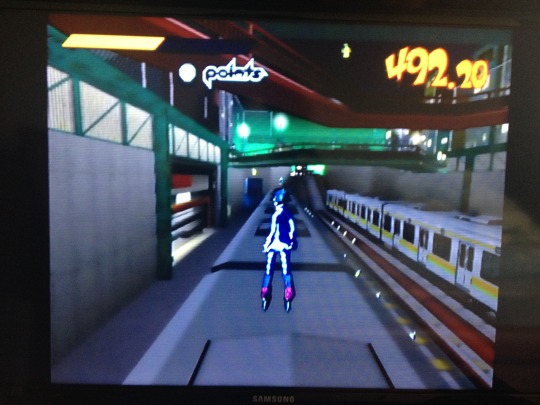
Image
Image
Image
HydrogLox
Posts: 1164
Joined: Tue May 22, 2012 3:35 pm
Location: Ontario, Canada

Re: XRGB-mini + Wii U VC/480p Wii games?

Post by HydrogLox »

hypermuffin wrote:The xrgb-mini applies scanlines perfectly to 480p sources, but they don't show on my Wii U.
My silly question: Is the Wii-U output "TV resolution" set to 480p?

How to Configure the TV Resolution

What input resolution is the XRGB-mini ("Special->Status" menu) reporting?
Are you using HDMI or component?

Also

http://junkerhq.net/xrgb/index.php/XRGB ... TV_Scaling
NOTE: You may be wondering what the point is in setting the Framemeister to output anything less than 1080p if it is connected to a 1080p panel. The reason is that it does not render scanlines correctly. Instead of darkening two out of every four lines, it darkens just one which results in the scanlines appearing unnaturally thin. If you like scanline emulation then 720p and 480p are the feasible output modes, with 720p generally being the best choice (the output at 480p is very soft by comparison). If you don't care about scanlines then feel free to set 1080p as the output mode but do be careful to observe the aforementioned first rule.
hypermuffin
Posts: 10
Joined: Mon Dec 08, 2014 11:09 pm

Re: XRGB-mini + Wii U VC/480p Wii games?

Post by hypermuffin »

I tried setting the Wii U's resolution to 480p and it still didn't show scanlines.
Status is 720x480p PCM 1280x720p VLOCK and it is connected via HDMI.

Thanks a lot for the tip! I set up the framemeister to output 720p and the scanlines for my other systems look even better :)
HydrogLox
Posts: 1164
Joined: Tue May 22, 2012 3:35 pm
Location: Ontario, Canada

Re: XRGB-mini + Wii U VC/480p Wii games?

Post by HydrogLox »

hypermuffin wrote:Status is 720x480p PCM 1280x720p VLOCK and it is connected via HDMI.
Just found this on http://retrogaming.hazard-city.de/framemeister.html
Wishlist for future firmware upgrades:
...
- enable scanlines for 480p on the HDMI inputs (e.g. for XBox360) (fixed)
...
This suggests to me that older firmware didn't support scanlines on HDMI. 1.08 is the current version (1.11 is in beta).
Which firmware version are you running?

http://www.micomsoft.co.jp/xrgb-mini_download.htm
http://www.micomsoft.co.jp/XRGBmini_v1_08.zip
hypermuffin
Posts: 10
Joined: Mon Dec 08, 2014 11:09 pm

Re: XRGB-mini + Wii U VC/480p Wii games?

Post by hypermuffin »

Thank you for the help and the links :D I had v1.11 and downgraded to v1.08. Scanlines are now shown when setting the Wii U to output at 480p!

I wonder if there's a way to get the same scanline effect to work with 1080p sources (just so there's no going back and forth in the console resolution settings with 240p/480p games and 720p/1080p HD games)
HydrogLox
Posts: 1164
Joined: Tue May 22, 2012 3:35 pm
Location: Ontario, Canada

Re: XRGB-mini + Wii U VC/480p Wii games?

Post by HydrogLox »

hypermuffin wrote:I wonder if there's a way to get the same scanline effect to work with 1080p sources (just so there's no going back and forth in the console resolution settings with 240p/480p games and 720p/1080p HD games)
The XRGB-mini is great for 240p and 480i, middling for 480p sources.

As http://retrogaming.hazard-city.de/ states:
The Top 5 Processors to buy for 240p signals (as of August 2013):
1st Place: The XRGB-Mini aka Framemeister from Micomsoft. The brandnew king of 240p processing! At approx 380 Euro (US$480) the best processor for 240p you can buy, especially if you have a large high-end Plasma or LED/LCD set. Integrated scanline support, high compatibility (MVS runs fine) and very good picture quality for all 240p sources. No VGA output though (HDMI only).
...
The Top 5 Processors to buy for 480i signals (as of August 2013):
1st Place: The XRGB-Mini aka Framemeister from Micomsoft. The Mini produces amazing detail out of 480i sources. Static images easily reach the quality of real progressive sources. With a flexible scaling engine, the Mini is even able to handle difficult 480i content, like those classic compilations running 240p games at 480i (Capcom Classics, Taito Memories).
...
The Top 5 Processors to buy for 480p signals (as of August 2013):
...
4th Place: The XRGB-Mini (Framemeister) does a good job on upscaling 480p material, but the scaling engine is just not as good as the ones of the processors above. With a bit of trickery (960 line output on a 1080p signal) you can get great quality on 480p sources. Nintendo's Wii is an exception to the rule: The Wii's signal is really bad and it doesn't look to great on most processors. Micomsoft obviously fine-tuned the Frameister to look fine with the Wii, so if you play a lot of Wii games, the Framemeister should be your choice.
...
So if you are running your Wii-U above 480p take the XRGB-mini out of the signal chain entirely because you are not getting anything in return for the display lag that it imposes - so switching output resolution on the Wii-U is really the least of your concerns.

PS: For DC 480p with scanlines I personally prefer Hanzo or Toro on a VGA input. See also: Using a Dreamcast on the XRGB-mini. I only use the XRGB-mini on the DC for 240p and 480i material (e.g. Bangaio, Gunbird 2).

When using the XRGB-mini with the DC: http://junkerhq.net/xrgb/index.php/Dreamcast
Post Reply