Wii U HDMI chipset being naughty

The place for all discussion on gaming hardware
Post Reply
User avatar
HDgaming42
Posts: 341
Joined: Wed Jul 15, 2009 3:16 am
Location: Canada

Wii U HDMI chipset being naughty

Post by HDgaming42 »

Hey guys,

I'm hoping someone hardware-inclined can shed some light on this for me. The long and short of it is that my Wii U is unhappy going through any HDMI switch that I own. Video drops out. Audio drops out. I get white horizontal lines. Every few minutes. Sometimes immediately.

I have known, good HDMI cables that work on PS3 and PS4 at 1080p/60. They also work through that same HDMI switch (monoprice 4088) on all inputs.
I swapped to a monoprice Matrix switch and it was much better, but I still had two drops--but this time after about an hour of gameplay. What is going on?!
Connecting directly to the TV isn't really feasible, nor desirable. The Wii U is bolted down in a rack on the other side of the room. The monoprice switches feed into a DVDO Edge and then into an HDMI over Cat6 Balun to go into the wall. Reverse balun at the TV.
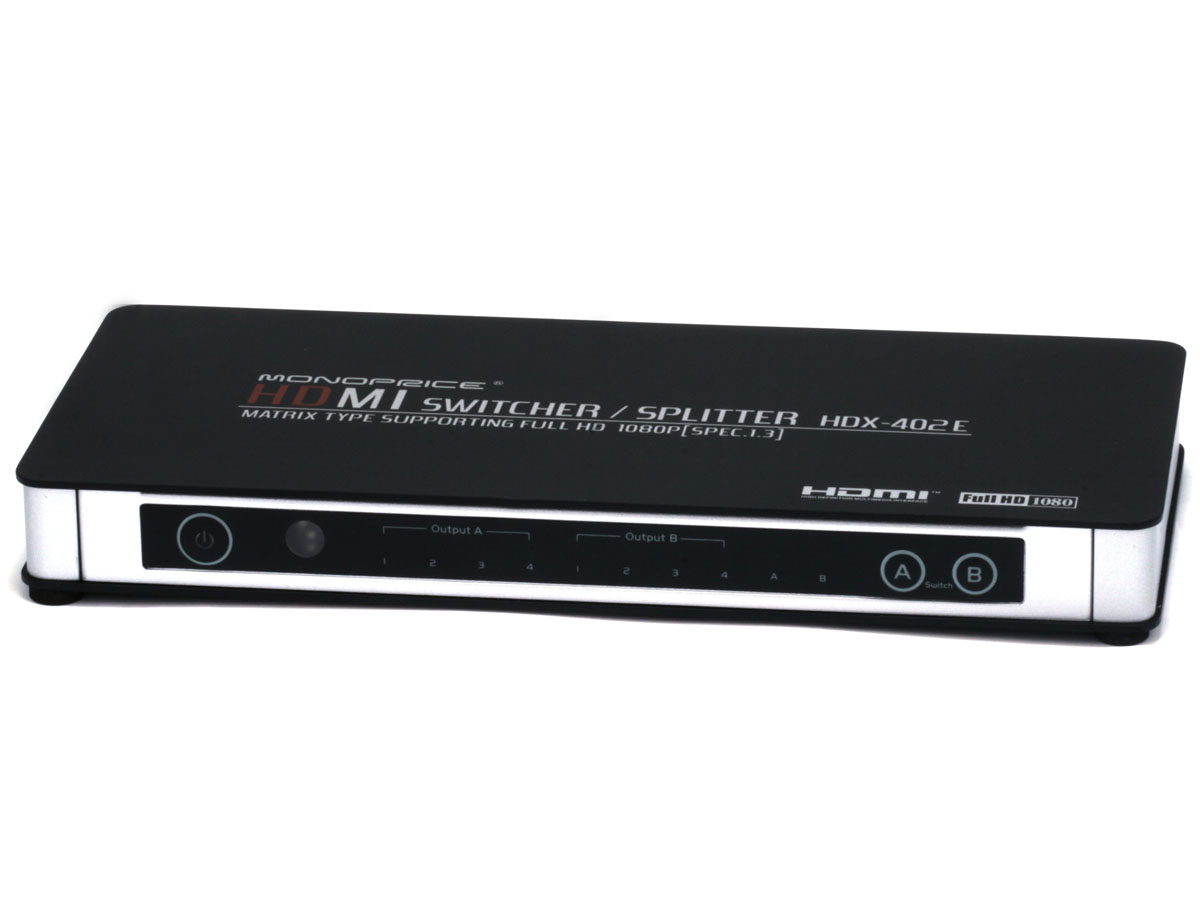
This setup works for everything else. PS3/4 at 1080p/60 included so I don't think it's a bandwidth issue.

1. Is this a sign that I got a lemon of a console?
2. Is there something I can do to increase compatibility between the Wii U and my gear?
3. Is anyone running the Wii U through an HDMI switch at 1080p/60 and not having issues?
4. Is this some kind of chipset incompatibility, much in the way some Samsung owners have trouble with their PS4s?


I should add that running a Redmere cable from the switch to the EDGE cleaned up most of the problem, but left me with either white, or distorted horizontal lines on screen. It wouldn't drop, but I don't like the idea of covering up issues--I like to get to why they're happening.

Also--really enjoying Donkey Kong Tropical Freeze. When I can see it (sorry it's not a shmup ;)
User avatar
blizzz
Posts: 1150
Joined: Fri Sep 16, 2011 6:19 pm
Location: Germany
Contact:

Re: Wii U HDMI chipset being naughty

Post by blizzz »

HDgaming42 wrote:1. Is this a sign that I got a lemon of a console?
If you get the same problems without a switch then yes. Otherwise it's hard to say. This might be a problem with your console, but if it happens only once after an hour and only if you use a switch, Nintendo might not accept a RMA.
2. Is there something I can do to increase compatibility between the Wii U and my gear?
Sometimes cheap no-brand cables or switches can cause problems between certain devices. That said, I'm using a 10m cable that was the cheapest I could find and it makes no problems at all between a switch and a HDMI matrix.
3. Is anyone running the Wii U through an HDMI switch at 1080p/60 and not having issues?
Wii U > HDMI matrix > TV
_________ > Receiver ^
No problems, other than that there are only 2 good games on the system.

Maybe you should just contact Nintendo support and ask if they can fix / replace your console.
User avatar
mickcris
Posts: 435
Joined: Tue Oct 08, 2013 12:43 am
Location: Texas, USA

Re: Wii U HDMI chipset being naughty

Post by mickcris »

I run mine through the HDX-401E monoprice switch and have no problems.
User avatar
HDgaming42
Posts: 341
Joined: Wed Jul 15, 2009 3:16 am
Location: Canada

Re: Wii U HDMI chipset being naughty

Post by HDgaming42 »

blizzz wrote:If you get the same problems without a switch then yes. Otherwise it's hard to say. This might be a problem with your console, but if it happens only once after an hour and only if you use a switch, Nintendo might not accept a RMA.
Good news! It does it once every half hour without the switch (just happened again). :roll:
mickcris wrote:I run mine through the HDX-401E monoprice switch and have no problems.
Awesome--thanks! Now how do I troubleshoot whether it is the switch or the Wii U that is defective? I mean, the switch works with everything else, but damn does it make the Wii U go insane. Wii U direct is one drop every half hour. Wii U through switch is drops every two minutes.

I'd hate to ship it to Nintendo and have them tell me there's nothing wrong with it. :shock:
User avatar
blizzz
Posts: 1150
Joined: Fri Sep 16, 2011 6:19 pm
Location: Germany
Contact:

Re: Wii U HDMI chipset being naughty

Post by blizzz »

HDgaming42 wrote:I'd hate to ship it to Nintendo and have them tell me there's nothing wrong with it. :shock:
There's obviously something wrong with it. Video dropout without anything in between is something that a manufacturer has to fix. Ship it to Nintendo, the worst that can happen is that you get it back with the same problem.
User avatar
mickcris
Posts: 435
Joined: Tue Oct 08, 2013 12:43 am
Location: Texas, USA

Re: Wii U HDMI chipset being naughty

Post by mickcris »

HDgaming42 wrote:
blizzz wrote:If you get the same problems without a switch then yes. Otherwise it's hard to say. This might be a problem with your console, but if it happens only once after an hour and only if you use a switch, Nintendo might not accept a RMA.
Good news! It does it once every half hour without the switch (just happened again). :roll:
mickcris wrote:I run mine through the HDX-401E monoprice switch and have no problems.
Awesome--thanks! Now how do I troubleshoot whether it is the switch or the Wii U that is defective? I mean, the switch works with everything else, but damn does it make the Wii U go insane. Wii U direct is one drop every half hour. Wii U through switch is drops every two minutes.

I'd hate to ship it to Nintendo and have them tell me there's nothing wrong with it. :shock:
Did you connect it directly to the tv as you said it does the same thing without the switch? That would be the best way to know.
User avatar
HDgaming42
Posts: 341
Joined: Wed Jul 15, 2009 3:16 am
Location: Canada

Re: Wii U HDMI chipset being naughty

Post by HDgaming42 »

So I got Nintendo support to issue an RMA, but they couldn't assure me that if repair isn't possible the techs would transfer my save files. Seriously Ninty, WTF?

So i figured I might as well finish off DKCTF before I send it in (at least 3 week turnaround, and nuke all my progress) and I got hit with a system update (4.1). Played for an hour without a single drop.

W.T.F. is going on here?! A firmware update that fixes an issue apparently only I am experiencing?

Perhaps:
Improvements to system stability and usability:

Further improvements to overall system stability and other minor adjustments have been made to enhance the user experience
is code for "fixed our shit HDMI chipset that doesn't play well with others. Actually, just that launch model that HDgaming42 bought because no one else has his problems. Sorry HD."
ZellSF
Posts: 2726
Joined: Mon Apr 09, 2012 11:12 pm

Re: Wii U HDMI chipset being naughty

Post by ZellSF »

It's possible they just worked on HDMI compatibility. Changelogs are never detailed (for consoles).

It's also entirely possible it was just coincidence that your system ran for an hour without problems just now and that the problem is still there.
User avatar
HDgaming42
Posts: 341
Joined: Wed Jul 15, 2009 3:16 am
Location: Canada

Re: Wii U HDMI chipset being naughty

Post by HDgaming42 »

ZellSF wrote:It's possible they just worked on HDMI compatibility. Changelogs are never detailed (for consoles).

It's also entirely possible it was just coincidence that your system ran for an hour without problems just now and that the problem is still there.
Oh, I know. I was going to add a bit about jinxing it reporting back with only an hours worth of play-testing! Fingers crossed--I'll update the thread as time goes on.
User avatar
HDgaming42
Posts: 341
Joined: Wed Jul 15, 2009 3:16 am
Location: Canada

Re: Wii U HDMI chipset being naughty

Post by HDgaming42 »

OK--a brief lesson in terrible trouble-shooting. Never change three factors at once.

I had a) updated to 4.1 b) changed to the provided HDMI cable c) moved a deep freeze off the same circuit.

Accounting for those factors (I can't roll back the firmware), moving the deep freeze back only shows distortion when the compressor first kicks in--no drops with deep freeze on the same circuit and using the Nintendo HDMI cable.

Switching back to any other known working cable and I get immediate drops.

Does this make ANY sense to anyone here?! What is so special about the Nintendo HDMI cable?

mickcris: do you use the official Nintendo cable? If so, would you mind swapping it out and seeing what happens through your switch?
User avatar
Fudoh
Posts: 13045
Joined: Mon Mar 06, 2006 3:29 am
Location: Germany
Contact:

Re: Wii U HDMI chipset being naughty

Post by Fudoh »

I didn't even know there were Nintendo branded HDMI cables out there.

Have you tried a simple Redmere cable ? I've switched to Redmere cables for most parts of my setup and it's a real blessing.
User avatar
mickcris
Posts: 435
Joined: Tue Oct 08, 2013 12:43 am
Location: Texas, USA

Re: Wii U HDMI chipset being naughty

Post by mickcris »

HDgaming42 wrote:OK--a brief lesson in terrible trouble-shooting. Never change three factors at once.

I had a) updated to 4.1 b) changed to the provided HDMI cable c) moved a deep freeze off the same circuit.

Accounting for those factors (I can't roll back the firmware), moving the deep freeze back only shows distortion when the compressor first kicks in--no drops with deep freeze on the same circuit and using the Nintendo HDMI cable.

Switching back to any other known working cable and I get immediate drops.

Does this make ANY sense to anyone here?! What is so special about the Nintendo HDMI cable?

mickcris: do you use the official Nintendo cable? If so, would you mind swapping it out and seeing what happens through your switch?
Yeah, i'm using the cable that came with the WiiU. My whole setup is a ratsnest of cables. I really dont feel like digging into that mess to change out the cable. Sorry.
User avatar
HDgaming42
Posts: 341
Joined: Wed Jul 15, 2009 3:16 am
Location: Canada

Re: Wii U HDMI chipset being naughty

Post by HDgaming42 »

Fudoh wrote:I didn't even know there were Nintendo branded HDMI cables out there.

Have you tried a simple Redmere cable ? I've switched to Redmere cables for most parts of my setup and it's a real blessing.
Redmere cleans up most of it, but I don't like the idea of my unit throwing out errors...if indeed it is. Strange that only the damned Nintendo cable works 100%...
mickcris wrote:Yeah, i'm using the cable that came with the WiiU. My whole setup is a ratsnest of cables. I really dont feel like digging into that mess to change out the cable. Sorry.
Too bad--but thanks for letting me know. False hope is the worst!
Post Reply