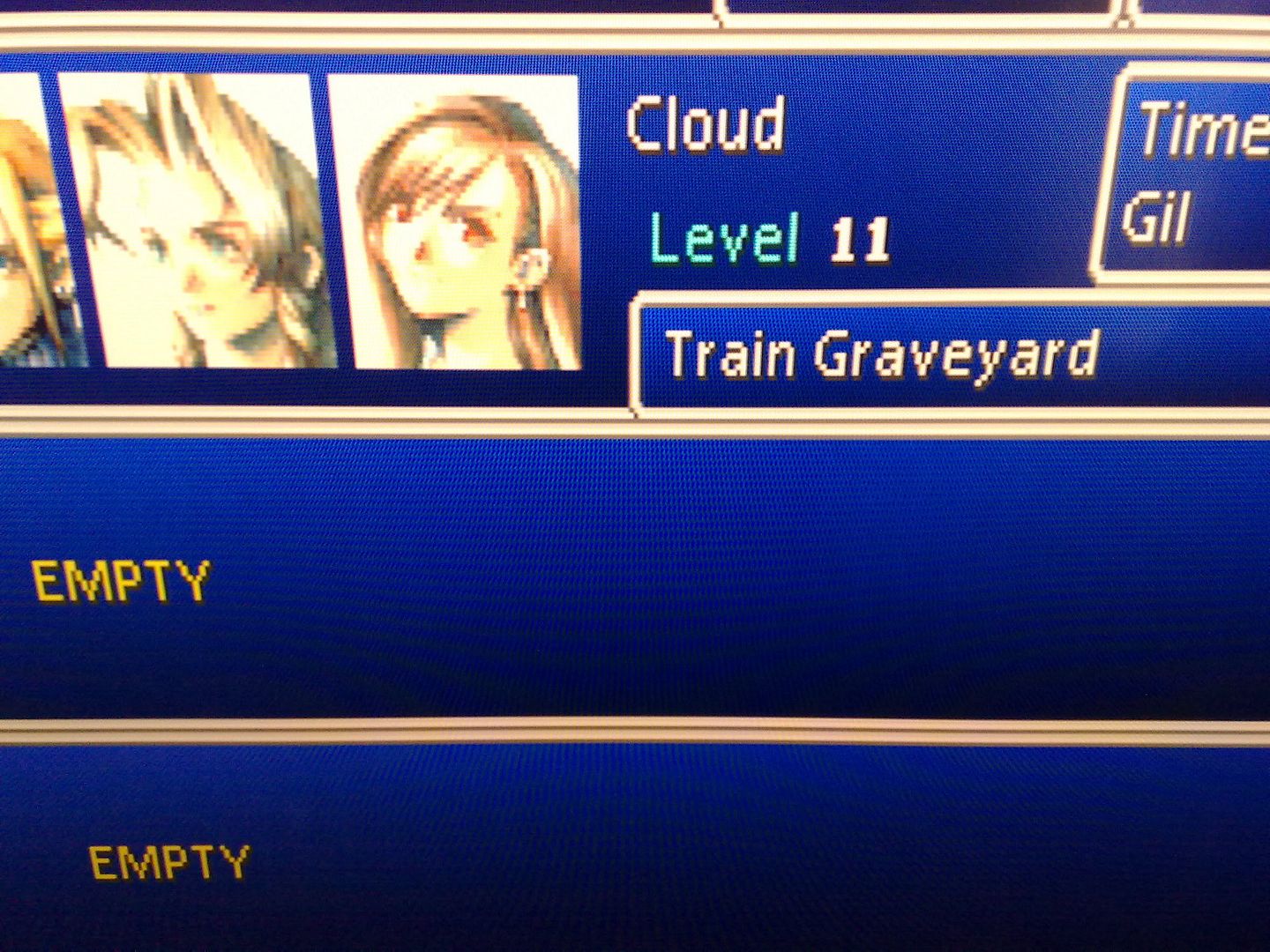
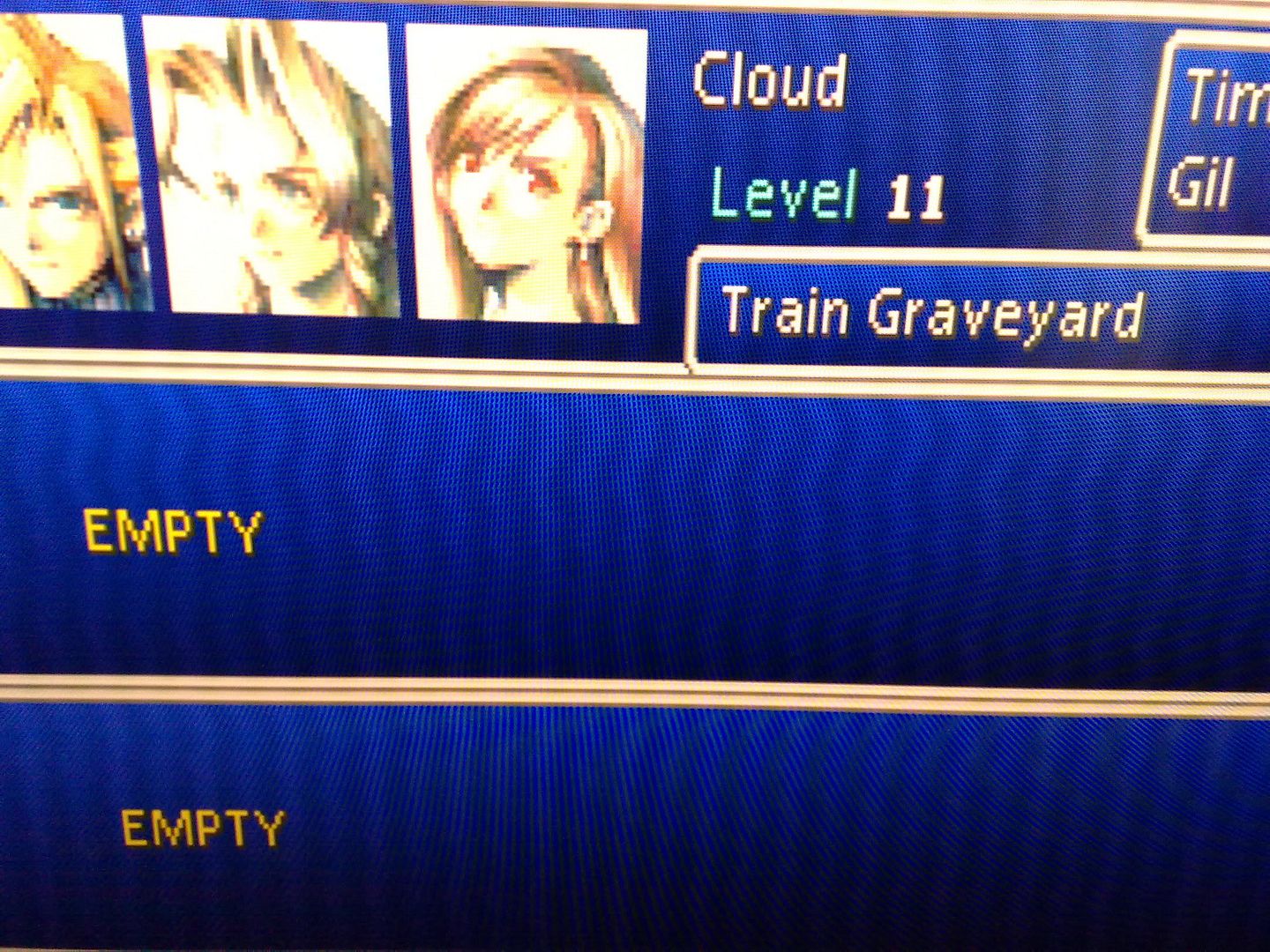
using an xrgb 2 or 3 would it make my ps2 games look nice on my hdtv? since ive got my new tv its made the ps2 look awful, couldnt play Gradius V it was so hazy
XRGB-3
-
Guardians Knight
- Posts: 502
- Joined: Tue Jan 25, 2005 10:15 pm
- Location: England
-
Fudoh
- Posts: 13044
- Joined: Mon Mar 06, 2006 3:29 am
- Location: Germany
- Contact:
-
Artemio
- Posts: 648
- Joined: Tue Jun 09, 2009 12:55 am
- Location: Mexico
- Contact:
Regarding my status, I just finished hacking my N64. As mentioned earlier I had performed the hack described here: http://www.gamesx.com/rgbadd/rgbn64.htm But colors were very dark, and also the xrgb-3 lost sync a lot and went to black screens.
I installed the LM1881 inside teh XRGB-3, and that improved the sync problem a bit, but it was still present and rendered teh games unplayable. Thus, I decided to add an internal amp/rgb booster on my N64. I tried the one described here ( http://www.mmmonkey.co.uk/console/ninte ... oster1.htm ), with the BF494 transistors. The only diference is taht I made it an internal amp. It never worked. I built it for the three signals.
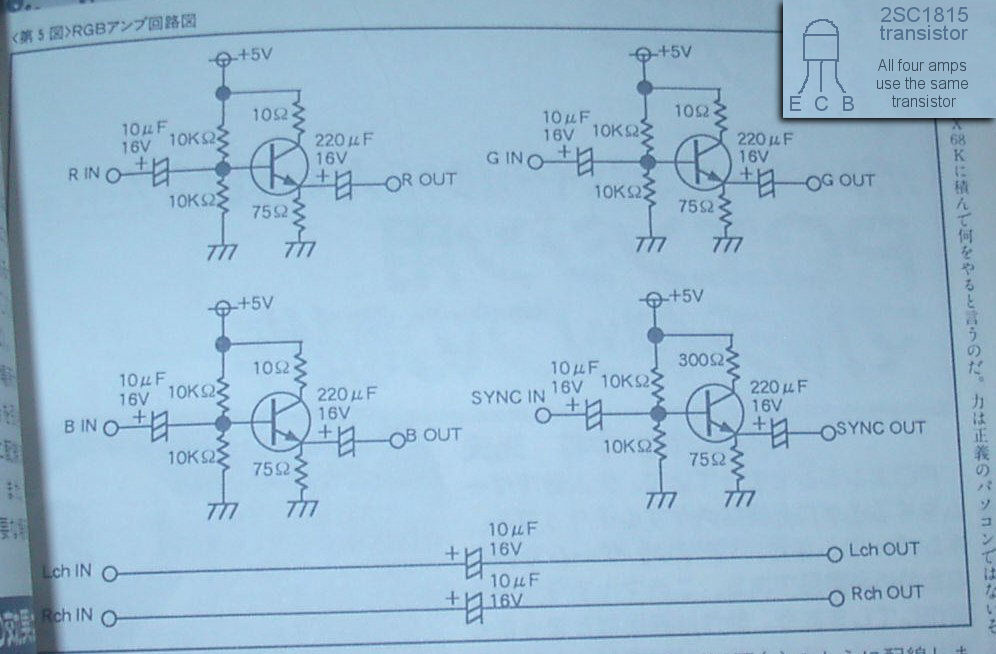
So I decided to go ahead and use this amp ( http://www.gamesx.com/grafx/pce_rgb.jpg ), yes teh one for the PC Engine /Turbo Grafx. It worked like a charm! All sync problems are gone and the colors are perfect now. Of course I only made the amps for the RGB, and not the one for the sync. Just keep in mind that I am using the LM1881 as well, since it is inside the XRGB-3.
I'll proceed to add the RGB mod to my Duo and see what happens.
I installed the LM1881 inside teh XRGB-3, and that improved the sync problem a bit, but it was still present and rendered teh games unplayable. Thus, I decided to add an internal amp/rgb booster on my N64. I tried the one described here ( http://www.mmmonkey.co.uk/console/ninte ... oster1.htm ), with the BF494 transistors. The only diference is taht I made it an internal amp. It never worked. I built it for the three signals.
So I decided to go ahead and use this amp ( http://www.gamesx.com/grafx/pce_rgb.jpg ), yes teh one for the PC Engine /Turbo Grafx. It worked like a charm! All sync problems are gone and the colors are perfect now. Of course I only made the amps for the RGB, and not the one for the sync. Just keep in mind that I am using the LM1881 as well, since it is inside the XRGB-3.
I'll proceed to add the RGB mod to my Duo and see what happens.
-
Ed Oscuro
- Posts: 18654
- Joined: Thu Dec 08, 2005 4:13 pm
- Location: uoıʇɐɹnƃıɟuoɔ ɯǝʇsʎs
-
GaijinPunch
- Posts: 15953
- Joined: Mon Jan 31, 2005 11:22 pm
- Location: San Fransicso
I don't think there's a pattern. I turn them on in all sorts of orders. The only issue is that sometimes (at least stated in the manual) the XRGB2 might go into 15khz mode when it should be 31khz and vice-versa. In thise case, you restart the XRGB-2.Ed Oscuro wrote:Quick question since I can't find the XRGB-2 thread and I assume the powerup situation is the same for this card.
The routine is: monitor on first, plug it into the XRGB-2, then power on the XRGB-2, or is that backwards?
RegalSin wrote:New PowerPuff Girls. They all have evil pornstart eyelashes.
-
Konsolkongen
- Posts: 2398
- Joined: Fri May 16, 2008 8:28 pm
- Location: Denmark
Very nice and good to know if for some reason the amps shown in a guide isn't working too well. I don't plan on ever owning a N64 but its good to know the correct workaroundsArtemio wrote: So I decided to go ahead and use this amp ( http://www.gamesx.com/grafx/pce_rgb.jpg ), yes teh one for the PC Engine /Turbo Grafx. It worked like a charm! All sync problems are gone and the colors are perfect now. Of course I only made the amps for the RGB, and not the one for the sync. Just keep in mind that I am using the LM1881 as well, since it is inside the XRGB-3.
I'll proceed to add the RGB mod to my Duo and see what happens.
I tried to install the LM1881 inside the XRGB. But when i turned it on the picture was messed up and was flickering alot.
My LM1881's are VERY small, only about 4-5mm and i thought that maybe these didn't work too well with voltage over 5V (11V at the point you used). I then removed it at turned the XRGB back on.
The strange thing was that the picture was still flickering like hell and i was worried for a second that my XRGB was fried. I turned it off and used the reset function to return all settings to default. And when i turned it back on it was working fine again.
Did you experience anything like this? I assume the LM1881 was working correctly with 11V so i'm planning on installing it again later today.
-
Konsolkongen
- Posts: 2398
- Joined: Fri May 16, 2008 8:28 pm
- Location: Denmark
-
Artemio
- Posts: 648
- Joined: Tue Jun 09, 2009 12:55 am
- Location: Mexico
- Contact:
I didn't experience anything like that Konsolkongen, everything has been working perfectly fine for me. It is a shame that it hasn't worked for you, but it seems you hardly needed it anyway since you already had cables with it inside, right? If your cable shave the +5V signal in them , you could use that anyway.. as I mentioned earlier I planned on doing just that, but since none of my cables have that I looked around for another solution.
Here's a pic of the LM1881s I have, just as reference:

And here's my mod (I am not too good at it as you can see, but it works)

Here's a pic of the LM1881s I have, just as reference:

And here's my mod (I am not too good at it as you can see, but it works)

-
Konsolkongen
- Posts: 2398
- Joined: Fri May 16, 2008 8:28 pm
- Location: Denmark
Yeah its not that big a deal for me 
Thanks for the pictures, my LM1881's are about half the size of yours. Maybe it does matter? I should buy a couple of the big ones, they would also be alot easier to solder on and should fit fine on a vero board.
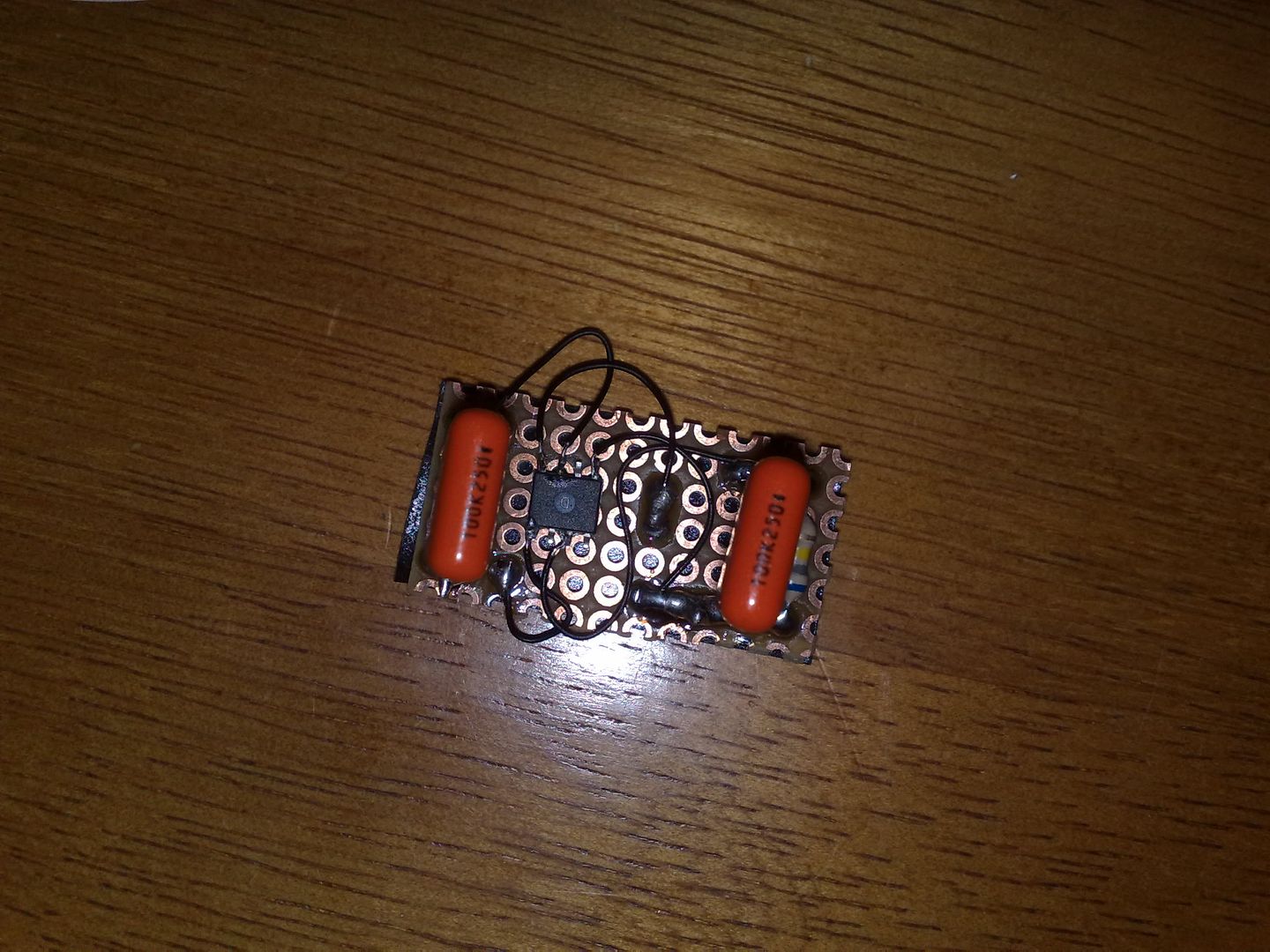
EDIT: Here is a picture of the circuit i made. As you can see the LM1881 is way smaller than yours. I glued it on upside down so it doesn't short with the vero board holes.
http://i40.photobucket.com/albums/e236/ ... 1245085988
EDIT2: Yeah i know i soldered on the wrong side of the board but it made good sense to me when i made it :p
Thanks for the pictures, my LM1881's are about half the size of yours. Maybe it does matter? I should buy a couple of the big ones, they would also be alot easier to solder on and should fit fine on a vero board.
EDIT: Here is a picture of the circuit i made. As you can see the LM1881 is way smaller than yours. I glued it on upside down so it doesn't short with the vero board holes.
http://i40.photobucket.com/albums/e236/ ... 1245085988
EDIT2: Yeah i know i soldered on the wrong side of the board but it made good sense to me when i made it :p
-
Artemio
- Posts: 648
- Joined: Tue Jun 09, 2009 12:55 am
- Location: Mexico
- Contact:
Indeed that LM1881 is way smaller. Have you installed it inside and tried it?
I just finished the PC Engine Mod last night, and it looks great. With the LÑM1881 inside the XRGB-3 I've had no distortion problems so far, don't know if it really makes a difference since I cannot try it now without the LM1881. It is using the amp on the sync line though, and not composite as sync. I keep AFC in manual and at setting three all teh time though (since it is needed by my Neo Geo), I'll test it out in auto with the PC Engine and report back later.
When I was modding teh PC Engine Duo though, I couldn't find a pictoral source for where to draw rthe +5V line for that specific model, so in case anyone needs to know here's an image from the +5V source I used for the transistors in the RGB mod:

The only console that is missing RGB output that I'd like to mod is my NES.. I haven't looked much into it but it doesn't seem as easy to find the components.
Here's a set in flickr with photos taken from my LCD using the RGB mods, cables and XRGB-3 in case anyone is curious:
http://www.flickr.com/photos/artemiourb ... 847413089/
I just finished the PC Engine Mod last night, and it looks great. With the LÑM1881 inside the XRGB-3 I've had no distortion problems so far, don't know if it really makes a difference since I cannot try it now without the LM1881. It is using the amp on the sync line though, and not composite as sync. I keep AFC in manual and at setting three all teh time though (since it is needed by my Neo Geo), I'll test it out in auto with the PC Engine and report back later.
When I was modding teh PC Engine Duo though, I couldn't find a pictoral source for where to draw rthe +5V line for that specific model, so in case anyone needs to know here's an image from the +5V source I used for the transistors in the RGB mod:

The only console that is missing RGB output that I'd like to mod is my NES.. I haven't looked much into it but it doesn't seem as easy to find the components.
Here's a set in flickr with photos taken from my LCD using the RGB mods, cables and XRGB-3 in case anyone is curious:
http://www.flickr.com/photos/artemiourb ... 847413089/
-
Fudoh
- Posts: 13044
- Joined: Mon Mar 06, 2006 3:29 am
- Location: Germany
- Contact:
-
Artemio
- Posts: 648
- Joined: Tue Jun 09, 2009 12:55 am
- Location: Mexico
- Contact:
I just tested it with LPF on and off, I used a Dragon Spirit since the backs are quite clean colors. I cannot discern any noise difference between the, I get no noise at all, but my picture is shaky if I look at it from a close distance (say 1 meter form the LCD screen), no matter if I have LPF on or off. This happens no matter what AFC is, but of course only gets worse when I increase it.
This "shakiness" is very slight, but always present. Is this the kind of noise you are mentioning? The thing is, I get this shakiness on all consoles in varying degrees.
I modded a regular Duo, here's the link to the pic of the modded console:
http://www.flickr.com/photos/artemiourbina/3644455216/
Now, regarding the slight distortion on the top of the screen, it is still present even with the internal LM1881 in the XRGB-3. I can almost cancel it in PCE and Neo Geo with setting 3, though it is still there, but very very slight in Neo Geo. PCE has it in around 7 lines and the offset is around 3 pixels to the right. I can live with that. Setting it to 4 helps but the picture shakiness gets worse, so I guess I rather have it at level 3.
This "shakiness" is very slight, but always present. Is this the kind of noise you are mentioning? The thing is, I get this shakiness on all consoles in varying degrees.
I modded a regular Duo, here's the link to the pic of the modded console:
http://www.flickr.com/photos/artemiourbina/3644455216/
Now, regarding the slight distortion on the top of the screen, it is still present even with the internal LM1881 in the XRGB-3. I can almost cancel it in PCE and Neo Geo with setting 3, though it is still there, but very very slight in Neo Geo. PCE has it in around 7 lines and the offset is around 3 pixels to the right. I can live with that. Setting it to 4 helps but the picture shakiness gets worse, so I guess I rather have it at level 3.
-
Fudoh
- Posts: 13044
- Joined: Mon Mar 06, 2006 3:29 am
- Location: Germany
- Contact:
Sounds good. I have really serious noise in the picture. I'll try to take a picture sometime in the future... High high AFC settings (like 5-6) I only notice an increase in the shakiness inside the menus. The actual console picture is not affected. In the end the visibility of the shakiness might depend on the LCD used and it's ability to soften unstable sync signals.
Maybe I get around taking a closeup video of the "my" shakiness, so you can compare.
-
Artemio
- Posts: 648
- Joined: Tue Jun 09, 2009 12:55 am
- Location: Mexico
- Contact:
Here's a close up video, albeit taken with my phone camera (I believe the quality to be decent enough to show the shakiness.. though I recognize it is not the best in the world).
I switch LPF on and off several times. It was taken with the phone placed over a TurboExpress box, no movement.
http://qik.com/video/1920646
I switch LPF on and off several times. It was taken with the phone placed over a TurboExpress box, no movement.
http://qik.com/video/1920646
-
gundamalpha
- Posts: 355
- Joined: Thu Apr 07, 2005 2:20 pm
- Location: Australia
Can someone provide a link to the XRGB3 firmware update please? I can't get find the appropriate link according to Fudoh's page http://retrogaming.hazard-city.de/ 
Just checked the FPGA it has B0, B1, B2 & B3.. which one shall I choose for optimal XRGB2+ equivalent?
-
Fudoh
- Posts: 13044
- Joined: Mon Mar 06, 2006 3:29 am
- Location: Germany
- Contact:
The links are right there at the beginning of the XRGB-3 upgrade guide.
B0 . 2.07 -> http://www.micomsoft.co.jp/xrgb3_update_setup_v2_07.exe
B1 . 1.00 -> http://www.micomsoft.co.jp/xrgb3_update ... _v1_00.exe
If you want to use the linedoublong mode (B1) you MUST NOT (!) use the current B0 firmware version. Use the 2.07 linked above instead.
B0 . 2.07 -> http://www.micomsoft.co.jp/xrgb3_update_setup_v2_07.exe
B1 . 1.00 -> http://www.micomsoft.co.jp/xrgb3_update ... _v1_00.exe
If you want to use the linedoublong mode (B1) you MUST NOT (!) use the current B0 firmware version. Use the 2.07 linked above instead.
-
Konsolkongen
- Posts: 2398
- Joined: Fri May 16, 2008 8:28 pm
- Location: Denmark
Yes those are the only ones i have atm. Maybe i should try getting the larger ones like you have? I'm having the same sync problems you mentioned earlier with my new MD2. The screen goes black every now and then. I'm thinking of installing the LM1881 inside the MD2 RGB cable but it shouldn't make any difference when the picture got messed ud with it inside the XRGB. Still it could be the 11V inside the XRGB that my LM1881 doesn't handle too well, the MD2 has 5V in the cable.Artemio wrote:Indeed that LM1881 is way smaller. Have you installed it inside and tried it?
/
As far as i can remember the NES/Famicom RGB mod is a pain in the ass. You need to desolder the videochip from the similar arcade system (can't remember the name) and install that in your NES instead of the one already there. Then you should be able to get RGB from that chip.The only console that is missing RGB output that I'd like to mod is my NES.. I haven't looked much into it but it doesn't seem as easy to find the components.
If you can live with the design get a Famicom titler instead. It comes with S-video out and It should be fairly simple to get RGB from the videochip on that one.
But check out that comp-filter thingy on Fudohs page. It looks like it does wonders to the NES's composite picture. I'm planning to get one of those when i get a NES
-
Fudoh
- Posts: 13044
- Joined: Mon Mar 06, 2006 3:29 am
- Location: Germany
- Contact:
I might have one of those for sale quite soon (composite to component). A NES-RGB mod will still have the edge on scrolling pictures though. The mods are expensive and complicated but absolutely worth it IF you play a lot of NES.But check out that comp-filter thingy on Fudohs page. It looks like it does wonders to the NES's composite picture. I'm planning to get one of those when i get a NES
-
Konsolkongen
- Posts: 2398
- Joined: Fri May 16, 2008 8:28 pm
- Location: Denmark
-
Konsolkongen
- Posts: 2398
- Joined: Fri May 16, 2008 8:28 pm
- Location: Denmark
I can't seem to get a good picture from my PS2 when connected with component to the XRGB3.
In 480i the picture is a bit blurry, there is some flickering in the colours and when moving from left to right of vice versa it seems like every other row of lines doesn't align with the others (is this called interlacing?). It looks alot better when connected directly to my tv, but not as good as i suppose it could...
In 480p i get a very sharp picture with LPF turned off but a hella lot of flickering. The game i'm testing with is Guilty Gear XX Accent Core Plus. Needless to say it looks like a dream when connected directly to my tv in 480p.
http://www.youtube.com/watch?v=RH95Tx97xL4 (flickering is much worse IRL and doesn't show too well when recorded with a mobilephone; also turn down your speakers i was listening to some music when i recorded :p)
In 240p (FFVII) its pretty good with LPF turned on. There are some slight flickering, nothing too disturbing, but more than i have ever seen using RGBs.
http://i40.photobucket.com/albums/e236/ ... 1245686765
Without LPF the flickering is sick! I have never seen anything like it. Very noticeable flickering vertical lines.
http://i40.photobucket.com/albums/e236/ ... 1245686796
Flickering is ALOT worse IRL. With LPF on it probably does look better than what my tv can do.
My settings are like this:
Bank: B1
Sharpness: 0
A/D: 100
V-Sync: On
I'm using an original Sony PS3 component cable and i've tried all 3 D-terminal inputs but didn't notice any difference (i'm on D3 now).
Does the XRGB-3 suck at 480i/p or is mine broken somehow? I don't have an RGB cable to test with but when i tried GameCube it looked very similar to my test with the PS2 and 480i.
All games tested are US versions.
EDIT: Whoa! That video shows absolutely nothing after being processed by Youtube. Well take my word for it then...
EDIT2: Just for fun i hooked up my old Iscan Pro and connected it to the XRGB3's VGA input. I'm actually surprised to see how good it handles GGXXAC+ in 480i. Maybe i just need to figure out a way to have it all connected that allows me to bypass the Iscan for 240p and 480p. I just don't know if i can live with the 30-40ms lag the iScan has...
Any ideas?
In 480i the picture is a bit blurry, there is some flickering in the colours and when moving from left to right of vice versa it seems like every other row of lines doesn't align with the others (is this called interlacing?). It looks alot better when connected directly to my tv, but not as good as i suppose it could...
In 480p i get a very sharp picture with LPF turned off but a hella lot of flickering. The game i'm testing with is Guilty Gear XX Accent Core Plus. Needless to say it looks like a dream when connected directly to my tv in 480p.
http://www.youtube.com/watch?v=RH95Tx97xL4 (flickering is much worse IRL and doesn't show too well when recorded with a mobilephone; also turn down your speakers i was listening to some music when i recorded :p)
In 240p (FFVII) its pretty good with LPF turned on. There are some slight flickering, nothing too disturbing, but more than i have ever seen using RGBs.
http://i40.photobucket.com/albums/e236/ ... 1245686765
Without LPF the flickering is sick! I have never seen anything like it. Very noticeable flickering vertical lines.
http://i40.photobucket.com/albums/e236/ ... 1245686796
Flickering is ALOT worse IRL. With LPF on it probably does look better than what my tv can do.
My settings are like this:
Bank: B1
Sharpness: 0
A/D: 100
V-Sync: On
I'm using an original Sony PS3 component cable and i've tried all 3 D-terminal inputs but didn't notice any difference (i'm on D3 now).
Does the XRGB-3 suck at 480i/p or is mine broken somehow? I don't have an RGB cable to test with but when i tried GameCube it looked very similar to my test with the PS2 and 480i.
All games tested are US versions.
EDIT: Whoa! That video shows absolutely nothing after being processed by Youtube. Well take my word for it then...
EDIT2: Just for fun i hooked up my old Iscan Pro and connected it to the XRGB3's VGA input. I'm actually surprised to see how good it handles GGXXAC+ in 480i. Maybe i just need to figure out a way to have it all connected that allows me to bypass the Iscan for 240p and 480p. I just don't know if i can live with the 30-40ms lag the iScan has...
Any ideas?
-
Fudoh
- Posts: 13044
- Joined: Mon Mar 06, 2006 3:29 am
- Location: Germany
- Contact:
I guess you slowly get the idea why I have a whole machine park for all the different signals.Any ideas?
480i: In B1 mode every second line is dropped. You might prefer the B0 mode for 480i signals as they give much more detail with some kind of (halfway) decent deinterlacing. If you plan on playing more 480i games, USE your iScan Pro. It's 480i deinterlacing is WAY better than the XRGB's. It's a rather basic theory: if you want proper 480i deinterlacing you'll always have delay. The XRGB-3 has the same lag as the iScan Pro on B0 mode for this very reason. And the 50Pro/Edge also drops every second line in it's 6ms Gamemode1 for 480i content.
480p: I use a Burosch trancoder for 480p signals exactly for this reason. The LPF is a no-go for 480p signals and to minimize the flickering by adjusting the A/D level (I usually end up in the 200 range) is very hard. It cannot be eliminated completely, but when I take OutRun2SP as my testing game, it's quite noticeably on the grey start screen, but hardly inside the game itself.
240p: It's been some time since I connected my PS1/2 via RGBs and I've used the component connection for years now (and for all my testing and the screenshots as well). I might check this once I find the time.
-
Artemio
- Posts: 648
- Joined: Tue Jun 09, 2009 12:55 am
- Location: Mexico
- Contact:
I had read a bit on the NES RGB mod, but your post cleared a lot of teh doubts I had.. it seems that the Titler would be the "go to option" in that case. I'll see where my addiction to this takes me to.
I couldn't find the composite-component part on Fudoh's site, could you please point me to it? I might be interested as well.
BTW, I don't know if any of you has experience with SuperGuns/JAMMA Test rigs with the XRGB-3. I've read that the XRGB-2 (non plus) is the one to go to for that, but I have not found info on why is that. I know some arcade boards use strange frequencies and that most of those have been dropped, but do you know which kind fo PCBs/Capsules present problems?
I have an arcade cabinet, and a few CPS-2 boards as well as a couple Neo Geo and some PCBs (system 16, CPS1) and building a SuperGun now that I have a clean way to pass RGB to my TV seems like a good idea and an easy thing to do. Any info on this that you might know of?
I couldn't find the composite-component part on Fudoh's site, could you please point me to it? I might be interested as well.
BTW, I don't know if any of you has experience with SuperGuns/JAMMA Test rigs with the XRGB-3. I've read that the XRGB-2 (non plus) is the one to go to for that, but I have not found info on why is that. I know some arcade boards use strange frequencies and that most of those have been dropped, but do you know which kind fo PCBs/Capsules present problems?
I have an arcade cabinet, and a few CPS-2 boards as well as a couple Neo Geo and some PCBs (system 16, CPS1) and building a SuperGun now that I have a clean way to pass RGB to my TV seems like a good idea and an easy thing to do. Any info on this that you might know of?
-
Fudoh
- Posts: 13044
- Joined: Mon Mar 06, 2006 3:29 am
- Location: Germany
- Contact:
The Mario Screenshots at the bottom inside of the EDGE review box.I couldn't find the composite-component part on Fudoh's site, could you please point me to it? I might be interested as well.
that's because the XRGB-3 will only handle signals which are either "rather" 50Hz or "rather" 60Hz. Arcade boards can be quite off. The Seibu boards - for example - are running at 54Hz.BTW, I don't know if any of you has experience with SuperGuns/JAMMA Test rigs with the XRGB-3. I've read that the XRGB-2 (non plus) is the one to go to for that, but I have not found info on why is that.
-
Konsolkongen
- Posts: 2398
- Joined: Fri May 16, 2008 8:28 pm
- Location: Denmark
Thanks for clarifying. So something like this would be the optimal use of my current setup:Fudoh wrote:I guess you slowly get the idea why I have a whole machine park for all the different signals.Any ideas?
240p: XRGB-3
480i: iScan Pro
480p: Directly to tv.
I think the easiest way to do this is just buying two more component cables and switching on the back of the console. Its a damn shame the iScan Pro can't accept 480p, that would have meant one less cable... oh well.
-
Fudoh
- Posts: 13044
- Joined: Mon Mar 06, 2006 3:29 am
- Location: Germany
- Contact:
-
Konsolkongen
- Posts: 2398
- Joined: Fri May 16, 2008 8:28 pm
- Location: Denmark
-
CrackLtd
- Posts: 24
- Joined: Mon May 18, 2009 10:04 am
@Konsolkongen: Maybe you should check out an Optoma HD3000 for your PS2 / DC needs. It has a superb scaler engine, which Fudoh also has tested on his famous site. It isnt suitable for 240p content but is over the top for 480i/p. (Check out eBay auction 180370487194 that dude shows some pictures too in the description). Maybe that helps!?
-
Konsolkongen
- Posts: 2398
- Joined: Fri May 16, 2008 8:28 pm
- Location: Denmark
-
Fudoh
- Posts: 13044
- Joined: Mon Mar 06, 2006 3:29 am
- Location: Germany
- Contact:
http://cgi.ebay.de/ws/eBayISAPI.dll?Vie ... tsupported
The HD3000 is also available new for 299 + shipping from eBay France. It's indeed the best scaler I know for videogame material. It can handle 240p from a PS2 but not from any other system. It's deinterlacing for 480i is good, but not perfect. It's scaling for 480p material is fantastic.
(Note that the Optoma in the auction is limited to 720p output, while the new ones available will do 1080p)
The HD3000 is also available new for 299 + shipping from eBay France. It's indeed the best scaler I know for videogame material. It can handle 240p from a PS2 but not from any other system. It's deinterlacing for 480i is good, but not perfect. It's scaling for 480p material is fantastic.
(Note that the Optoma in the auction is limited to 720p output, while the new ones available will do 1080p)