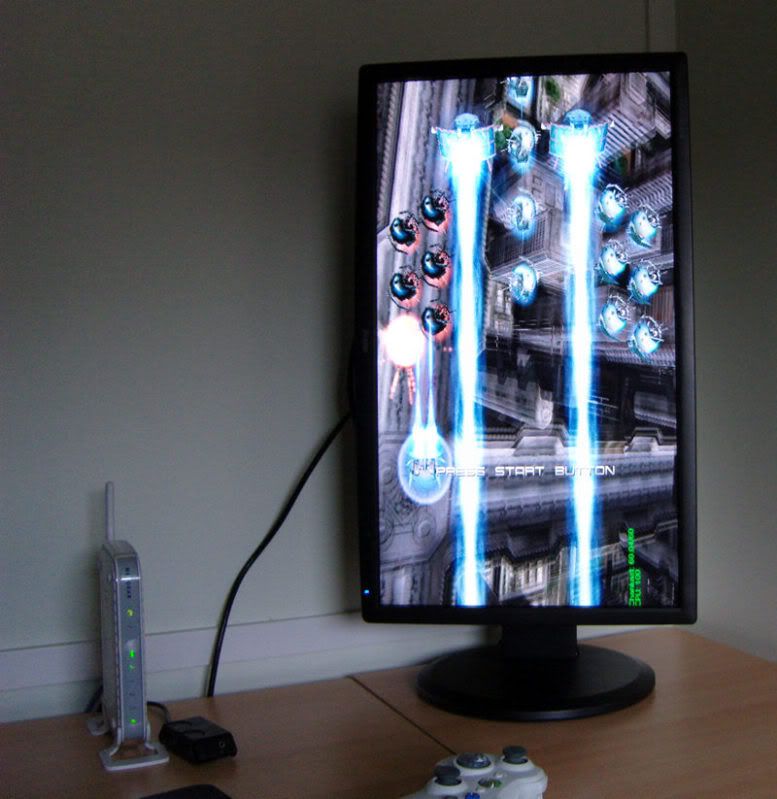
Hopefully soon this picture will include a custom stick.


seriously? thats weak.....Wonderbanana wrote:Yupjonny5 wrote:can you not run it on that monitor without stretching widescreen 16:9?

Yup as in monitor allows it fine not as in I can't - apols I should have been more specific!jonny5 wrote:seriously? thats weak.....Wonderbanana wrote:Yupjonny5 wrote:can you not run it on that monitor without stretching widescreen 16:9?
have you tried running your desktop in a non-16:9 aspect ratio resolution? or will the monitor not allow it?
either way...thats very odd....never seen a widescreen monitor force 16:9 of 4:3 signals.....
like when you run chankast at 640X480, it stretches it 16:9?
 Settings in the pic are just how I had it at the time, I quite enjoy playing Ikaruga like that.
  I've only had it 4:3 running through PC, not sure if the monitor itself does have that option, I'll have to double check through the (shed load of) menus. Doesnt help that the manual is for the lower model


May help:zap wrote:There are monitor arms you can buy which will allow to to freely rotate and move your monitor the way you want. Not all may rotate, but they're out there. I suggest getting one if you often switch between yoko and tate.

Mine is a BenQ FP241W.Plastic wrote:What type of monitors are everyone using that rotate like that.. ? Sorry for the scrubby question.
Thats a fair range of inputs, may look into this when I need anotherCrayon wrote:Mine is a BenQ FP241W.
It's pretty nice because it supports D-sub, DVI, HDMI, Composite, Component, and S-Video inputs. So as long as you have some way to get audio out of your device you should be able to hook it up to this monitor.


I dig your setup, man!Gozer wrote:My general setup including tate.
I'd like to find a better spot for my Neo-Geo. I hate having it sit on top of my SD tv.
 Looks like plenty of room for everything! Maybe just stick your Neo-Geo AES on-top of your NES and have enough slack in the cables to pull it out when you want to use it