New, new astro city!!

The place for all discussion on gaming hardware
User avatar
Nick420
Posts: 272
Joined: Wed Mar 10, 2010 10:38 pm
Location: Ireland

New, new astro city!!

Post by Nick420 »

So I am now the proud owner of a new astro city. I'm a noob so I've spent the last day and a half getting her set up with a vga3000 and jpac.
Everything is working good and I have adjusted the pots in the remote board to the best of my ability.
Although I have an issue....it looks good however the picture just seems too dark. Especially in the backgrounds.
The monitor is toshiba/nanao ms8 fsg
A few questions, many thanks to anyone who can answer these. :)
I notice there are two additional (what I assume are pots) at the rear of the monitor. They are black and are the kind of type you adjust by hand, not screwdriver. What is the function of these and will they make my backgrounds brighter?
Is it possible my monitor is a bit clapped out and that's why the backgrounds display darker?
Thanks a lot for any help. I'm 90% there with this but the image just looks not quite right and I'm sure I have the rgb set pretty good :-( the brightness helps but then of course the whole thing just looks too bright

Regards
Nick:)
User avatar
emphatic
Posts: 8031
Joined: Mon Aug 18, 2008 3:47 pm
Location: Alingsås, Sweden
Contact:

Re: New, new astro city!!

Post by emphatic »

I've made a guide for MS9, but it's relevant for you as well: http://www.emphatic.se/?p=710

Have fun!
Image | My games - http://www.emphatic.se
RegalSin wrote:Street Fighters. We need to aviod them when we activate time accellerator.
dieKatze88
Posts: 613
Joined: Sat Sep 12, 2009 1:27 am

Re: New, new astro city!!

Post by dieKatze88 »

Nick420 wrote:So I am now the proud owner of a new astro city. I'm a noob so I've spent the last day and a half getting her set up with a vga3000 and jpac.
Everything is working good and I have adjusted the pots in the remote board to the best of my ability.
Although I have an issue....it looks good however the picture just seems too dark. Especially in the backgrounds.
The monitor is toshiba/nanao ms8 fsg
A few questions, many thanks to anyone who can answer these. :)
I notice there are two additional (what I assume are pots) at the rear of the monitor. They are black and are the kind of type you adjust by hand, not screwdriver. What is the function of these and will they make my backgrounds brighter?
Is it possible my monitor is a bit clapped out and that's why the backgrounds display darker?
Thanks a lot for any help. I'm 90% there with this but the image just looks not quite right and I'm sure I have the rgb set pretty good :-( the brightness helps but then of course the whole thing just looks too bright

Regards
Nick:)
That's odd. I thought the Jpac had a video amp on it. Mine is too dark if I don't use some kind of video amp. I have an MS9 in mine.

Do you have any JAMMA PCBs to test against? If not, maybe someone is local to you and can lend you one.
User avatar
Nick420
Posts: 272
Joined: Wed Mar 10, 2010 10:38 pm
Location: Ireland

Re: New, new astro city!!

Post by Nick420 »

Hi emphatic, yes it was your guide I used lol so thanks a lot great guide!
I skipped past the bit about the focus and pots on the flyback because I was too afraid lol and didn't know what those pots function was so decided to see how good a picture I could get following the rest of your guide.
I'm just hoping one of those pots at the back can brighten things up.
Is it safe to start turning those? Or is it just pointless as they don't brighten anything?

@diekatze. I have no board :(. I am awaiting the arrival of strikers1945II, Dragon Blaze and ray storm. Cant w8! :-)

Also when I'm in a test screen the coloured bars don't reach the whole way across the screen. about half of the way over it goes to black pretty rapidly. This is really worrying me because this cab is soo awesome but this is kinda ruining the experience :-( a lot of the backgrounds have practically no detail or just don't look right because they are so dark??? I guess I should just wait til I get an actual board and see if there is any difference?
User avatar
s8n
Posts: 256
Joined: Tue Sep 15, 2009 6:30 am

Re: New, new astro city!!

Post by s8n »

i have a similar setup to you , JPAC/Arcade VGA 2.................


i use the app Adobe Photoshop V7.0 and when i install it a side app called Adobe Gamma installs , with that you can bump up the Gamma levels in Windows and in turn emulation.


im not sure if a later version of Adobe Photoshop also installs this side app but hunt around for it i find it really helps
User avatar
emphatic
Posts: 8031
Joined: Mon Aug 18, 2008 3:47 pm
Location: Alingsås, Sweden
Contact:

Re: New, new astro city!!

Post by emphatic »

Re-read this part of my guide:

Stuff you need to know
RGB CUT OFF: I like to say that this is the ”canvas” upon which the game board then will draw the graphics (using the RGB GAIN/DRIVE channels) by pushing RED, GREEN and BLUE in the amount and mixture needed to get all the colours used by the game’s palette. CUT OFF = The background colour. These pots are on the main chassis under the front of the screen.
RGB GAIN/DRIVE: Using these channels the game board can produce any colour it needs by mixing the amount of each together. Anything from one single red dot, fill the whole screen with white or nothing at all = black (if the RGB CUT OFF is correctly tuned). GAIN/DRIVE = The foreground colour. These pots are on the remote board inside the door with the coin mechanism.
Conclusion: The CUT OFF is like a lamp screen and the GAIN is the colour of the light bulb.
One *could* say that the formula used to show a picture on a CRT screen looks like this:
Video = (Colours pushed out from the game board x GAIN/DRIVE) + RGB CUT OFF.
If the CUT OFF for example has the GREEN turned up a bit too high, the whole screen will be out of the colour balance ”sweet spot” all the time, even when the game board isn’t pushing out any green on the RGB GAIN/DRIVE. For example if the game board was showing a completely white screen, it would have a light green tint.

You'll need to adjust the RGB CUT OFF to get the backgrounds right.
Image | My games - http://www.emphatic.se
RegalSin wrote:Street Fighters. We need to aviod them when we activate time accellerator.
User avatar
Nick420
Posts: 272
Joined: Wed Mar 10, 2010 10:38 pm
Location: Ireland

Re: New, new astro city!!

Post by Nick420 »

Hey thanks emphatic, that's great to hear that I can do something about it. Now I just need to figure out where my rgb cut off pots are.
I have no remote board in the control panel.
I have to take off the monitor bezel and that reveals the following pots
R-G
G-G
B-G
BRI
Then a switch which says S.S (no idea what that does)
H.S
H.H
H.P
V.S
V.H
V.P

The only other things I have seen are the black pots mentioned above and what I assume are pots on the monitor pcb.
They are silvery circular components in a row along the edge of the monitor pcb (shaped like a small coin standing on edge with little tabs) there are holes in the frame where you can put a screwdriver through but it seems very difficult to adjust these the way the monitor is situated. There are cables etc blocking the view I can't even see what kinda screwdriver groove they have on them. Almost seems like you would have to hook the monitor up outside the cab to easily adjust these?

The labels on them are:
R-bias
G-bias
B-bias
S.P.C.
H.sub.size
H.sub1
H.sub2
V.lin

I'm guessing the first three are the rgb cut-off? all these pots appear to be in the neutral position. There is a tab top centre of them all.
Thanks for helping me out I couldn't figure this out alone :-)
User avatar
emphatic
Posts: 8031
Joined: Mon Aug 18, 2008 3:47 pm
Location: Alingsås, Sweden
Contact:

Re: New, new astro city!!

Post by emphatic »

Nick420 wrote:Hey thanks emphatic, that's great to hear that I can do something about it. Now I just need to figure out where my rgb cut off pots are.
I have no remote board in the control panel.
I have to take off the monitor bezel and that reveals the following pots
I've never owned a NAC (nor any SEGA cabinet), but my understanding is people generally lift the whole monitor out of the cabinet when working on the adjustments. See how here: http://1play100yen.blogspot.se/2011/08/ ... -city.html
Nick420 wrote: The only other things I have seen are the black pots mentioned above and what I assume are pots on the monitor pcb.
They are silvery circular components in a row along the edge of the monitor pcb (shaped like a small coin standing on edge with little tabs) there are holes in the frame where you can put a screwdriver through but it seems very difficult to adjust these the way the monitor is situated. There are cables etc blocking the view I can't even see what kinda screwdriver groove they have on them. Almost seems like you would have to hook the monitor up outside the cab to easily adjust these?
I would consult the manual first before attempting any adjustments unless you are 100% sure they are pots: http://wiki.arcadeotaku.com/w/Nanao_MS8-29#Manuals
Nick420 wrote: I'm guessing the first three are the rgb cut-off? all these pots appear to be in the neutral position. There is a tab top centre of them all.
Thanks for helping me out I couldn't figure this out alone :-)
I think they should be the cut-off pots, yes. As they are in the neutral position, we could assume that this is the factory preset and that your capacitors is in need being switched out for younger, hotter ones. But, you won't know that they are in fact in the neutral position until you've tried turning them. They may be set very low or very high and the groove might just happen to be at 12 o'clock. Who knows? :)
Image | My games - http://www.emphatic.se
RegalSin wrote:Street Fighters. We need to aviod them when we activate time accellerator.
User avatar
Nick420
Posts: 272
Joined: Wed Mar 10, 2010 10:38 pm
Location: Ireland

Re: New, new astro city!!

Post by Nick420 »

Ok good news! I adjusted the pots on the flyback and got a major improvement. Hooray!!!
Now I can really start enjoying this beastie. Woot super happy now. This thing is amazing!!

Thanks again for taking the time to help me with this. :mrgreen: :mrgreen: :mrgreen:

Now to Tate this baby hehe

What mame version do you reccomend? I'm having a few small issues. Some games are displaying at not full screen. R-type runs in a tiny square in the centre of the screen. I'm also experiencing some screen tearing. Like in toki when I'm walking a horizontal tear runs from the top of the screen to the bottom.i have used the options recommended by ultimarc for the vga3000. Any tips?
User avatar
emphatic
Posts: 8031
Joined: Mon Aug 18, 2008 3:47 pm
Location: Alingsås, Sweden
Contact:

Re: New, new astro city!!

Post by emphatic »

GroovyMAME is supposed to be the best. I rarely use MAME, so I don't know, really.
Image | My games - http://www.emphatic.se
RegalSin wrote:Street Fighters. We need to aviod them when we activate time accellerator.
User avatar
matrigs
Posts: 682
Joined: Mon Jan 18, 2010 7:27 pm
Location: Poland

Re: New, new astro city!!

Post by matrigs »

Shmupmame is the only way to go.
User avatar
emphatic
Posts: 8031
Joined: Mon Aug 18, 2008 3:47 pm
Location: Alingsås, Sweden
Contact:

Re: New, new astro city!!

Post by emphatic »

Image | My games - http://www.emphatic.se
RegalSin wrote:Street Fighters. We need to aviod them when we activate time accellerator.
User avatar
chempop
Posts: 3466
Joined: Sun Jul 31, 2005 7:44 am
Location: Western-MA USA

Re: New, new astro city!!

Post by chempop »

Congrats on the NAC and I'm glad you sorted the picture adjustments. When you rotate the monitor I highly recommend gently laying the cab on its back. First you're going to have to remove the speaker/illumination panel shroud and entire part of the body that is attached to the monitor bezel. You probably want to disconnect the remote board first as well. Be very careful and good luck.
"I've had quite a few pcbs of Fire Shark over time, and none of them cost me over £30 - so it won't break the bank by any standards." ~Malc
User avatar
Nick420
Posts: 272
Joined: Wed Mar 10, 2010 10:38 pm
Location: Ireland

Re: New, new astro city!!

Post by Nick420 »

Hey thanks for the groovymame link. I like that the guide goes into clrmame pro because I've never managed to get that to work. :oops:

I'm using shmup mame but only some of my games display full screen? The only resolutions the avg3000 let's me select is 800x600 or 640x480 at 800x600 windows doesn't display. So it seems if I run any game in mame that is not at 640x480 then I get a smaller screen or in some cases garbage.

Thanks! Really tateing the cab is that dodgy! The manual makes it sound easy lol. So do you mean I have to take off the part which holds the bulb or just the front section? I love vertical shooters best but its soo hard to let go of all the horizontal games lol it's a cruel world to force me to choose argh!

I want to get a uvc so I can hook a 360 up to this as well.
Are they still being manufactured? The price is ridiculous! Are there any other solutions that can work in 24hz?
User avatar
emphatic
Posts: 8031
Joined: Mon Aug 18, 2008 3:47 pm
Location: Alingsås, Sweden
Contact:

Re: New, new astro city!!

Post by emphatic »

Nick420 wrote:I want to get a uvc so I can hook a 360 up to this as well.
Are they still being manufactured? The price is ridiculous! Are there any other solutions that can work in 24hz?
They aren't manufactured, no. There are alternatives though, like this one: http://www.ebay.com/itm/Video-Converter ... 27adbc1450 (only 15kHz). AFAIK, only the UVC can do 24kHz.
Image | My games - http://www.emphatic.se
RegalSin wrote:Street Fighters. We need to aviod them when we activate time accellerator.
User avatar
Nick420
Posts: 272
Joined: Wed Mar 10, 2010 10:38 pm
Location: Ireland

Re: New, new astro city!!

Post by Nick420 »

Well thats certainly a much friendlier price point.
In your opinion is 24hz a must in regards to playing, futari, eschatos, dfk, sdoj etc. through a 360?
User avatar
emphatic
Posts: 8031
Joined: Mon Aug 18, 2008 3:47 pm
Location: Alingsås, Sweden
Contact:

Re: New, new astro city!!

Post by emphatic »

Nick420 wrote:Well thats certainly a much friendlier price point.
In your opinion is 24hz a must in regards to playing, futari, eschatos, dfk, sdoj etc. through a 360?
Not a must, but a welcome luxury when it's available IMHO. 15kHz still look amazing though.
Image | My games - http://www.emphatic.se
RegalSin wrote:Street Fighters. We need to aviod them when we activate time accellerator.
User avatar
Nick420
Posts: 272
Joined: Wed Mar 10, 2010 10:38 pm
Location: Ireland

Re: New, new astro city!!

Post by Nick420 »

Dragon blaze arrived in the mail today so i tated the cab. I took chempop's advice and layed It down flat. Made it quite easy so cheers for the tip :)

Man dragon blaze is a brutally tough game. That pink hell comes at lightning speed lol.

I ran shmupMAME v3 and was playing ddp which looks amazing!! :mrgreen:

However I am still having problems with not being able to get a lot of games to run at full screen.
Not sure what to do really. I can't stretch them to fit and I tried to install the new version of groovy mame but I keep getting an error on start up. Switch res cannot find a resolution to match your setup. something to that effect. I've googled a bit but can't seem to sort it.

I've done all this easily in the past using a CRT tv. It's something to do with the resolutions so hopefully groovy mame is the answer.

Anyone got any experience with this?
Is there anyone else here running a avga3000, jpac and ms8/9?
User avatar
chempop
Posts: 3466
Joined: Sun Jul 31, 2005 7:44 am
Location: Western-MA USA

Re: New, new astro city!!

Post by chempop »

Oh good, glad the tate went smoothly! Sorry I am the last person to ask about mame, but I'm sure someone here wil tune in.
"I've had quite a few pcbs of Fire Shark over time, and none of them cost me over £30 - so it won't break the bank by any standards." ~Malc
User avatar
Nick420
Posts: 272
Joined: Wed Mar 10, 2010 10:38 pm
Location: Ireland

Re: New, new astro city!!

Post by Nick420 »

Well I managed to get my problem, sorted out. It's a avga5000 not an avga3000. It's a new card and there are a few teething problems.
After a bios change and new drivers groovy mame now displays at full screen. Yay!!!

I'm digging groovy mame. it's awesome! :mrgreen: :mrgreen: :mrgreen:

The next task is to shrink my massive pc enough to fit inside the cabinet hehe
User avatar
Nick420
Posts: 272
Joined: Wed Mar 10, 2010 10:38 pm
Location: Ireland

Re: New, new astro city!!

Post by Nick420 »

Hey I was just looking for an opinion on the genius 2. Would that be worth a purchase to enable 25khz with a xbox360

Or is it uvc and that's it? Seems pretty difficult to source one

or should I just stop being a perfectionist, give up on 25khz and just buy viletims scart to arcade board?

I'm not sure what to do since I haven't had the chance to see any of these devices in action.

Edit-is a super emotia also a good option?
User avatar
Fudoh
Posts: 13045
Joined: Mon Mar 06, 2006 3:29 am
Location: Germany
Contact:

Re: New, new astro city!!

Post by Fudoh »

The (Super) Emotia can only output 15khz (240p and 480i).

Both the Genius II and the UVC output in both 15khz and 24khz, but the UVC is considerably better at 24khz.

You need 24khz if you want to maintain a hi-res look of the 360 games you want to play.

If you want 15khz, get whatever device you can find (which is probably a Super Emotia). The Genius is a little sharper, but it's way more expensive.
User avatar
Nick420
Posts: 272
Joined: Wed Mar 10, 2010 10:38 pm
Location: Ireland

Re: New, new astro city!!

Post by Nick420 »

Hey thanks a lot for the informative reply. :-)
I was afraid that was gonna be the answer.
By considerably would that be like, don't even bother with the genius 2 for 24khz considerably.
Or a,
its still better to have that than go 15khz considerably?
User avatar
Nick420
Posts: 272
Joined: Wed Mar 10, 2010 10:38 pm
Location: Ireland

Re: New, new astro city!!

Post by Nick420 »

So I just recieved a uvc from alpharabi(great guy, awesome to deal with)
I got it running with my 360 in 24k tonight and wow!, am I impressed. What a great piece of kit, I wasn't expecting it to look as crisp as it did :D

Just one thing I was wondering though, when I first powered it up I had a black border on the bottom of the screen(Tated) I was able to remove this by increasing the horizontal size pot and then using the in game screen adjustments to have a full screen picture. (I had a killer session of futari and ddp dfk :D)

Obviously this is going to be an issue with games that don't have such great screen tweaking options so is there anything that can be done or is it just one of those things I have to put up with? Anyone got any experience with this?

I'm gonna do a vid when the cab is fully restored and operational with thanks to everyone who helped me make a life long dream come true :)

Regards
Nick :)
User avatar
emphatic
Posts: 8031
Joined: Mon Aug 18, 2008 3:47 pm
Location: Alingsås, Sweden
Contact:

Re: New, new astro city!!

Post by emphatic »

Use a game that doesn't have free zooming, like Raiden IV or DOJ as a base, then tweak the other games' sizes and you won't need to adjust the monitor or the games (after you've set them up, that is). I haven't messed around with 360 settings in a while, but here's my old screen settings guide: http://www.emphatic.se/?p=766
Image | My games - http://www.emphatic.se
RegalSin wrote:Street Fighters. We need to aviod them when we activate time accellerator.
User avatar
Nick420
Posts: 272
Joined: Wed Mar 10, 2010 10:38 pm
Location: Ireland

Re: New, new astro city!!

Post by Nick420 »

M8 that is completely awesome!!! I'm off to bed right now(work in the morning) but I will defo get on this over the weekend.

I don't even know you but yet you have managed to help me at every turn since this machine landed on the Irish shores :D you are truly a god of the arcade world!! Yay! Thanks! :)
User avatar
Nick420
Posts: 272
Joined: Wed Mar 10, 2010 10:38 pm
Location: Ireland

Re: New, new astro city!!

Post by Nick420 »

Hey I am in need of advice again.... :oops:

With the uvc I was supplied a paewang pad hack. As it stands now I have 3 buttons working. With the jpac I wired the kick buttons into the jpac. How do I handle the kick buttons with the 360 setup? Do I need to wire them into the paewang? Also I need to get another paewang pcb now to enable p2 right? Can I still buy one? A quick search of eBay and Google isn't showing anything.

also just one other thing I was wondering..is there any way to switch between 2 or more jamma setups? Like can I just flick a switch to go between my pc and my xbox without physically disconnecting the jamma harness and re plugging it. Like some kind of switcher or something?
User avatar
emphatic
Posts: 8031
Joined: Mon Aug 18, 2008 3:47 pm
Location: Alingsås, Sweden
Contact:

Re: New, new astro city!!

Post by emphatic »

Nick420 wrote:Hey I am in need of advice again.... :oops:

With the uvc I was supplied a paewang pad hack. As it stands now I have 3 buttons working. With the jpac I wired the kick buttons into the jpac. How do I handle the kick buttons with the 360 setup? Do I need to wire them into the paewang? Also I need to get another paewang pcb now to enable p2 right? Can I still buy one? A quick search of eBay and Google isn't showing anything.

also just one other thing I was wondering..is there any way to switch between 2 or more jamma setups? Like can I just flick a switch to go between my pc and my xbox without physically disconnecting the jamma harness and re plugging it. Like some kind of switcher or something?
If you're fine with using the UVC for your MAME setup, you can do this:

Video: VGA A/B switch (input the PC's VGA + the 360 VGA into the switcher's inputs, and use a standard VGA cable from the switcher's output to the UVC

Image

Audio: I have a 2.1 system in my cabs, with line input, so I just got one similar to these and plugged the audio from PC and 360 into it:

Image

Both sources are plugged in the whole time and that should not be a problem as long as you only have the PC or 360 on at one time.

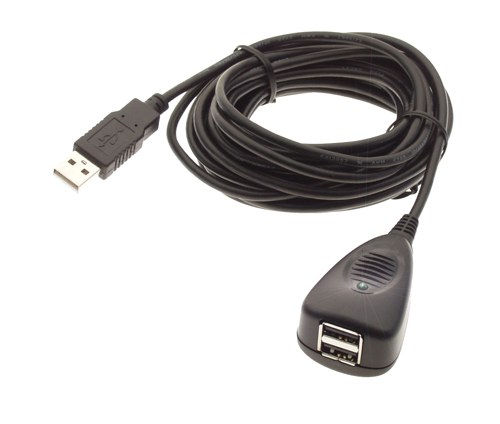
The Paewang are supposed to be good, but you can get a PS360+ and it has the same functionality built in + support for more systems. And importantly, both PC and 360 are supported, so you can use the same stuff for both platforms. If you plan on changing systems often, you can get USB extenders for each system and route them into your control panel.

Image

^^I'm not sure, but you could probably use just one of these for two controllers.

Open the panel, and just pull the 2 usb cables out from 360, and put them into PC. Then push the button on the VGA switcher and you're good to go.
Image | My games - http://www.emphatic.se
RegalSin wrote:Street Fighters. We need to aviod them when we activate time accellerator.
User avatar
Nick420
Posts: 272
Joined: Wed Mar 10, 2010 10:38 pm
Location: Ireland

Re: New, new astro city!!

Post by Nick420 »

First off, thanks for the awesome reply.

Ok! Excellent that it can be done! You showing me that Konig switcher has lead me to a question that I have been wondering the answer for ages now. If I was to use the uvc for 360 and pc does that mean that I would be best to run my pc in 25k therefore eliminating the need for relays on the chassis to switch between 15 and 25k? What I was wondering is, what effect would outputting my pc video at 25k through the uvc have on groovy mame. I can't play games at correct resolution/refresh rate anymore if I do that? Or I can only play native 25k games or something else??? Always confused about this.

And for the sound fix. What I have done at the moment is kinda similar but your way is way simpler lol. I bought a cheap set of 2.1 pc speakers and just wired one speaker into jpac and one into xbox360 jamma finger board because I want to keep the cab 100% original(even though would love stereo hehe)

I just have to swap the 3.5 jack from pc to 360 vga. (I have the RCA from the 360vga cable connected to a female 3.5 socket). I was planning to use a 3 position toggle switch to switch between two male 3.5 but I guess I don't even need to do that. Sweet!

Yeah the ps360's I've seen them, I was gonna buy two but that's like another over 100quid I have to spend lol, (man this project is costing way more than I bargained for lol) I figured since I have one paewang already, that it would be cheaper to just buy one of those instead of two ps360s. However it does sound extremely enticing to have the option to add other consoles. (I would absolutely love to be able to play gradiusV ps2 on my cab)(non emu) and the paewang seems to have been just superseded by the ps360 so I guess that's the way to go. Thanks :)

Edit- just want to add here that I have a dishwasher cardboard box FULL of old consoles. My missus despises this(we have 0 storage space in our place) so the more consoles that go from that box to inside this cab the less painful this whole cab business gets for her lol. Already seem to be desperately fighting for space with just, small pc, xboxslim, extention cord, jpac, uvc, paewang lol

I'm a little confused by the last bit of your post. Are you saying that I could run 2 usb leads from xbox p1 and p2 to that usb joiner and wire that into the paewang I already have and not need any ps360's? Sorry if I'm just being dumb here...

Thanks again :mrgreen:

Edit 2- oh yeah and I meant to ask, if I used that Konig would it still be easy for me to play original boards?

Ugh so many unknowns sorry for my noobishness. Haha
User avatar
emphatic
Posts: 8031
Joined: Mon Aug 18, 2008 3:47 pm
Location: Alingsås, Sweden
Contact:

Re: New, new astro city!!

Post by emphatic »

Nick420 wrote:First off, thanks for the awesome reply.

Ok! Excellent that it can be done! You showing me that Konig switcher has lead me to a question that I have been wondering the answer for ages now. If I was to use the uvc for 360 and pc does that mean that I would be best to run my pc in 25k therefore eliminating the need for relays on the chassis to switch between 15 and 25k? What I was wondering is, what effect would outputting my pc video at 25k through the uvc have on groovy mame. I can't play games at correct resolution/refresh rate anymore if I do that? Or I can only play native 25k games or something else??? Always confused about this.
No, the PC doesn't need to be configured in a certain way. Just set your PC to output 480p and the UVC will convert the video to 15/24Hz. GroovyMAME is supposed to be really good for getting the correct game speeds etc, I've been out of the MAME game for far too long. You can also play PC ports this way in your cabinet (480p).
Nick420 wrote: I just have to swap the 3.5 jack from pc to 360 vga. (I have the RCA from the 360vga cable connected to a female 3.5 socket). I was planning to use a 3 position toggle switch to switch between two male 3.5 but I guess I don't even need to do that. Sweet!
Indeed, I was also struggling to find a good solution when someone suggested this, and it has been flawless.
Nick420 wrote: Yeah the ps360's I've seen them, I was gonna buy two but that's like another over 100quid I have to spend lol, (man this project is costing way more than I bargained for lol) I figured since I have one paewang already, that it would be cheaper to just buy one of those instead of two ps360s. However it does sound extremely enticing to have the option to add other consoles. (I would absolutely love to be able to play gradiusV ps2 on my cab)(non emu) and the paewang seems to have been just superseded by the ps360 so I guess that's the way to go. Thanks :)
Yeah, just get the one for now. If it ain't broke, why fix it? ;)
Nick420 wrote:Edit- just want to add here that I have a dishwasher cardboard box FULL of old consoles. My missus despises this(we have 0 storage space in our place) so the more consoles that go from that box to inside this cab the less painful this whole cab business gets for her lol. Already seem to be desperately fighting for space with just, small pc, xboxslim, extention cord, jpac, uvc, paewang lol
I hear ya. I keep all my 360 games inside my cabinet as our shelves are full of DVDs.
Nick420 wrote: I'm a little confused by the last bit of your post. Are you saying that I could run 2 usb leads from xbox p1 and p2 to that usb joiner and wire that into the paewang I already have and not need any ps360's?
These USB leads only moves the connection point of the USB ports of your PC and 360 so you won't have to reach deep inside your cabinet to change which unit the Paewang/PS360+ will use. I do believe that a hub like these will allow more than one controller to be attached though, but I can't guarantee it as I have not yet tried it myself. I have however tried an USB extension cord with a 360 and that worked.
Nick420 wrote: Edit 2- oh yeah and I meant to ask, if I used that Konig would it still be easy for me to play original boards?
The Konig switch is only used to remove the step of pulling the PC's VGA cord from the UVC and putting the 360 into the UVC and the other way around. Using the UVC with your PC removes the need to use a J-Pac altogether, so if you're happy with outputting 480p from your PC (the UVC supports 1024x768 too if you prefer that) and have the UVC convert it to low-/mid-res, you can sell off the J-Pac. The J-Pac has the upper hand though, as it just passes low res video from the PC and you'll get the correct resolution rather than 320x240 or 384/480 that the UVC does. I hope this clears things up a bit. :D
Image | My games - http://www.emphatic.se
RegalSin wrote:Street Fighters. We need to aviod them when we activate time accellerator.
Post Reply