The XRGBmini folder is on the root, no other folders are on the card (besides XRGBmini's children).NormalFish wrote:Well there's the obvious "your SD card might still not be compatible" but what's your file structure like? do you have a XRGBmini folder on the root, or do you have other folders?GameFreak91 wrote:Hi All.
I'm having a terrible time upgrading my firmware to 2.03 .
I am currently at firmware 1.08, which I have had since purchase.
I am using a 64GB microSD card, which I have repartitioned to 32GB and formatted FAT32 for compatibility.
I've followed the instructions for dropping the files on the SD card, unplugged the miniDC, inserted microSD, and replugged the mini's DC, but still no dice.
I confirmed that my power setting is set to standby. Any tips are greatly appreciated.
XRGB-mini Framemeister
-
GameFreak91
- Posts: 2
- Joined: Sat Dec 27, 2014 10:15 pm
Re: XRGB-mini Framemeister (now available !)
-
rtw

- Posts: 1960
- Joined: Wed Jan 26, 2005 6:46 pm
- Location: Norway
- Contact:
Re: XRGB-mini Framemeister (now available !)
Are you using a Mac or a PC ?GameFreak91 wrote:The XRGBmini folder is on the root, no other folders are on the card (besides XRGBmini's children).
If you're using a PC I suspect that the FM does not support SDXC based cards.
http://world-of-arcades.net
The future of ST-V rests upon our work and your work
The future of ST-V rests upon our work and your work
-
Braca862
- Posts: 20
- Joined: Tue Jan 05, 2016 3:23 am
Re: XRGB-mini Framemeister (now available !)
Hello everyone it's been a while since I last posted on this topic. Here is my current framemeister setup as of today:
NES: Composite (may not be planning to get the NESRGB mod for a while until I have the funds to do it)
Super NES: RGB
Sega CDX: RGB
PS1: RGB
N64: RGB
Dreamcast: Composite (planning on getting the Toro soon)
PS2: Connected directly to TV via component cable
Gamecube: Recently got the component cable (yes I am a purist), and the D Terminal to Component from Solaris Japan
The other two systems I have, the Xbox 360 and PS4, are connected directly to the TV via HDMI.
I've noticed that for several of the consoles that are connected to the framemeister, the screen is black during most of bootup. One example is the PS1 and Gamecube startup, missing most of the startup tunes. This also happens during certain screen transitions.
NES: Composite (may not be planning to get the NESRGB mod for a while until I have the funds to do it)
Super NES: RGB
Sega CDX: RGB
PS1: RGB
N64: RGB
Dreamcast: Composite (planning on getting the Toro soon)
PS2: Connected directly to TV via component cable
Gamecube: Recently got the component cable (yes I am a purist), and the D Terminal to Component from Solaris Japan
The other two systems I have, the Xbox 360 and PS4, are connected directly to the TV via HDMI.
I've noticed that for several of the consoles that are connected to the framemeister, the screen is black during most of bootup. One example is the PS1 and Gamecube startup, missing most of the startup tunes. This also happens during certain screen transitions.
-
Gered

- Posts: 61
- Joined: Thu Mar 26, 2015 1:24 pm
- Location: Toronto, Canada
Re: XRGB-mini Framemeister (now available !)
This is normal and can't really be avoided. The Framemeister unfortunately takes a few seconds to sync to the video source both, when you first turn on the console, and also when the video resolution changes (e.g. from 240p to 480i or vice-versa).Braca862 wrote:I've noticed that for several of the consoles that are connected to the framemeister, the screen is black during most of bootup. One example is the PS1 and Gamecube startup, missing most of the startup tunes. This also happens during certain screen transitions.
-
austin532

- Posts: 844
- Joined: Wed Mar 12, 2014 12:44 am
- Location: Arizona, US
Re: XRGB-mini Framemeister (now available !)
I would just hook the Gamecube directly to the TV if possible since you have the Component cable. The pros of 480p greatly outweigh the cons of 480i with that system.Braca862 wrote:Hello everyone it's been a while since I last posted on this topic. Here is my current framemeister setup as of today:
NES: Composite (may not be planning to get the NESRGB mod for a while until I have the funds to do it)
Super NES: RGB
Sega CDX: RGB
PS1: RGB
N64: RGB
Dreamcast: Composite (planning on getting the Toro soon)
PS2: Connected directly to TV via component cable
Gamecube: Recently got the component cable (yes I am a purist), and the D Terminal to Component from Solaris Japan
The other two systems I have, the Xbox 360 and PS4, are connected directly to the TV via HDMI.
I've noticed that for several of the consoles that are connected to the framemeister, the screen is black during most of bootup. One example is the PS1 and Gamecube startup, missing most of the startup tunes. This also happens during certain screen transitions.
Framemeister 240p scanline settings: http://shmups.system11.org/viewtopic.ph ... start=9600
-
Braca862
- Posts: 20
- Joined: Tue Jan 05, 2016 3:23 am
Re: XRGB-mini Framemeister (now available !)
I guess that will have to do. What is the recommended settings for the PS2 when connected to the framemeister?
-
austin532
- Posts: 844
- Joined: Wed Mar 12, 2014 12:44 am
- Location: Arizona, US
Re: XRGB-mini Framemeister (now available !)
You can get yourself a nice component switcher or just use RGB with the PS2 because honestly only a small portion of the library even supports 480p. The games that do support it do look nicer but have lots of jaggies due to the systems lack of Anti Aliasing.
I would just use FBX's PS2 profiles for best results. They look awesome and sharp even though personally I prefer perfect circles.
I would just use FBX's PS2 profiles for best results. They look awesome and sharp even though personally I prefer perfect circles.
Framemeister 240p scanline settings: http://shmups.system11.org/viewtopic.ph ... start=9600
-
NormalFish

- Posts: 282
- Joined: Tue May 26, 2015 3:35 pm
Re: XRGB-mini Framemeister (now available !)
Yeah, the PS2 is my primary system and while 480p is great and offers a lot value particularly to fast paced games, the vast majority of the library doesn't support it, and I find most of those that support it have little need for it relative to the Mini's deinterlacing.
Between the Cube and the PS2, the former benefits far more from 480p compatibility.
Between the Cube and the PS2, the former benefits far more from 480p compatibility.
-
FBX

- Posts: 2349
- Joined: Wed Feb 18, 2015 10:18 am
- Location: DFW area, Texas
- Contact:
Re: XRGB-mini Framemeister (now available !)
I'd like to add my 2 cents that I recently got the Game Boy Player and an SD Media Launcher in order to play GBA games in 240p with the component cables. It actually looks quite good on the Framemeister. I'd say not quite as good as my 1CHIP-03 SNES, but pretty close.austin532 wrote:I would just hook the Gamecube directly to the TV if possible since you have the Component cable. The pros of 480p greatly outweigh the cons of 480i with that system.Braca862 wrote:Hello everyone it's been a while since I last posted on this topic. Here is my current framemeister setup as of today:
NES: Composite (may not be planning to get the NESRGB mod for a while until I have the funds to do it)
Super NES: RGB
Sega CDX: RGB
PS1: RGB
N64: RGB
Dreamcast: Composite (planning on getting the Toro soon)
PS2: Connected directly to TV via component cable
Gamecube: Recently got the component cable (yes I am a purist), and the D Terminal to Component from Solaris Japan
The other two systems I have, the Xbox 360 and PS4, are connected directly to the TV via HDMI.
I've noticed that for several of the consoles that are connected to the framemeister, the screen is black during most of bootup. One example is the PS1 and Gamecube startup, missing most of the startup tunes. This also happens during certain screen transitions.
-
Everblue
- Posts: 128
- Joined: Mon Apr 20, 2015 4:58 pm
Re: XRGB-mini Framemeister (now available !)
Recently I bought an official RGB/SCART cable for the Dreamcast and was not too happy with the picture quality on the Framemeister. Subsequently I bought myself a "special" custom made RGB/SCART cable which is made to be exclusively used with the Framemeister. It has a switch to let you choose between 240p and 480p (requires console switch off/on in between). The picture quality improvement between the 480p and the normal RGB/Scart cable is staggering. I used FireBrandX's profile for the Dreamcast/Toro and it looks just perfect. Worth noting is the fact that the scanlines are very thin (but nonetheless uniform and nice looking), I would assume this is because of the higher than usual resolution. My cable is wired for European Scart although I guess, you could get one made for JP21 pinout.
Edit: I paid 39 Euro + shipping for the cable from a German dude (I am useless at soldering ), his contact email is [email protected]
Edit: I paid 39 Euro + shipping for the cable from a German dude (I am useless at soldering
), his contact email is [email protected]-
FBX
- Posts: 2349
- Joined: Wed Feb 18, 2015 10:18 am
- Location: DFW area, Texas
- Contact:
Re: XRGB-mini Framemeister (now available !)
Interesting. I'm using the Toro into a standard RGB SCART cable and then 480p into the Framemeister. The only issue is the false contouring the Framemeister does to 480p, but otherwise my Code Veronica test looked perfect aside from that.Everblue wrote:Recently I bought an official RGB/SCART cable for the Dreamcast and was not too happy with the picture quality on the Framemeister. Subsequently I bought myself a "special" custom made RGB/SCART cable which is made to be exclusively used with the Framemeister. It has a switch to let you choose between 240p and 480p (requires console switch off/on in between). The picture quality improvement between the 480p and the normal RGB/Scart cable is staggering. I used FireBrandX's profile for the Dreamcast/Toro and it looks just perfect. Worth noting is the fact that the scanlines are very thin (but nonetheless uniform and nice looking), I would assume this is because of the higher than usual resolution. My cable is wired for European Scart although I guess, you could get one made for JP21 pinout.
Edit: I paid 39 Euro + shipping for the cable from a German dude (I am useless at soldering
-
Everblue
- Posts: 128
- Joined: Mon Apr 20, 2015 4:58 pm
Re: XRGB-mini Framemeister (now available !)
What's false contouring?FBX wrote:Interesting. I'm using the Toro into a standard RGB SCART cable and then 480p into the Framemeister. The only issue is the false contouring the Framemeister does to 480p, but otherwise my Code Veronica test looked perfect aside from that.Everblue wrote:Recently I bought an official RGB/SCART cable for the Dreamcast and was not too happy with the picture quality on the Framemeister. Subsequently I bought myself a "special" custom made RGB/SCART cable which is made to be exclusively used with the Framemeister. It has a switch to let you choose between 240p and 480p (requires console switch off/on in between). The picture quality improvement between the 480p and the normal RGB/Scart cable is staggering. I used FireBrandX's profile for the Dreamcast/Toro and it looks just perfect. Worth noting is the fact that the scanlines are very thin (but nonetheless uniform and nice looking), I would assume this is because of the higher than usual resolution. My cable is wired for European Scart although I guess, you could get one made for JP21 pinout.
Edit: I paid 39 Euro + shipping for the cable from a German dude (I am useless at soldering
FBX: By the way, I am thinking of upgrading my FW to 2.03a - will that introduce any issues with your profiles and scanline settings? Thanks!
-
austin532
- Posts: 844
- Joined: Wed Mar 12, 2014 12:44 am
- Location: Arizona, US
Re: XRGB-mini Framemeister (now available !)
If you already have 2.03 than it's not worth it to upgrade to 2.03a. The profiles seem to be fine with the new firmware. One thing that did seem to change though is the scanlines. I can't quite put my finger on it but they just seem a little off now. I had to completely re-due the list of settings I have.Everblue wrote:FBX: By the way, I am thinking of upgrading my FW to 2.03a - will that introduce any issues with your profiles and scanline settings? Thanks!
I was thinking about posting a list of them but now I'm not sure. It seems everyone prefers the sharp perfect pixel look or real scanlines.

Framemeister 240p scanline settings: http://shmups.system11.org/viewtopic.ph ... start=9600
-
ZellSF
- Posts: 2726
- Joined: Mon Apr 09, 2012 11:12 pm
Re: XRGB-mini Framemeister (now available !)
Probably more of a file system compatibility issue. Use SD Card Formatter. And yeah, I would also avoid SDXC cards (any card above 32GB in size).rtw wrote:Are you using a Mac or a PC ?GameFreak91 wrote:The XRGBmini folder is on the root, no other folders are on the card (besides XRGBmini's children).
If you're using a PC I suspect that the FM does not support SDXC based cards.
-
Shuco13
- Posts: 147
- Joined: Fri Aug 01, 2014 6:15 am
Re: XRGB-mini Framemeister (now available !)
Contribution/input from other users is always appreciated and welcome!austin532 wrote:
I was thinking about posting a list of them but now I'm not sure.
...aka 12345
-
Everblue
- Posts: 128
- Joined: Mon Apr 20, 2015 4:58 pm
Re: XRGB-mini Framemeister (now available !)
I really like Framemeister scanlines - I am using some I found in this thread and they are perfect on the current FW I currently have (which is why I haven't upgraded FW yet).austin532 wrote:If you already have 2.03 than it's not worth it to upgrade to 2.03a. The profiles seem to be fine with the new firmware. One thing that did seem to change though is the scanlines. I can't quite put my finger on it but they just seem a little off now. I had to completely re-due the list of settings I have.Everblue wrote:FBX: By the way, I am thinking of upgrading my FW to 2.03a - will that introduce any issues with your profiles and scanline settings? Thanks!
I was thinking about posting a list of them but now I'm not sure. It seems everyone prefers the sharp perfect pixel look or real scanlines.
-
Shuco13
- Posts: 147
- Joined: Fri Aug 01, 2014 6:15 am
Re: XRGB-mini Framemeister (now available !)
So to summerize 2.03 changes:
1. No scanline-adapted profiles necessary anymore.
2. RGB=RGB output on all inputs, AUTO=YCBCR-output on all inputs
3. Improvements of SVIDEO, COMPOSITE and more (see official changelog)
4. Slightly changed scanline alignment (realized that as well but not sure to what extend changes were made)
1. No scanline-adapted profiles necessary anymore.
2. RGB=RGB output on all inputs, AUTO=YCBCR-output on all inputs
3. Improvements of SVIDEO, COMPOSITE and more (see official changelog)
4. Slightly changed scanline alignment (realized that as well but not sure to what extend changes were made)
Last edited by Shuco13 on Mon May 23, 2016 6:52 pm, edited 1 time in total.
...aka 12345
-
Everblue
- Posts: 128
- Joined: Mon Apr 20, 2015 4:58 pm
Re: XRGB-mini Framemeister (now available !)
Have new settings been posted yet? Thanks!Shuco13 wrote:BTW forget about what I said about changes in black level for the most recent firmware. It seems that I was fooled (again) by the failsafe-bug introduced when changing color spaces without switching the unit on and off again. It's perfectly fine to set your mini to RGB if you were on AUTO before, no adjustments needed. I can't speak of the RGB setting in previous firmwares since I didn't use it.
So to summerize 2.03 changes:
1. No scanline-adapted profiles necessary anymore.
2. RGB=RGB output on all inputs, AUTO=YCBCR-output on all inputs
3. Improvements of SVIDEO, COMPOSITE and more (see official changelog)
4. Slightly changed scanline alignment (realized that as well but not sure to what extend changes were made)
I am currently using these, but I am still on an older FW:
For thicker looking scanlines use these:
40 INT LINE 66 INT SMOOTH
50 INT LINE 71 INT SMOOTH
60 INT LINE 76 INT SMOOTH
70 INT LINE 81 INT SMOOTH
For more even looking scanlines use these:
40 INT LINE 71 INT SMOOTH
50 INT LINE 76 INT SMOOTH
60 INT LINE 81 INT SMOOTH
70 INT LINE 86 INT SMOOTH
For more authentic looking CRT TV scanlines use these:
40 INT LINE 81 INT SMOOTH
50 INT LINE 86 INT SMOOTH
60 INT LINE 91 INT SMOOTH
70 INT LINE 96 INT SMOOTH
-
Shuco13
- Posts: 147
- Joined: Fri Aug 01, 2014 6:15 am
Re: XRGB-mini Framemeister (now available !)
Not as of now...Everblue wrote:
Have new settings been posted yet? Thanks!
...aka 12345
-
Everblue
- Posts: 128
- Joined: Mon Apr 20, 2015 4:58 pm
Re: XRGB-mini Framemeister (now available !)
Ah ok I'll wait then. I love my 70 INT LINE 81 INT SMOOTHShuco13 wrote:Not as of now...Everblue wrote:
Have new settings been posted yet? Thanks!

-
Cirventhor
- Posts: 28
- Joined: Sat Oct 17, 2015 6:39 pm
Re: XRGB-mini Framemeister (now available !)
I was under the impression that FBX's profiles use the correct aspect ratio (i.e. scaling the picture to account for non-square pixels instead of just mapping pixels 1:1 like in smart x1/x2 or normal2). Don't take my word for it though as I usually use my own settings.austin532 wrote: I would just use FBX's PS2 profiles for best results. They look awesome and sharp even though personally I prefer perfect circles.
As far as I've seen using the "standard" screen setting on the XRGB Mini tends to use the correct aspect ratio in the majority of cases, even if you're losing out on the sharpness of the picture by narrowing the pixels slightly. Personally I'd take an aspect corrected image over a pixel-sharp image anytime.
-
AndehX

- Posts: 790
- Joined: Sun Oct 18, 2015 11:37 pm
Re: XRGB-mini Framemeister (now available !)
Correct me if I am wrong, but wouldn't a pixel sharp image, by definition, automatically have the correct aspect ratio?Cirventhor wrote: As far as I've seen using the "standard" screen setting on the XRGB Mini tends to use the correct aspect ratio in the majority of cases, even if you're losing out on the sharpness of the picture by narrowing the pixels slightly. Personally I'd take an aspect corrected image over a pixel-sharp image anytime.
-
Everblue
- Posts: 128
- Joined: Mon Apr 20, 2015 4:58 pm
Re: XRGB-mini Framemeister (now available !)
No, because pixels on old system were not usually displayed as exact squares. So, if, today you display non square pixels as exact squares the picture will look less wide than it should really be.AndehX wrote:Correct me if I am wrong, but wouldn't a pixel sharp image, by definition, automatically have the correct aspect ratio?Cirventhor wrote: As far as I've seen using the "standard" screen setting on the XRGB Mini tends to use the correct aspect ratio in the majority of cases, even if you're losing out on the sharpness of the picture by narrowing the pixels slightly. Personally I'd take an aspect corrected image over a pixel-sharp image anytime.
-
AndehX
- Posts: 790
- Joined: Sun Oct 18, 2015 11:37 pm
Re: XRGB-mini Framemeister (now available !)
Can't say I've ever noticed a game that had non-square pixels... lolEverblue wrote:No, because pixels on old system were not usually displayed as exact squares. So, if, today you display non square pixels as exact squares the picture will look less wide than it should really be.
-
FBX
- Posts: 2349
- Joined: Wed Feb 18, 2015 10:18 am
- Location: DFW area, Texas
- Contact:
Re: XRGB-mini Framemeister (now available !)
The SNES is the best home console example at 256x224. The intended aspect ratio causes pixels to be rectangular in shape.AndehX wrote:Can't say I've ever noticed a game that had non-square pixels... lolEverblue wrote:No, because pixels on old system were not usually displayed as exact squares. So, if, today you display non square pixels as exact squares the picture will look less wide than it should really be.
In the arcades, Capcom's CPS series was on the opposite extreme, where the 384 horizontal pixels have to be 'squished' inward to make a 4:3 image.
It an unfortunate 'feature' of the Framemeister that interpolates the horizontal edges of a 480p source image. Basically instead of a sharp pixel edge, you get a half-bright blended extra 'in-between' pixel that shouldn't be there. It effectively ruins sharp 480p imaging.Everblue wrote:
What's false contouring?
-
Everblue
- Posts: 128
- Joined: Mon Apr 20, 2015 4:58 pm
Re: XRGB-mini Framemeister (now available !)
I wonder if Micomsoft know about this and if it can be fixed by a future firmware update.FBX wrote:The SNES is the best home console example at 256x224. The intended aspect ratio causes pixels to be rectangular in shape.AndehX wrote:Can't say I've ever noticed a game that had non-square pixels... lolEverblue wrote:No, because pixels on old system were not usually displayed as exact squares. So, if, today you display non square pixels as exact squares the picture will look less wide than it should really be.
In the arcades, Capcom's CPS series was on the opposite extreme, where the 384 horizontal pixels have to be 'squished' inward to make a 4:3 image.
It an unfortunate 'feature' of the Framemeister that interpolates the horizontal edges of a 480p source image. Basically instead of a sharp pixel edge, you get a half-bright blended extra 'in-between' pixel that shouldn't be there. It effectively ruins sharp 480p imaging.Everblue wrote:
What's false contouring?
-
austin532
- Posts: 844
- Joined: Wed Mar 12, 2014 12:44 am
- Location: Arizona, US
Re: XRGB-mini Framemeister (now available !)
Yeah, those are or should I say those were my old scanline settings. They looked pretty good on the previous FW but now they look slightly off (at least to me they do). So I've gone back and re-did all of them starting from 0 to 70 and made four different types. The results are very inconsistent this time and will vary greatly depending on your screen size and how far back you sit from it. I was also thinking about naming them Type 1, 2, 3, and 4 as generic as that sounds to avoid confusion because since there are many variables involved one setting may look good for me but not for you.Everblue wrote:Ah ok I'll wait then. I love my 70 INT LINE 81 INT SMOOTHShuco13 wrote:Not as of now...Everblue wrote:
Have new settings been posted yet? Thanks!
For example Even scanlines may look great for you but too thick for me or Thin scanlines will look Even for me but too thin for you.
Framemeister 240p scanline settings: http://shmups.system11.org/viewtopic.ph ... start=9600
-
Everblue
- Posts: 128
- Joined: Mon Apr 20, 2015 4:58 pm
Re: XRGB-mini Framemeister (now available !)
I like my scanlines even, and if possibly, as thick as possible. I sit a couple of feet away from my 27" monitor so if there is something "off" it would certainly bother me.
Can you post the new settings please? Also, can I revert to an older FW if I don't like the results?
Thanks
Can you post the new settings please? Also, can I revert to an older FW if I don't like the results?
Thanks
-
Braca862
- Posts: 20
- Joined: Tue Jan 05, 2016 3:23 am
Re: XRGB-mini Framemeister (now available !)
Here are a couple of pictures of how the games for each of my systems connected to the framemeister looks like:
Super Metroid on the Super NES via RGB
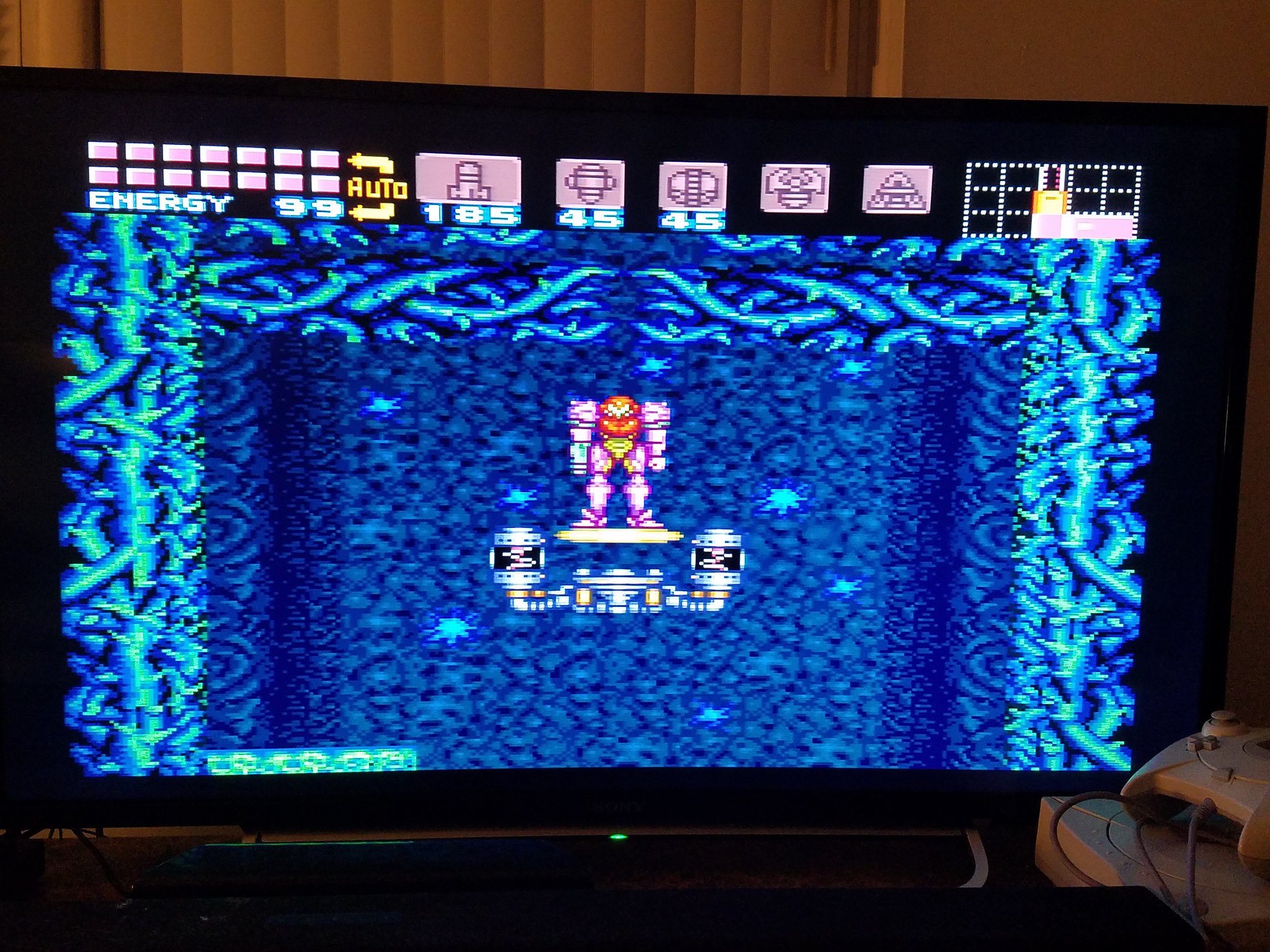 20160520_001404 by Pedro Bracamonte, on Flickr
Sonic CD on the Sega CDX via RGB. As you can see, there is a border around the screen, probably has to do with overscan.
 20160520_001900 by Pedro Bracamonte, on Flickr
Spyro The Dragon on the PS1.
 20160520_003427 by Pedro Bracamonte, on Flickr
Battletanx Global Assault on the N64 via RGB. I have scanlines enabled since the graphics look blurry without them. Must have something to do with the N64's anti-aliasing feature.
 20160520_000950 by Pedro Bracamonte, on Flickr
And finally, GTA III on the PS2 via component using D Terminal to Component. I had to use a 480p input since using 720p and 1080p made the screen much smaller.
 20160520_004259 by Pedro Bracamonte, on Flickr
Super Metroid on the Super NES via RGB
20160520_001404 by Pedro Bracamonte, on FlickrSonic CD on the Sega CDX via RGB. As you can see, there is a border around the screen, probably has to do with overscan.
20160520_001900 by Pedro Bracamonte, on FlickrSpyro The Dragon on the PS1.
20160520_003427 by Pedro Bracamonte, on FlickrBattletanx Global Assault on the N64 via RGB. I have scanlines enabled since the graphics look blurry without them. Must have something to do with the N64's anti-aliasing feature.
20160520_000950 by Pedro Bracamonte, on FlickrAnd finally, GTA III on the PS2 via component using D Terminal to Component. I had to use a 480p input since using 720p and 1080p made the screen much smaller.
20160520_004259 by Pedro Bracamonte, on Flickr-
austin532
- Posts: 844
- Joined: Wed Mar 12, 2014 12:44 am
- Location: Arizona, US
Re: XRGB-mini Framemeister (now available !)
You will get much better results if you use 4X or 5X profiles with the Aspect Ratio set to 4:3. These are old games and were not meant to be stretched to fill a 16:9 screen.
Framemeister 240p scanline settings: http://shmups.system11.org/viewtopic.ph ... start=9600