Sony PVM-20L5 — composite calibration?

The place for all discussion on gaming hardware
Post Reply
User avatar
schadenfreude
Posts: 54
Joined: Fri Nov 15, 2013 2:09 am
Location: Tokyo, Japan

Sony PVM-20L5 — composite calibration?

Post by schadenfreude »

Hey friends, I recently acquired a Sony PVM-20L5, and it's been working great! — for YPbPr and S-Video, that is (I haven't tested RGB yet). However, I can't for the life of me calibrate composite to look decent. Before you rag on me for caring, I do have an NES, and I don't plan to mod it for RGB because I think the procedure is too expensive. So at least for this one thing, I do care about having a decent composite signal!

Anyway, the issue is that everything on the composite line looks way too bright. Yellows are rendered in a pale white tone. I ran a contrast test on it (using this image: http://www.soundandvision.com/images/bg ... cali.1.jpg), and all the shades of white look identical!
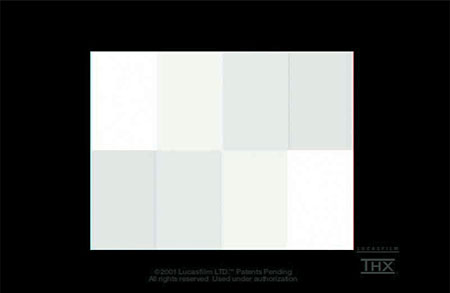
Here are comparison photos. The first one is using S-Video, and the second one is using composite:

Image

Image

Now, the strange part is that even though I was able to calibrate the monitor while using a YPbPr signal, the composite signal barely changed! And when I attempt to calibrate the composite signal, the "strong contrast" problem never goes away. Finally, I wasn't able to find composite-specific settings in the menus.

Does anyone know what's going on here? Thanks in advance!
kamiboy
Posts: 2000
Joined: Sat Sep 04, 2010 4:40 pm
Location: Denmark

Re: Sony PVM-20L5 — composite calibration?

Post by kamiboy »

Is there a switch on the back by the composite input? If so try flipping it.
User avatar
schadenfreude
Posts: 54
Joined: Fri Nov 15, 2013 2:09 am
Location: Tokyo, Japan

Re: Sony PVM-20L5 — composite calibration?

Post by schadenfreude »

Nah, I just checked, and there are no switches on the back panel.
kamiboy
Posts: 2000
Joined: Sat Sep 04, 2010 4:40 pm
Location: Denmark

Re: Sony PVM-20L5 — composite calibration?

Post by kamiboy »

Could be that your BNC converters are not providing the resistance that they are supposed to.
User avatar
schadenfreude
Posts: 54
Joined: Fri Nov 15, 2013 2:09 am
Location: Tokyo, Japan

Re: Sony PVM-20L5 — composite calibration?

Post by schadenfreude »

Hm, that's interesting. I tried a few different ones but always received the same end result. And wouldn't the wrong resistance affect the YPbPr picture quality as well?
pantra
Posts: 11
Joined: Mon Oct 13, 2008 4:47 pm

Re: Sony PVM-20L5 — composite calibration?

Post by pantra »

kamiboy wrote:Could be that your BNC converters are not providing the resistance that they are supposed to.
I'd second that. On my BVM 20F1E I need to put 75-Ohm BNC-Terminators on each Video-Out-Passthrough or otherwise I see the same phenomenon described here (overbright picture).
Last edited by pantra on Tue Dec 31, 2013 1:34 pm, edited 1 time in total.
User avatar
schadenfreude
Posts: 54
Joined: Fri Nov 15, 2013 2:09 am
Location: Tokyo, Japan

Re: Sony PVM-20L5 — composite calibration?

Post by schadenfreude »

Ah, I figured it out! I actually had the opposite problem but with the same setup as you.

So I ordered about 10 of these BNC to RCA adapters and, not knowing where to put the remaining ones, I just temporarily screwed them onto BNC connectors in the back. If I remove the adapter I stored on the "Video Out" BNC jack for the composite signal, the brightness issue goes away! So unfortunately, my problem was self-caused! Thanks for pointing me in the right direction!
Post Reply